A link to reset your password has been sent to your registered email.
If you do not find it in your inbox, check your spam folder.
Didn't get email?
Verify Your Email
A link to verify your email has been sent to you.
If you do not find it in your inbox, check your spam folder.
Didn't get email?
Secure access required
The Customer Portal requires secure link authentication. Please enter your email to receive a log-in link.
By submitting, you acknowledge this form is protected by reCAPTCHA and the Google
Privacy Policy
and
Terms of Service
apply.
Check your inbox
We sent a secure sign-in link to . Click the link in the email to sign in — no password needed.
Didn't receive the link?
Link resent!
Check your email
We sent a 6-digit verification code to
.
Enter it below to continue.
Invalid verification code.
Didn't receive a code?
Code sent!
SOTI Snap App
Tutorial: How to install a SOTI SNAP App
Use the above token to get this app on SOTI Snap web console. Then, publish it on selected devices. For step-by-step directions.
Watch Video
SOTI Snap App
Asset Inventory Management
By SOTI Inc.
SOTI Snap App
SOTI XSight
SHARE
Email
Copy Link
Overview
Features
Company
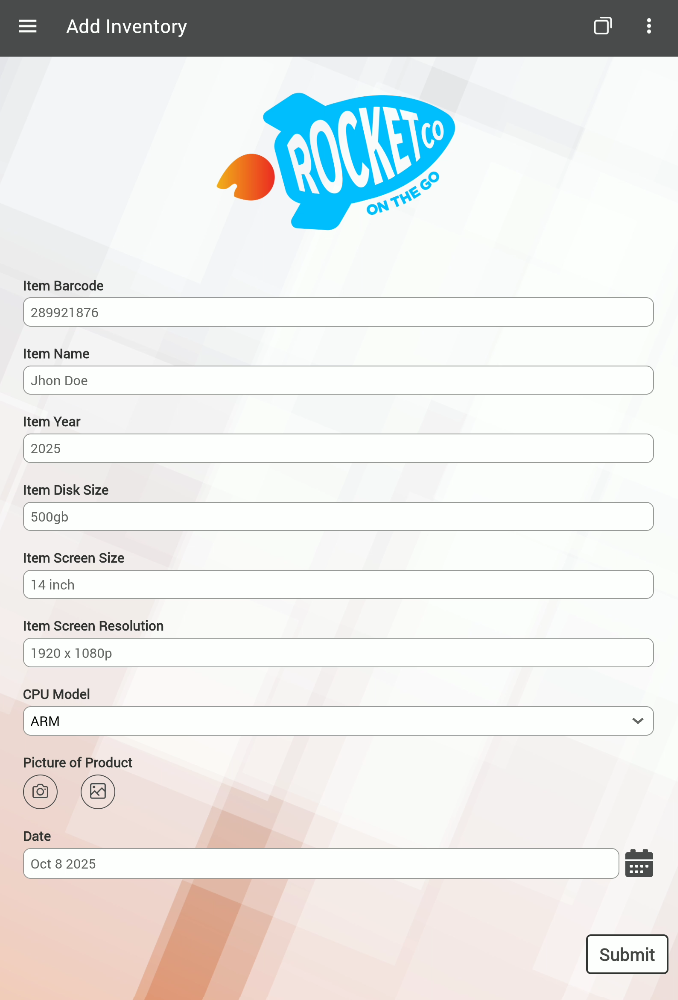
An asset inventory management application designed to streamline the process of logging and tracking physical items. Users can enter key details such as item ID, item name, year of manufacture, and hard disk size. The app includes a dropdown for selecting CPU models, a date picker to record the entry date, and a camera widget to capture product images. Ideal for IT departments.
Key Features
Barcode Scanner (Textbox Widget)
The first input field supports barcode scanning, allowing users to quickly log items by scanning their unique identifiers.
Standard Textboxes
Additional fields such as item name, year, and hard disk size use standard textboxes for manual data entry. These support single-line and multi-line input, with optional character count display and input validation.
Dropdown Selector
A dropdown widget enables users to select the CPU model from predefined options: AMD, Intel, Apple M processor, and ARM.
Picture Widget
Users can upload or capture a photo of the asset directly within the app. This feature supports camera access and file uploads.
Date Picker
A graphical calendar interface allows users to select the date the item was entered into the system. The widget can be configured to restrict selection to past or future dates as needed.
Hamburger Menu Navigation
A collapsible menu provides access to two main sections:
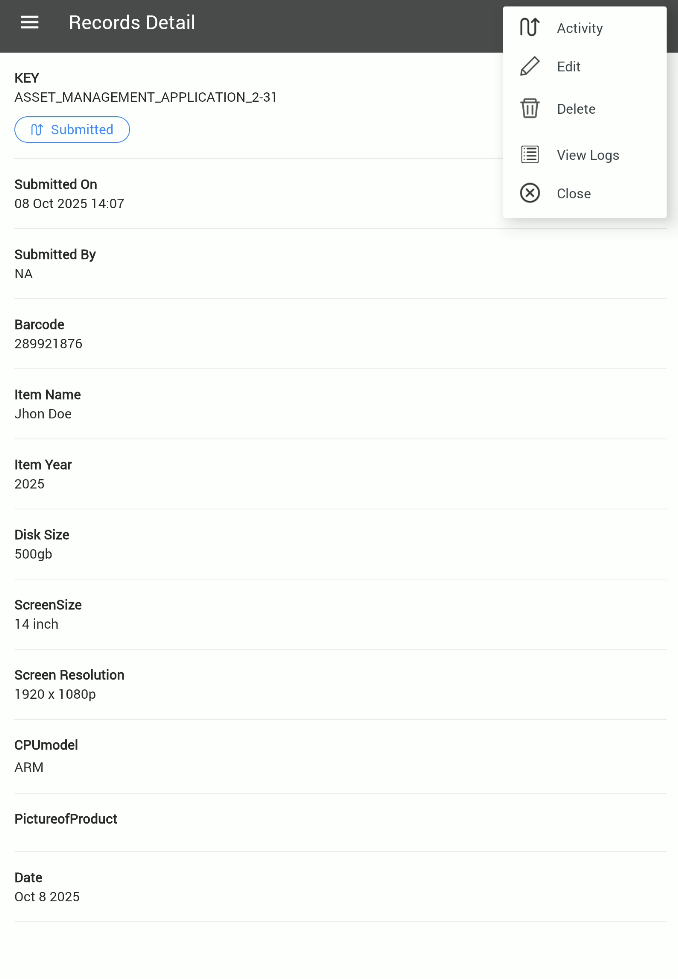
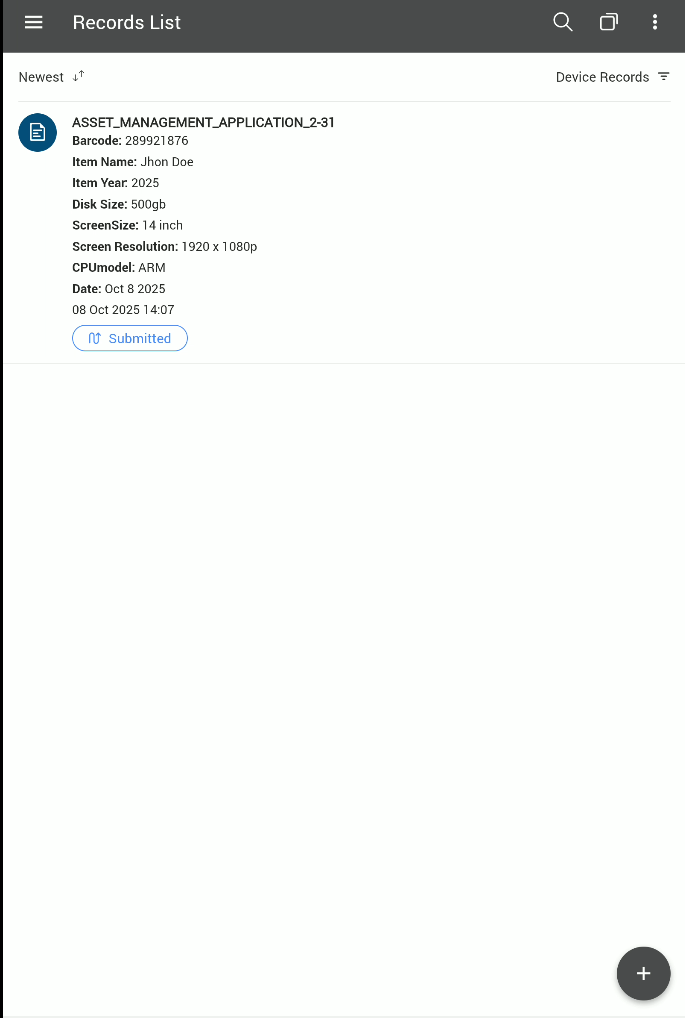
Submitted Records: View, edit, and delete previously entered inventory items.
Add Inventory: Input new assets using customizable fields.
Record Management & Customization
View & Edit Records: All submitted entries are accessible via the report icon in the top-right corner of the app interface in Snap Console. Users can edit or delete records directly from the app in the Submitted Records section.
Dynamic Field Addition: New fields added to the inventory form are automatically reflected in the records section.
About Company
SOTI is a proven innovator and industry leader for simplifying business mobility solutions by making them smarter, faster and more reliable. With SOTI’s innovative portfolio of solutions, organizations can trust SOTI to elevate and streamline their mobile operations, maximize their ROI and reduce device downtime. Globally, with over 17,000 customers, SOTI has proven itself to be the go-to mobile platform provider to manage, secure and support business-critical devices. With SOTI’s world-class support, enterprises can take mobility to endless possibilities. For more information, visit www.soti.net.