A link to reset your password has been sent to your registered email.
If you do not find it in your inbox, check your spam folder.
Didn't get email?
Verify Your Email
A link to verify your email has been sent to you.
If you do not find it in your inbox, check your spam folder.
Didn't get email?
Secure access required
The Customer Portal requires secure link authentication. Please enter your email to receive a log-in link.
By submitting, you acknowledge this form is protected by reCAPTCHA and the Google
Privacy Policy
and
Terms of Service
apply.
Check your inbox
We sent a secure sign-in link to . Click the link in the email to sign in — no password needed.
Didn't receive the link?
Link resent!
Check your email
We sent a 6-digit verification code to
.
Enter it below to continue.
Invalid verification code.
Didn't receive a code?
Code sent!
Contact StayLinked
Enterprise Mobility Management
StayLinked SmartTE
By StayLinked
SOTI Snap App
SOTI XSight
SHARE
Email
Copy Link
Overview
Features
Resources
Company
Terminal emulation remains the most implemented application deployed on ruggedized mobile devices because it is incredibly reliable and incredibly fast. In fact, It is estimated that 70% of ruggedized mobile devices run a terminal emulation solution. But for today’s smartphone operating system, touchscreen devices the market is demanding a graphically rich and familiar user experience.
Various attempts to use web-based applications have proven to introduce latency—slowing down the application and degrading productivity. Inserting fat applications between the mainframe application and the mobile device to improve the user interface has the same negative impact. Replacing the mainframe application (and the most reliable piece of hardware in the enterprise) with an entirely new system brings with it exorbitant costs and a high level of risk.
When it comes to the all-important workforce metric— productivity—nothing has been able to beat terminal emulation’s combination of speed and reliability. Customers have had to choose between the speed of terminal emulation and the intuitive, graphical UI of browser-based or fat applications until now: StayLinked SmartTE delivers the speed and reliability of traditional terminal emulation with the intuitive, modern user experience of web-based applications.
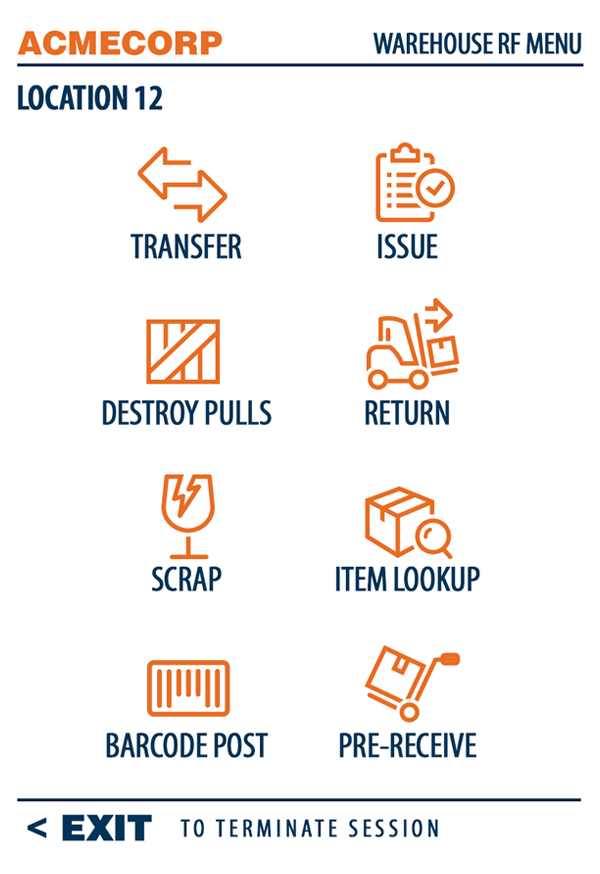
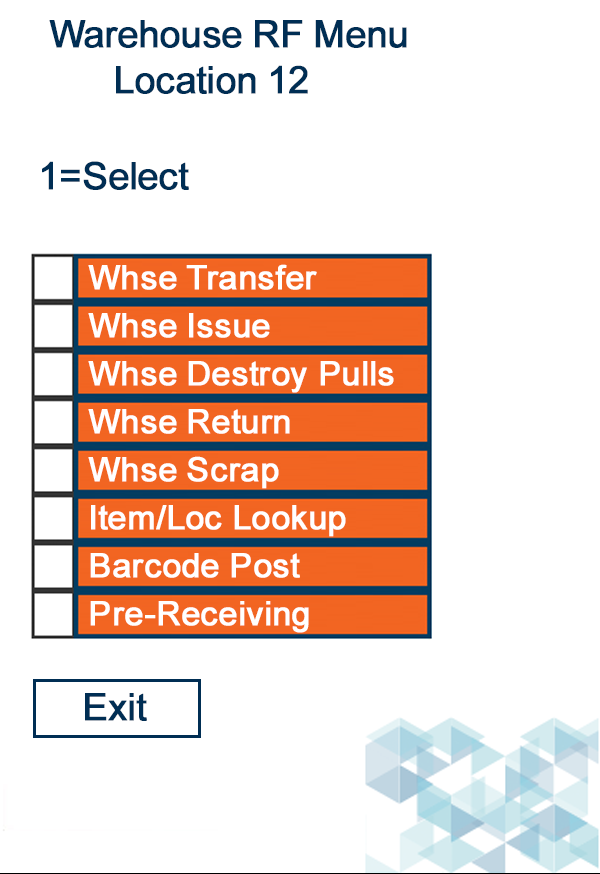
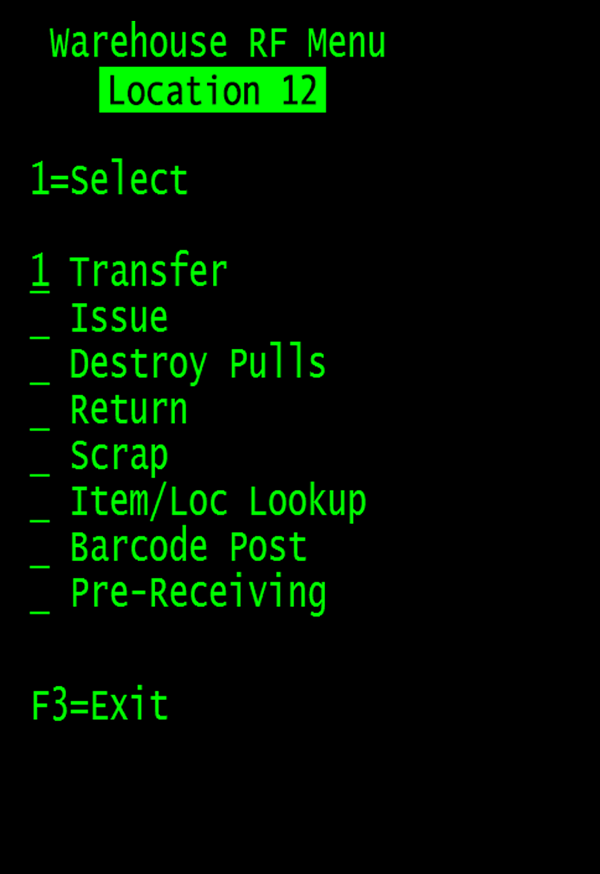
By introducing new intelligence to the terminal emulation process on the host system, the emulation screens can be intercepted before they are sent to the wireless device, and the elements of the green screen can be overwritten by a rich graphic interface that is familiar and easy-to-use to the mobile user.
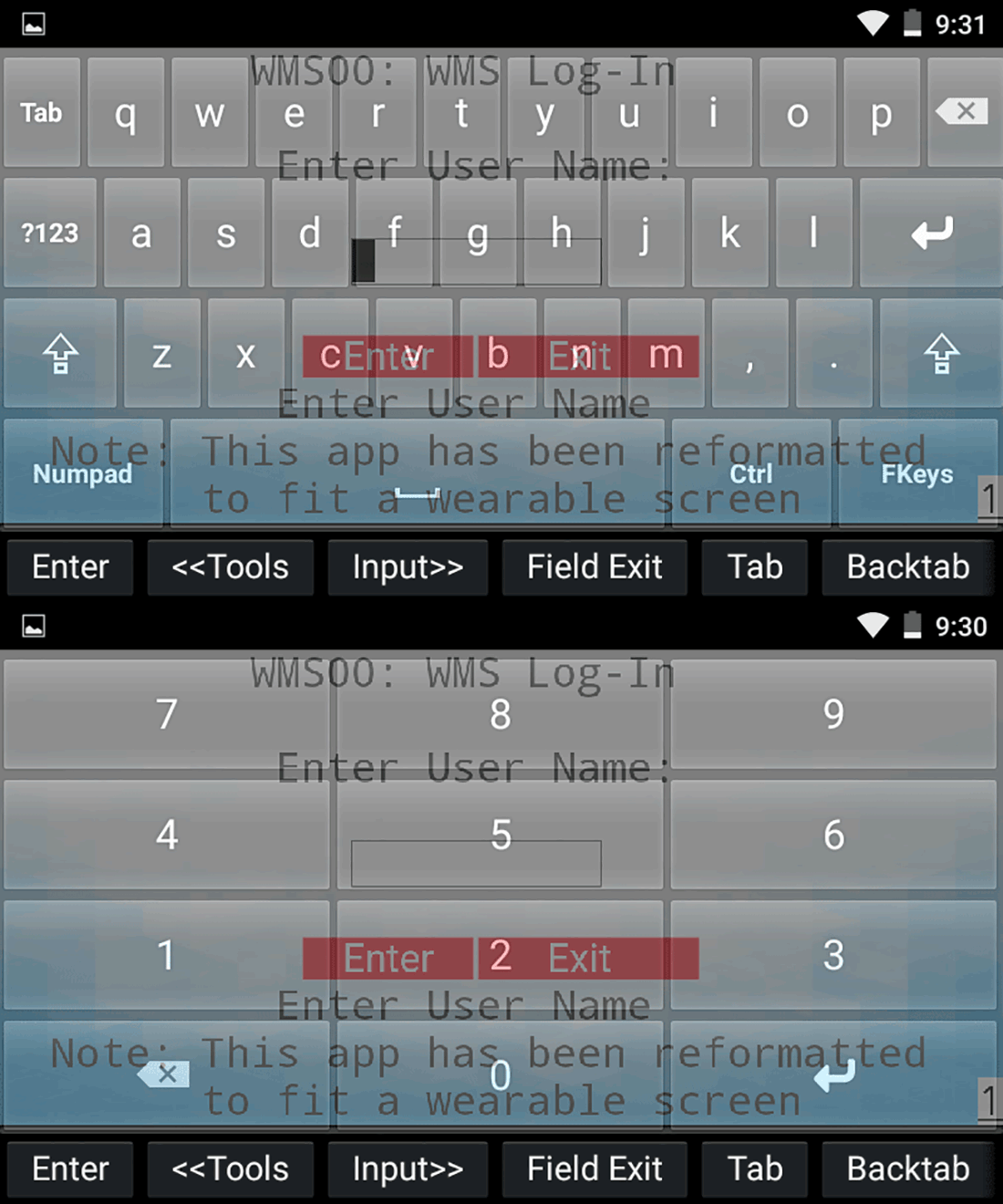
This new server-side intelligence can recognize emulation screens, determining the kind of input that is being requested, and present an appropriate virtual keyboard on the device—everything from a standard full keypad to a numbered key pad when numbers are requested, for instance, or a range of limited options when that is appropriate.
If the response is a simple yes or no, two buttons can be made to appear. With StayLinked SmartTE your text-based “green screen” applications are quickly transformed into easy-to-understand, graphical screens with no changes to the original application and no programming skills required.
Key Features
Increased Productivity
By allowing complicated, text-based application screens to be transformed into easy-to-use, graphics-based screens SmartTE can streamline business processes for application end users and increase overall worker efficiency. As enterprises implement touchscreen-centric devices running operating systems like Android or iOS, there is a need to take full advantage of the capabilities of these devices.
Best of Both Worlds
Terminal emulation remains the most implemented application deployed on ruggedized mobile devices because it is incredibly reliable and incredibly fast. In fact, It is estimated that 70% of ruggedized mobile devices run a terminal emulation solution. StayLinked SmartTE delivers the speed and reliability of traditional terminal emulation with the intuitive, modern user experience of web-based apps.
Unsurpassed Reliability
SmartTE is built upon the industry's most advanced Terminal Emulation architecture - StayLinked TE - which virtually eliminates dropped sessions between the mobile device and the host application. Whether the problem is poor wireless network coverage, mobile device battery issues, or mobile device reboots, the terminal emulation session will never be lost.
Automatic App Screen Creation
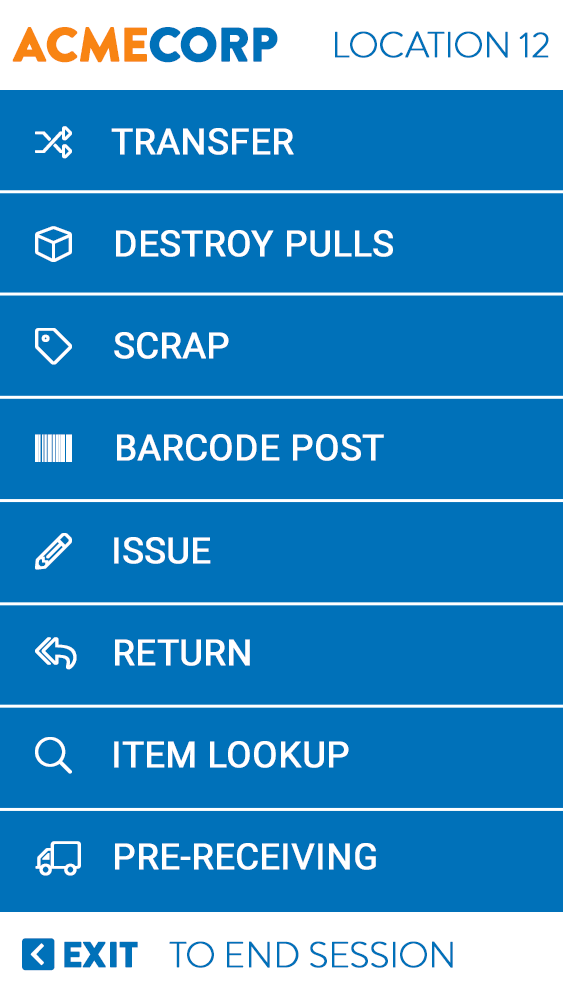
SmartTE features Dynamic Screen Generation which will automatically transform your terminal emulation screens into touchscreen-friendly screens. The new interface is generated based upon specific settings controlling such parameters as tapspot detection, graphic fields, color schemes, background images, and more.
Custom Screen Designer
If you would like to create custom screens with a different look and feel from the dynamically generated screens, SmartTE features a drag-and-drop screen designer. You can use this tool to include your unique branding, incorporate product images in your screens, customize colors, increase button size, and more.
Smart Keyboard
Smart Keyboard delivers the best possible user experience on touch-only devices. Because Smart Keyboard allows users to utilize the entire screen, they must no longer sacrifice usability for the sake of screen space. In fact, with Smart Keyboard, customers retain all of their application’s functionality which enables seamless migration to Android and to new state-of-the-art form factors.
Smart Tiles
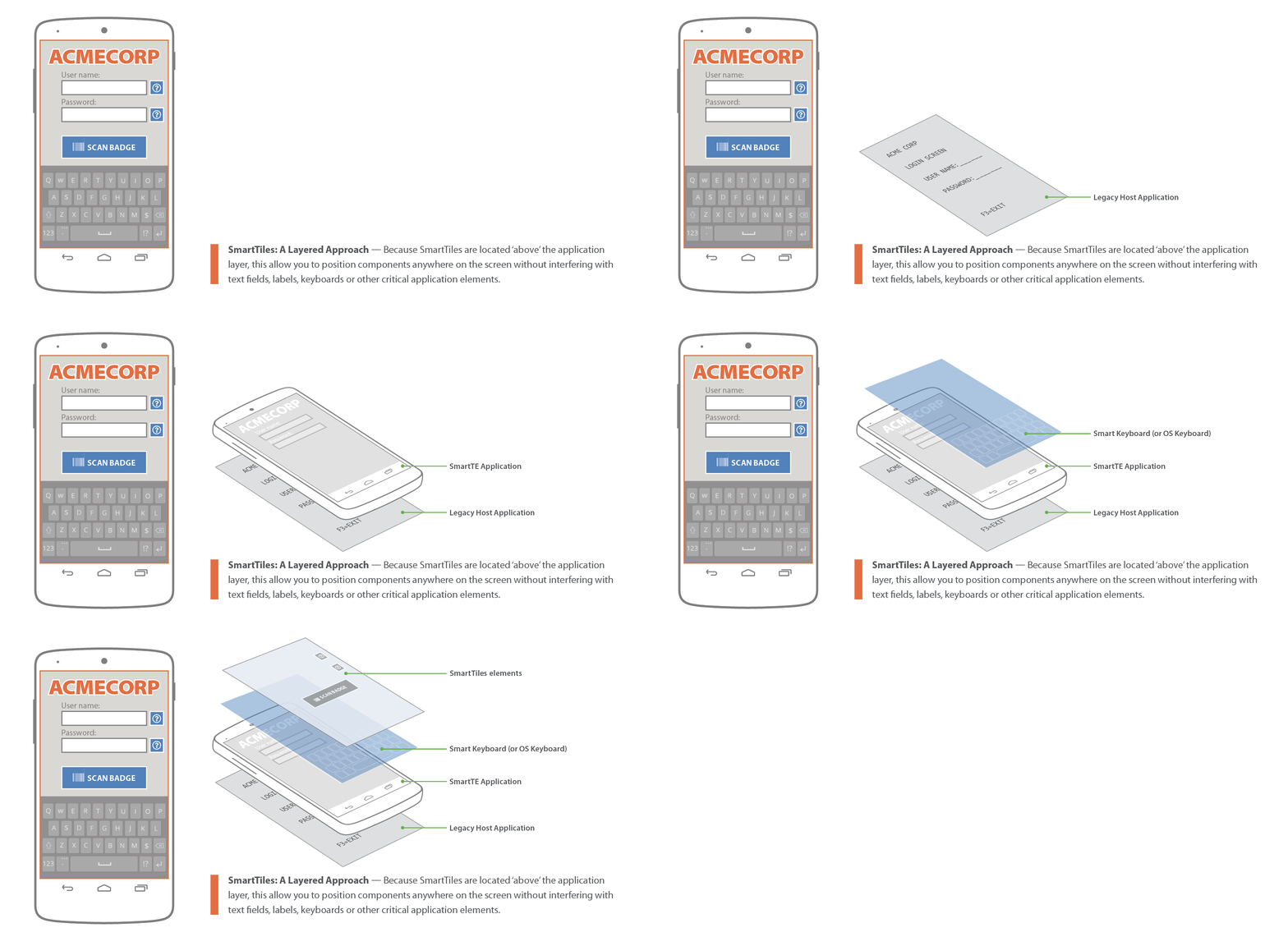
With modern devices, keyboards are obstrusive. Smart Tiles solves this issue for any screen size on any form factor. StayLinked Smart Tiles is an innovative approach to the touch-only user experience that allows you to work more productively by navigating through your applications as easily as possible by presenting the worker with only the keys that are needed.
Investment Protection
Your SmartTE client runs across operating systems (i.e. Android, iOS, Windows 10/CE/Mobile/) from many vendors and the license is fully transferable to other devices.
Rapid Training
An application that looks and feels like the Android or iOS application new workers use on their personal mobile phones will be much easier to learn and understand. This is especially true when training seasonal or temporary workers.
Migration & Modernization
StayLinked SmartTE ensures you can apply touchscreen capabilities to your warehouse applications. At StayLinked, customers we’ve talked to who are actively looking for an alternative are amazed at not only how well SmartTE works, but how easy it is to use, especially when migrating and modernizing existing applications.
Videos
StayLinked Overview: See how StayLinked can help optimize your enterprise.
StayLinked Modernized TE: Providing a way to take advantage of today's modern touchscreen devices
Additional Resources
SL-1022-STAYLINKED Smart Keyboard-LTR.pdf
SL-1022-STAYLINKED Smart Keyboard-LTR.pdf
SL-1014-SMART-TE.pdf
SL-1014-SMART-TE.pdf
SL-1016-11 Reasons-SmartTE.pdf
SL-1016-11 Reasons-SmartTE.pdf
SL-1019-TE-Modernization.pdf
SL-1019-TE-Modernization.pdf
About Company
For over 20 years StayLinked has been delivering world-class solutions for mission-critical, host-based systems in the warehousing, manufacturing, transportation, and retail industries. It was our deep understanding of these host-based systems that led our team of technology experts to introduce a new paradigm in terminal emulation and session management for mobile devices.
StaLinked SmartTE provides a way to take advantage of today's modern touchscreen devices with Terminal Emulation by transforming "green screen" application screens into easy-to-use, graphical screens with no changes to the underlying enterprise applications.
Address
15991 Red Hill Ave.<br />Suite 210<br />Tustin, CA 92780