I would like to find out how to create an XML or .CR file to configure the automatic connection to the Citrix Workspace Android app store on a Zebra MC93 device and where to copy this file. I want to add the url store, user and password

I would like to find out how to create an XML or .CR file to configure the automatic connection to the Citrix Workspace Android app store on a Zebra MC93 device and where to copy this file. I want to add the url store, user and password

Citrix Workspace appears to support Managed Configurations. I'm not sure if it supports an external configuration file or not, but it at least supports Managed Configurations so you may not have to worry about a config file at all. More recent versions of MobiControl also allow for Macros in these fields so they can be resolved to dynamic values.
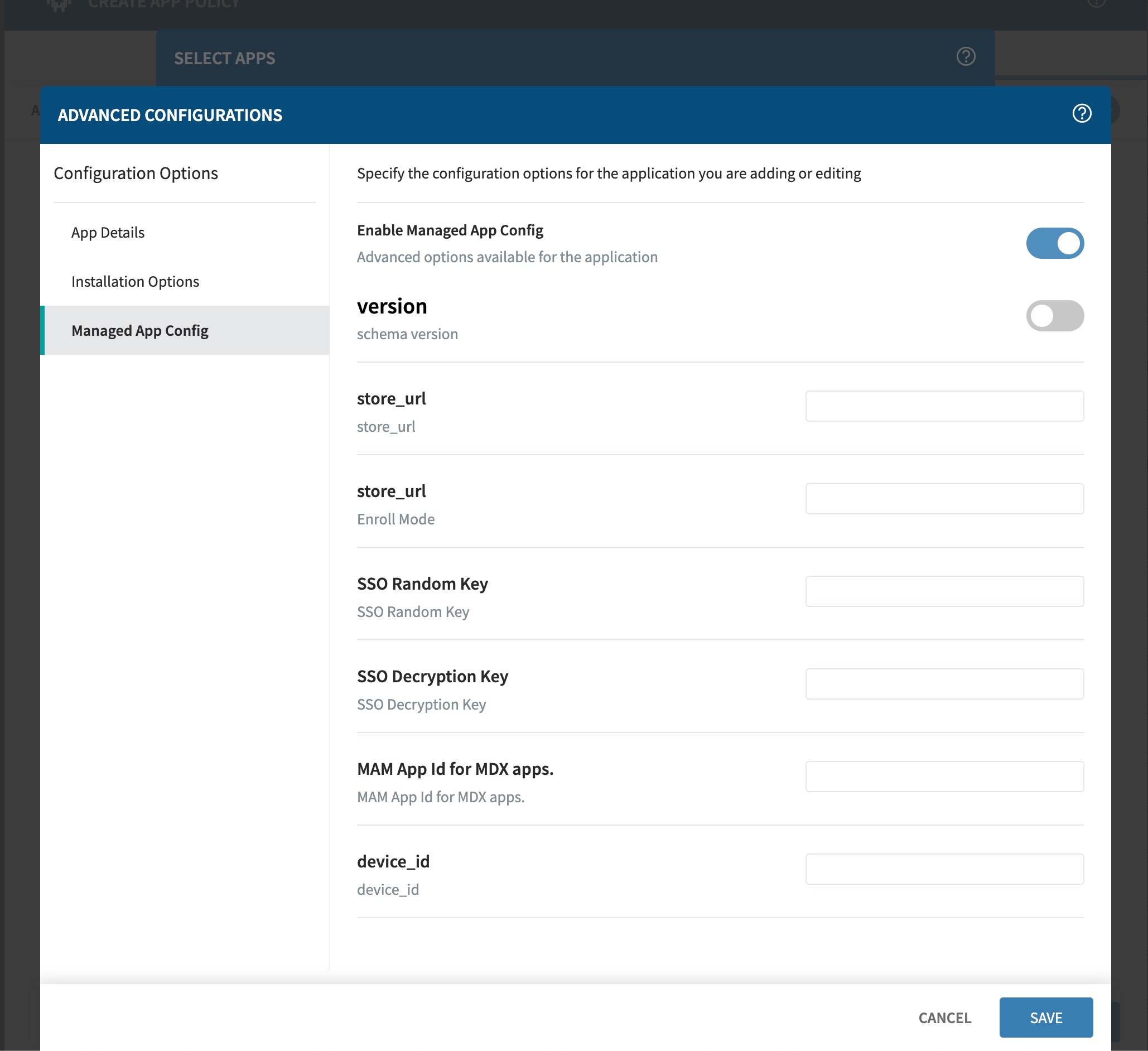
Hi Matt,, i try, but it's look like Soti don't push the config.
i try a different way, but the information is never add to the app
Assuming you have everything set up correctly, it still might take some time. Managed Play based updates require a lot of stars to align and can take a frustrating amount of time:
https://support.google.com/work/android/answer/9350374?hl=en

If this seem not to be applied to the device. Try following, when using managed app config via managed playstore and not via enterprise app (we needed to do this in testing purposes sometimes when we changed the config often):

Hi Jean,
Thanks for posting on SOTI Pulse, thanks Matt and Rafael for responding to the post.
Have you had an opportunity to test the suggested solution by Matt and Rafael, and has it successfully addressed your query?
Kindly let us know.
Kind regards,
Technical Support | SOTI Inc. |1.905.624.9828 | support@soti.net | www.soti.net |
Yes, we take a look to all suggestions, but nothing working.. still searching...
Hi Jean-Francois,
As part of the investigation and troubleshooting process, I enrolled my device and deployed the Citrix Workspace application using an app policy. In the advanced configuration, I referenced our Soti help file document for the store URL.
After installation, I tested the application by attempting to access the website through the provided URL. The website loaded successfully on the first attempt. Subsequently, I reopened the app and found that the store URL continued to work without issues.
Additionally, I noticed that each time I made changes to the URL, different accounts were created, allowing me to switch between them seamlessly.
If you have any additional questions or concerns, please don't hesitate to reach out. We're dedicated to providing assistance and support.
If the issue persists, I strongly recommend initiating a support ticket. This will enable us to conduct a thorough investigation into the matter.
Kind regards,
Technical Support | SOTI Inc. |1.905.624.9828 | support@soti.net | www.soti.net |