third part application deployment from Google Play Store on SOTIMobicontrol Agent

J
JJC
CONAIR CORPORATION

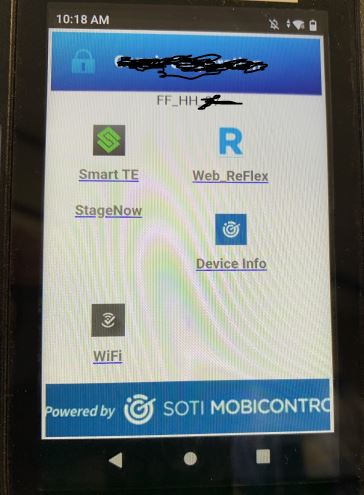
We have that screen on all ours RF device. We have deployed the Application Reflex web with an APK provided 4 years ago by the partner. But the version is very old.

I would like to know if it is possible from SOTI to deploy the application using the google playstore directly because from there, application versions are always up to date. 

2 years ago
SOTI MobiControl
ANSWERS
ZC
Zafer Cigdem Platinum Contributor
2 years ago

Hello,

You can either update your applications version by using a profile (by updating the related .apk by using a package (importing an updated package and selecting the updated package version under the profile); so your application should be upgraded, and this way you can manage which device(s) any application version you'd like to upgrade and when). This is what I personally prefer. 

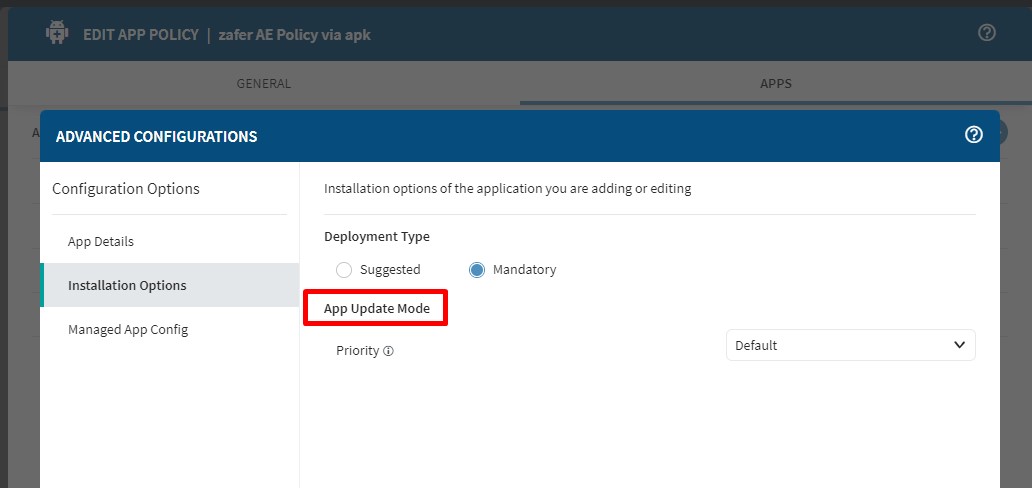
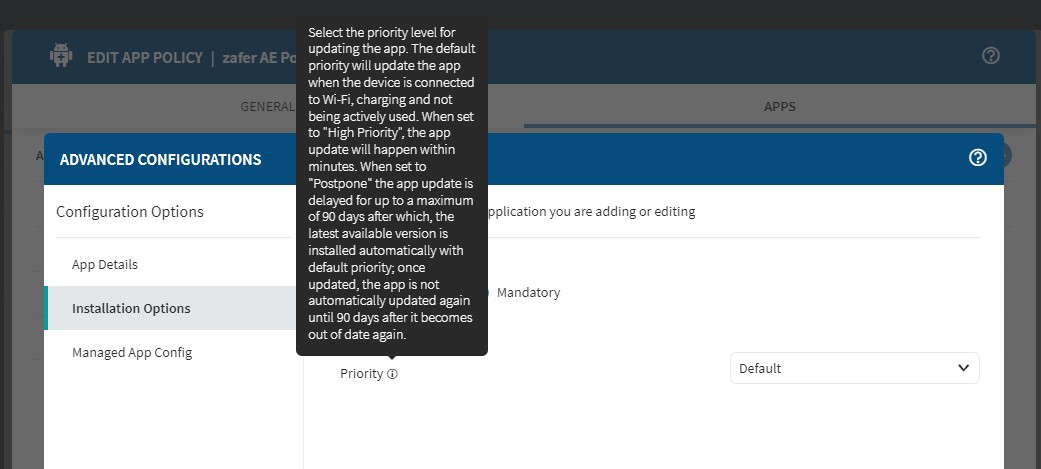
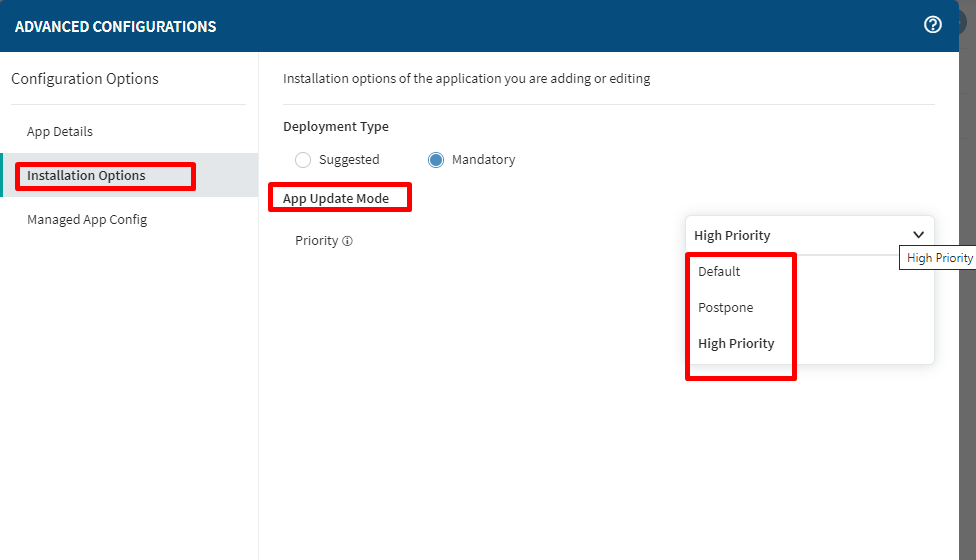
Or you can also check out "Policies --> App policy" to install/update your application from Google Play Store; you may find details here: Select Apps (soti.net) but this way all of your devices app would be upgraded regarding this App policy is targeting to. Either way, if it's your first time, testing out only by using a test device(s) (instead of targeting to all of your devices) would be better. Here is profile update options from App policy side related to update option:

I hope it helps, thank you.

Zafer

J
JJC
2 years ago

Hi Zafer,

Thks for your reply

For your first suggestion, that's mean I have to get from the supplier the latest apk, correct?

For the app, I see there is an update option. When clicking on it, it is telling me the "application is up to date" and I am pretty sure it is not

From Google PlayStore, the latest is dated on 10/10/2023. So that the reason why I would like to deploy the application using Google PlayStore.

ZC
Zafer Cigdem Platinum Contributor
2 years ago

Hello,

For profile/package option, you should have an updated version of the .apk, but it may not be the latest version, it could be any version that newer than your current app version. And this way you can upgrade it without Google Play. For some .apk, it can be found from their official website of the supplier as well.

P.S. While you are testing on your test device just in case either with/without Google play, after you upgrade your 3rd party application version, it would be better to verify whether your saved data on this app stay same (won't be deleted) or not, if there is any local database on this app.

RC
Raymond Chan Diamond Contributor
2 years ago

If there is a message saying "the application is up to date", you MIGHT need to do test to confirm that the latest version on Google Play Store is COMPATIBLE with your device with upgrade problem.  Sometimes, a new app version may require the target device Android firmware to be at least a certain minimum version higher than that required by the old app.  In this compatibility test, you might need to use a another device of the same model and firmware version to check if the latest app can be installed successfully from Google Play Store as personal (rather than managed) app. 

J
JJC
2 years ago

Morning Raymond,

We have tested the latest version on the Google PlayStore. And it works.

My goal is to deploy the application from the Google Playstore instead of installing a new version with .APK file everytime.

And let the app updated automatically from the Google Playstore when a new version is ready. 

ZC
Zafer Cigdem Platinum Contributor
2 years ago

Hi JJC,

As I mentioned on my 1st reply, you may use App Policy to test it out then.

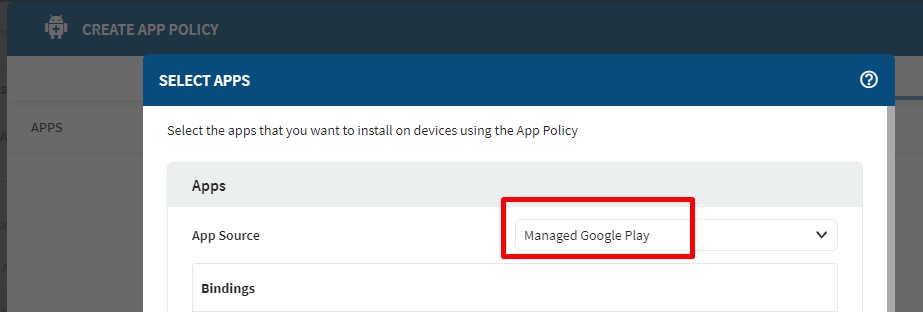
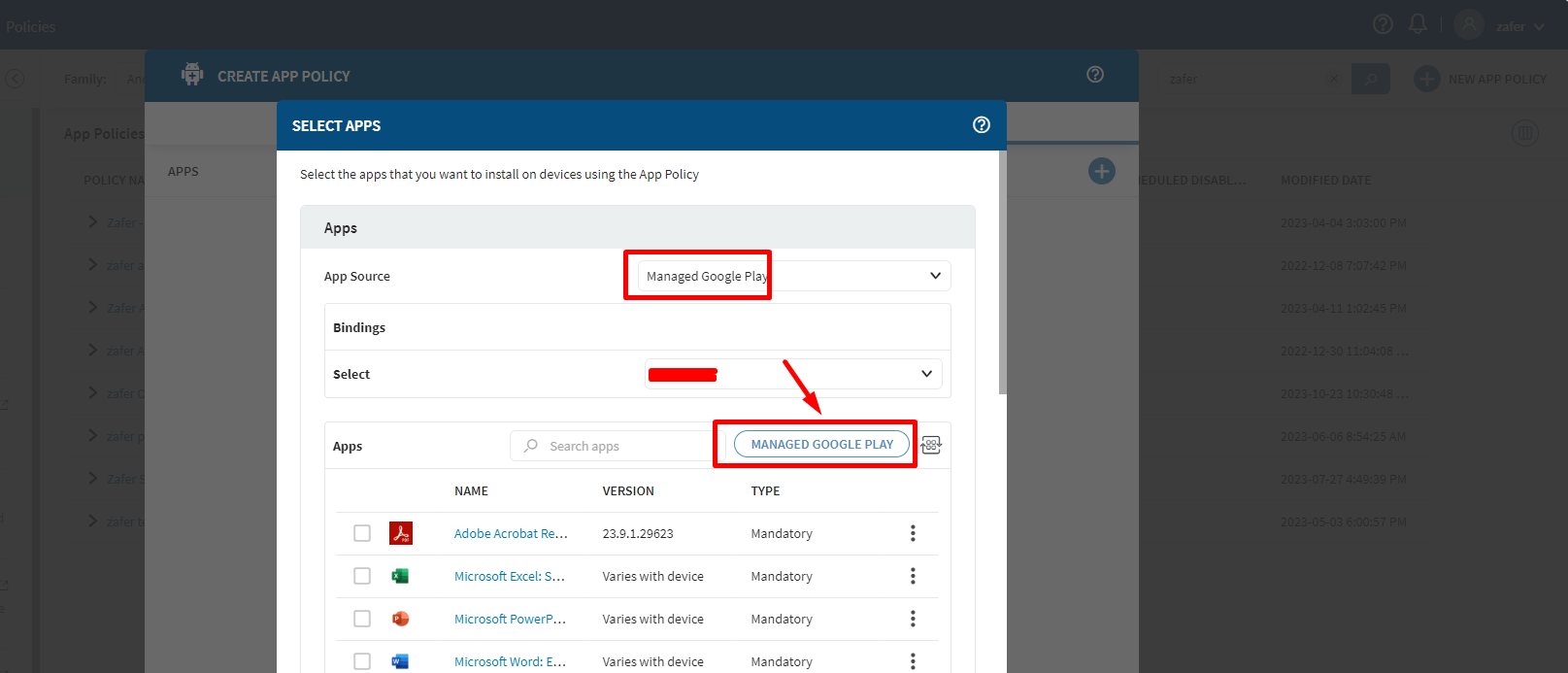
Go to Hamburger Menu > Policies > Apps >  + New App Policy  at the top right corner >Select Android > on the Apps section click + to add new apps > Select Managed Google Play as below

Select your apps from here and click on OK

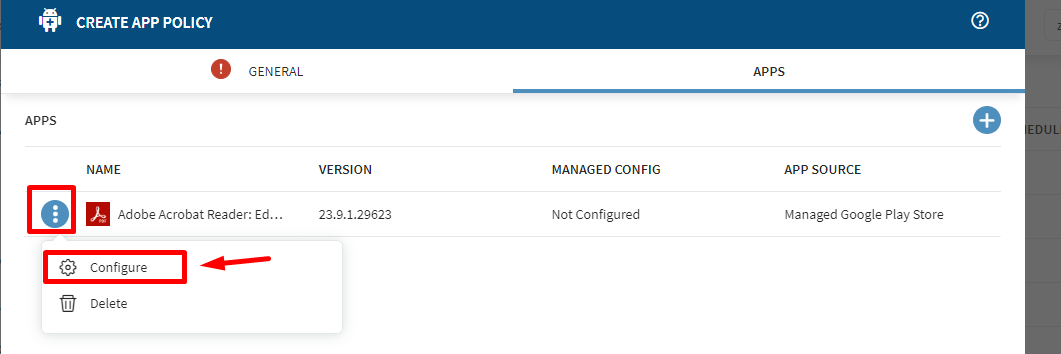
Select the app from the list and click Add, and then you can click on three dot on the left side of the application name and select Configure to update it's configuration.   

If you want to use Google Store method, you can use this to allow you automatically install or update any google play application that you can select. And based on your App Update Mode priority selection, that would be installed/updated. I hope it helps.

P.S. As mentioned earlier, for a double check before publishing this production devices, test it earlier with some test devices and gradually send it over to other devices just in case. 

Zafer

RC
Raymond Chan Diamond Contributor
2 years ago

What are the version and build numbers of your MobiControl server?

J
JJC
2 years ago

15.5.2.1003

J
JEMOD@SOTI Bronze Contributor
2 years ago

Hi JJC,

Thank you for posting on SOTI Pulse! 

Following the posts above from Zafer/Raymond, I believe the recommendation of using an app policy is promising for your devices, and it looks like it is working as intended. Do let us know if you are encountering any issues with the app policy, or you can mark a post as a solutioned once your testing is complete.

Kind regards,
 
Technical Support Specialist | SOTI | +1 905.624.9828 | SOTI.net l Discussion Forum | Log a Case Online l Facebook l LinkedIn l Twitter 

J
JJC
2 years ago

15.5.2.1003

Similar Discussions