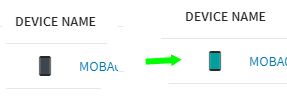
Is it possible to start the agent on an Android before a user logs in ?
Or how do I get onto an android when it has only been switched on ?

Is it possible to start the agent on an Android before a user logs in ?
Or how do I get onto an android when it has only been switched on ?

Before a user logs into what, the device, or some business application? Are you asking about installing the agent and enrolling the device from a out of box state?
If the user switches on the unit but does not log in.
So that I can see in Soti that the device is switched on and connected to WLAN.

For recent Android versions, the Android kernel and system modules (including file-system decryption) are not fully running if the first lock-screen password upon power-up has not been correctly input by the device end-user. During this time, the device agent is basically not even started yet and the device therefore will not able to communicate with the MobiControl server and its icons shown as on0line.
Since Google made file-base encryption mandatory for Android 10 and later devices, if an app (including an MDM device agent) include codes to support the direct-boot mode introduced by Google since Android 7, then the app can have some of the function implemented and running before the first lock-screen password is entered after device power-up. I notice some device agent of other MDM solution support simple functions such as wipe in their direct-boot-mode codes, but I don't think Soti device agents currently support any direct-boot-mode features at the moment.

we look for the same (direct boot support) but weren't able to start a feature request because too many (bad resposible) cases open @ Soti side
Especially when devices do a nightly reboot (because of firmwareupdates or so) and have a pin configured or in something like your case it would be nice to have them online in Soti again.

Hi Mun166,
Thanks for your post on Central!
Unfortunately this is not a feature currently available via MobiControl, but our developers are working toward having it implemented in a future release.
Regards,
Technical Support | SOTI Inc. |1.905.624.9828 | support@soti.net | www.soti.net |