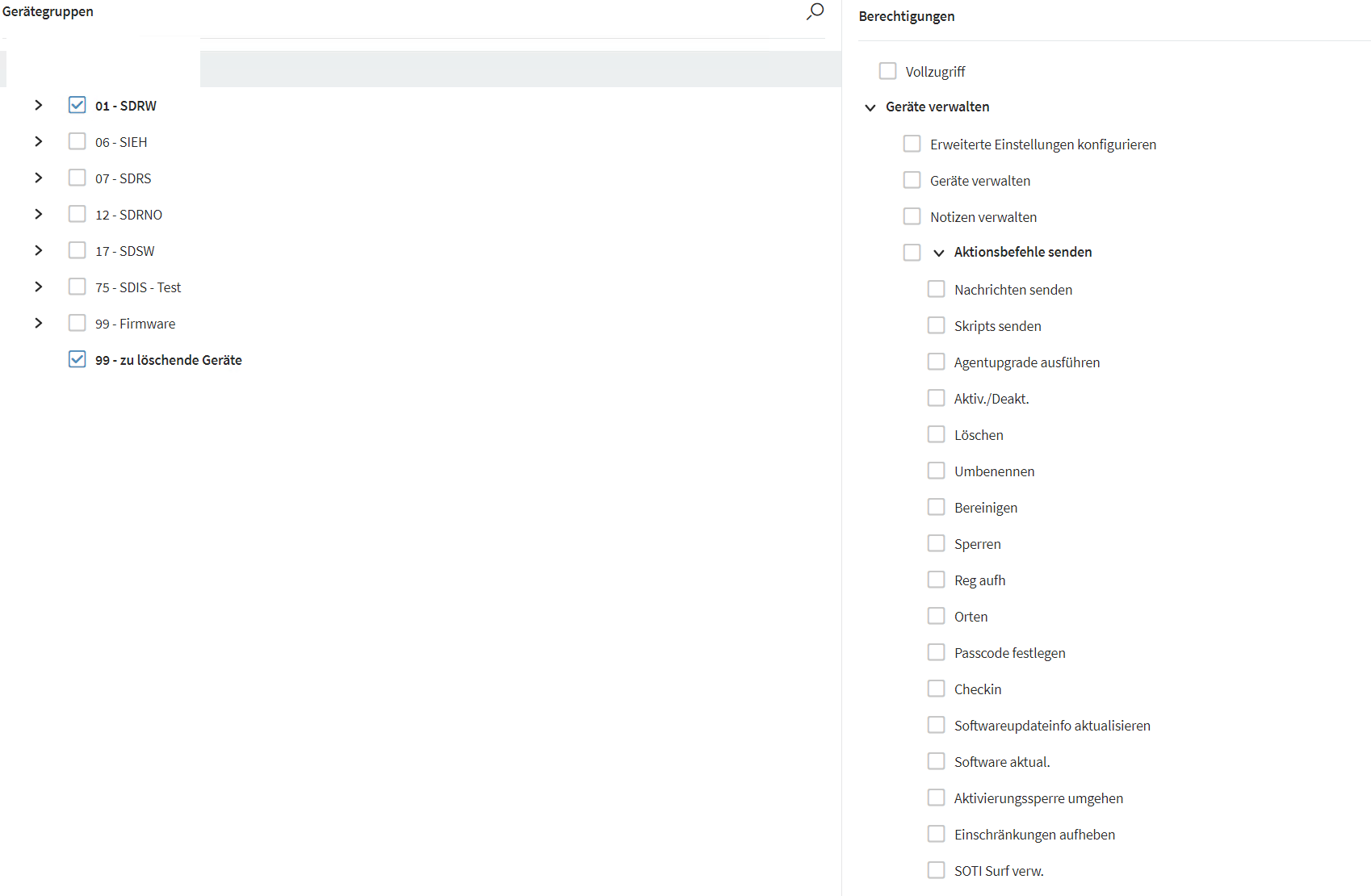
wo wird die Berechtigung für Konfiguration -> Profile anzeigen gesetzt
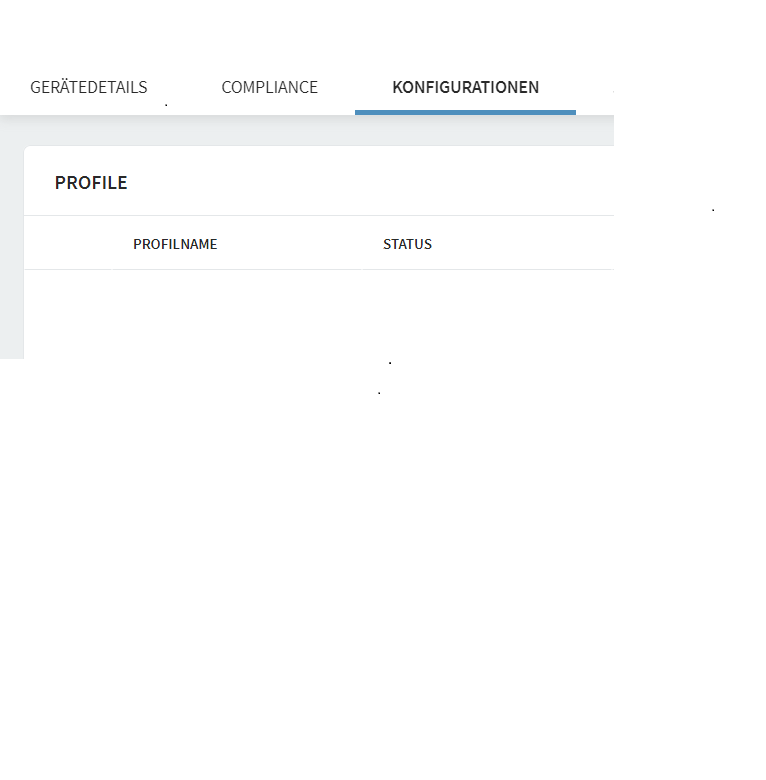

wo wird die Berechtigung für Konfiguration -> Profile anzeigen gesetzt
.jpg)
Hi Andreas,
Thank you for posting on SOTI Central and thanks Remy, Rafael for responding to the post.
I am posting this response in English so non-German-speaking users can also understand.
If you want to show Profile(s) for the devices, the user should have permission to view Profiles or even Manage Profiles. It depends on the use case.
Steps:
1. On MobiControl Web Console, click on burger button on the top left corner
2. Click on Users and Permissions
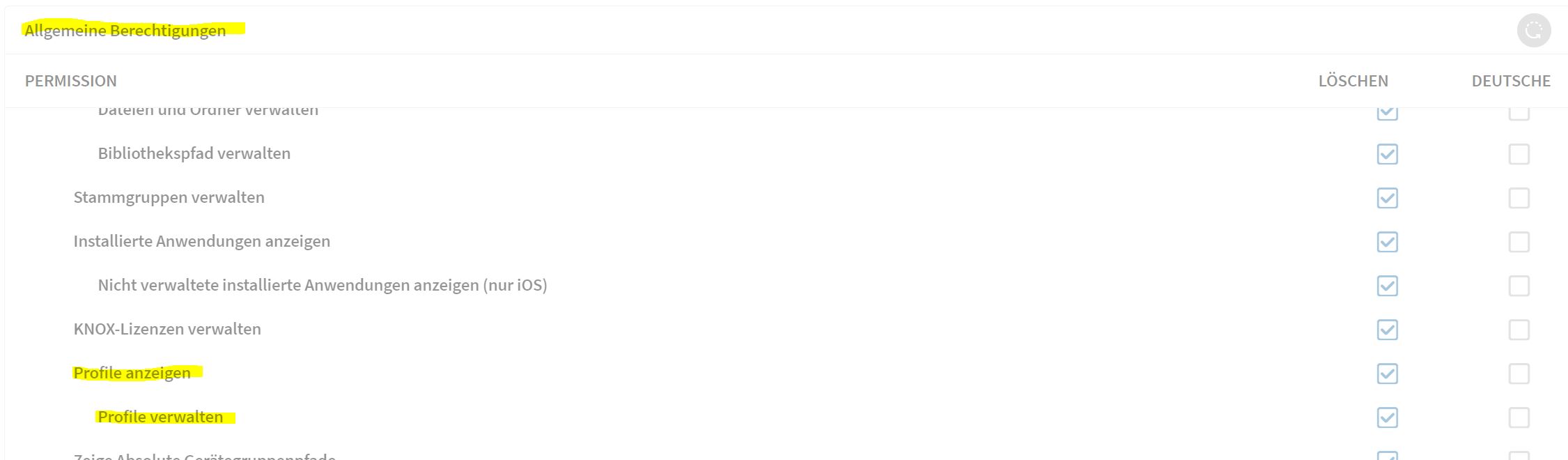
3. Check on the "General Permissions" for the target role
4. Check if "View Profiles", "Manage Profiles" is allowed
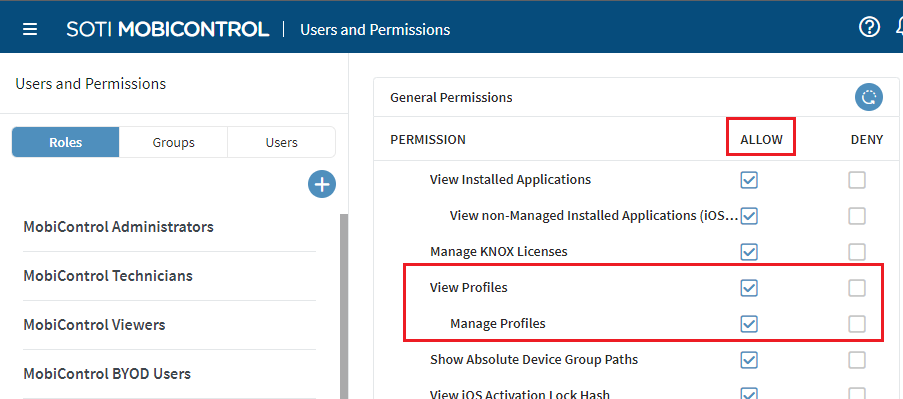
No matter you are going to edit a single user or multiple users at a time, we always suggest you to edit the permissions in "Roles".
It is not recommended to edit a single user permission because you may interrupt the uniformity for your server.
Let's imagine there were many users and different permissions were allowed for them independently, it would be inefficient for user management. Sometimes it confuses you too.
It is also not recommended to amend the default permissions for the 4 default roles, namely MobiControl Administrators, MobiControl Technicians, MobiControl Viewers and MobiControl BYOD Users.
If you need to edit the permission for the role, you may try the following steps:
1. Pick a role you orginally want to edit (e.g. MobiControl Technicians)
2. Read about its permissions (do not edit in this role)
3. Create a new role
4. Tick all the same permissions from the role picked in step 1
5. Edit the permissions for this new role
6. Assign user to this role only.
7. Do testing and check if it's your expected result
The link below is for your reference:
https://www.soti.net/mc/help/v15.5/en/console/users/globalpermissions.html
Hope the above helps.
Kind regards,
Technical Support | SOTI Inc. |1.905.624.9828 | support@soti.net | www.soti.net |

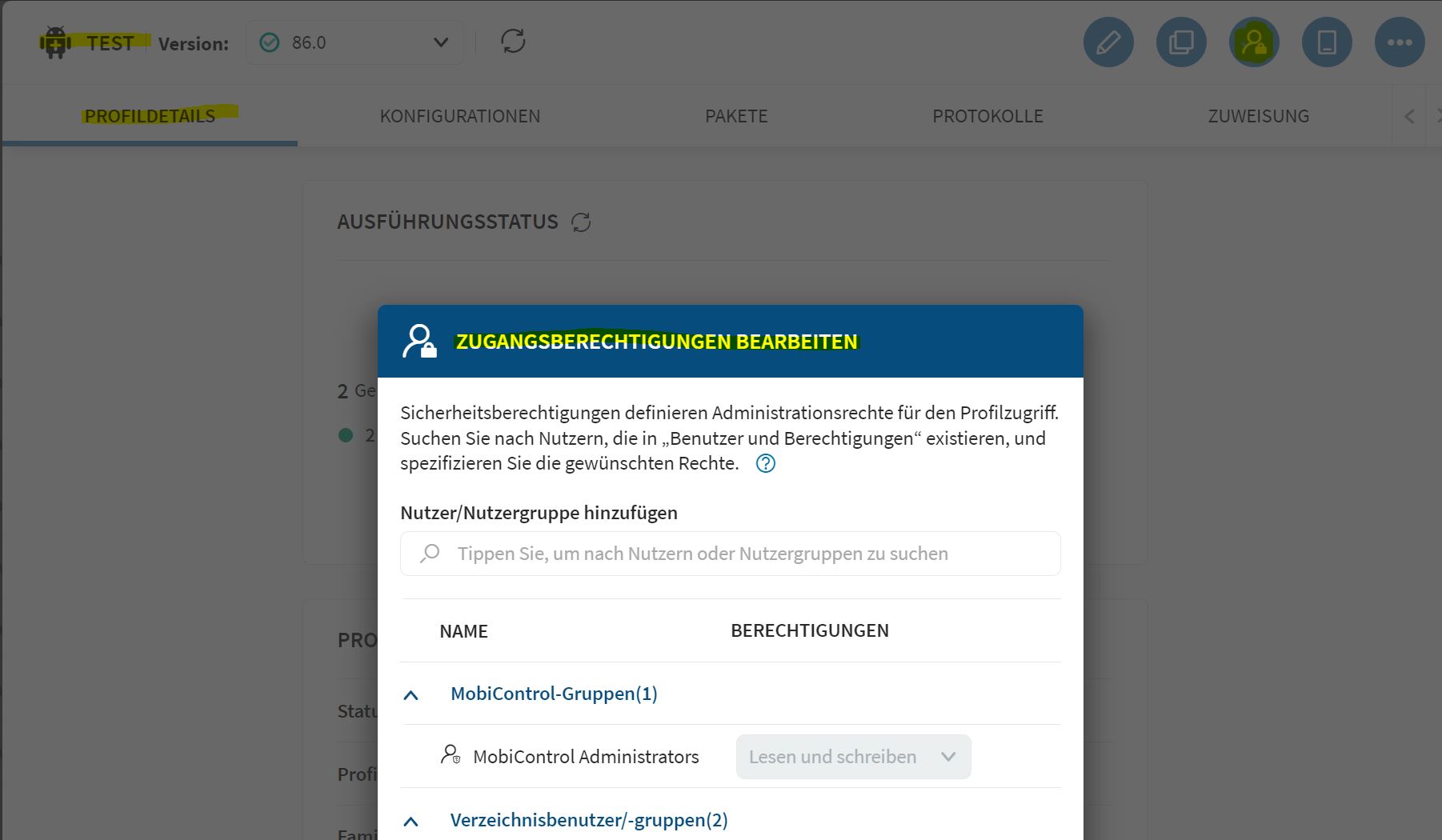
Du musst auch dem Profil die Berechtigungen zum lesen setzen wie oben bereits erwähnt.
Wenn du das für mehrere Benutzer machen musst, empfehle ich die Erstellung einer Benutzergruppe.
Diese Gruppe weist du allen Benutzern zu, die entsprechende Profile sehen können und im Profilsetup setzt du die Berechtigung für diese Benutzergruppe auf "nur lesen" nachdem du sie hinzugefügt hast.
Hi Andreas,
Would you please help to put this post as solved if you think you have a solution in this post?
Thanks for posting on SOTI Central.
Kind regards,
Technical Support | SOTI Inc. |1.905.624.9828 | support@soti.net | www.soti.net |