On the lockdown, Is it possible to display the date and the time of the device ?



On the lockdown, Is it possible to display the date and the time of the device ?

You can use javascript and date/time related functions e.g. Date(), getHours(), getMinutes(), etc. to display the date/time in your desired format and update as frequent as you desire.

I'm assuming your using Android Enterprise with the Kiosk based SOTI Lockdown that is full screen and hides the status bar with the time by default?
Maybe you could change these options in the Kiosk Settings? I made these changes and the Status Bar and time came back.
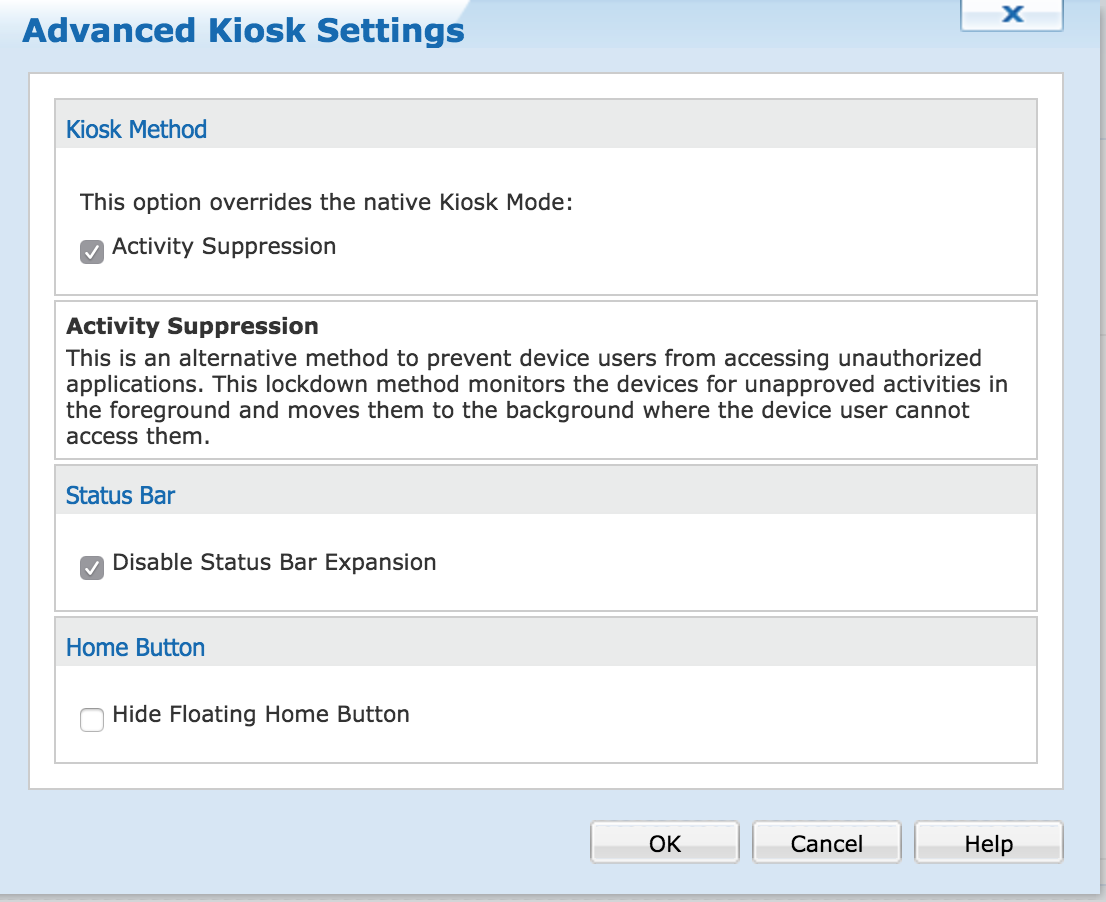
After:
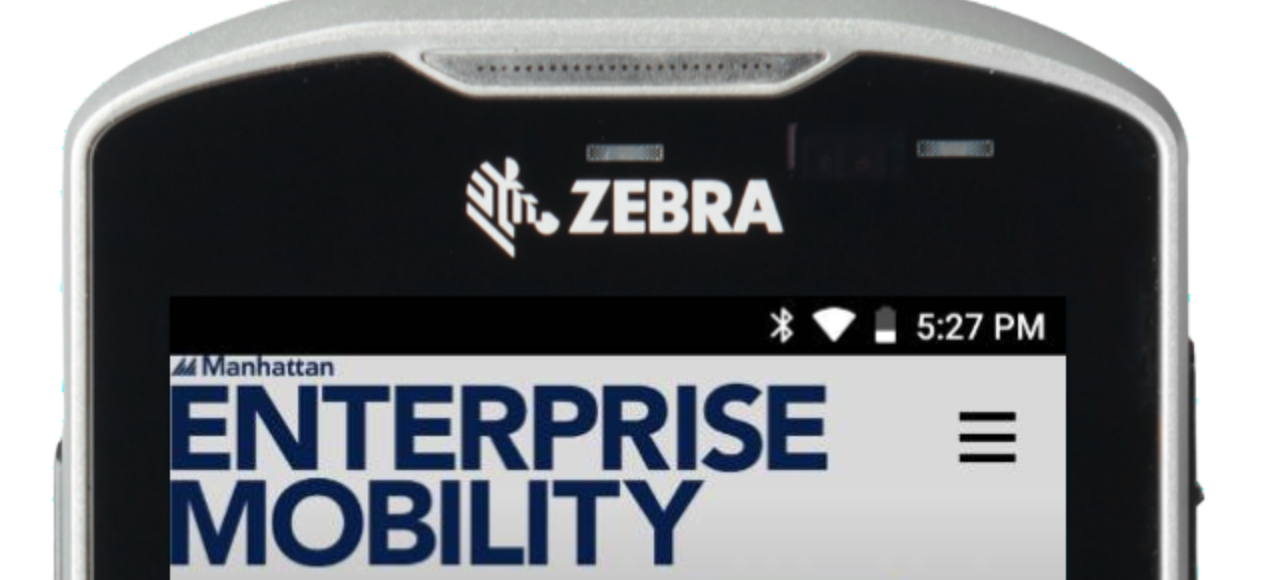
We can display the date and time on the lockdown but we have to refresh manually to update the time.
Lockdown Script used :
<script language="javascript">
document.getElementById("datetime").innerHTML = formatAMPM();
function formatAMPM() {
var d = new Date(),
minutes = d.getMinutes().toString().length == 1 ? '0'+d.getMinutes() : d.getMinutes(),
hours = d.getHours(),
day = d.getDate().toString().length == 1 ? '0'+d.getDate() : d.getDate(),
year = d.getFullYear().toString().substr(-2);
return day+'/'+(d.getMonth()+1)+'/'+year+' '+hours+':'+minutes;
Thanks for your help

Hello Bruno,
you just need to update every second ...
there is a javascript method for to do this : setInterval( METHOD, Millisecond);
Looks at this sample
https://jsfiddle.net/cv8wLgux/
have a nice day
Hi
In the lockdown, we added the script :
<script language="javascript">
document.getElementById("datetime").innerHTML = formatAMPM();
function formatAMPM() {
var d = new Date(),
minutes = d.getMinutes().toString().length == 1 ? '0'+d.getMinutes() : d.getMinutes(),
hours = d.getHours(),
day = d.getDate().toString().length == 1 ? '0'+d.getDate() : d.getDate(),
year = d.getFullYear().toString().substr(-2);
return day+'/'+(d.getMonth()+1)+'/'+year+' '+hours+':'+minutes;
}
function timedRefresh(timeoutPeriod) {
setTimeout("location.reload(true);",timeoutPeriod);
}
window.onload = timedRefresh(60000);
After 1 minute, the time is updated but a chrome Web page is launched ahead the lockdown.
Thank you for your help