
Zebra OEM config module - set timezone manual - Syntax ?

Solved
TK
Thomas Knudsen
Normal A/S

Hey
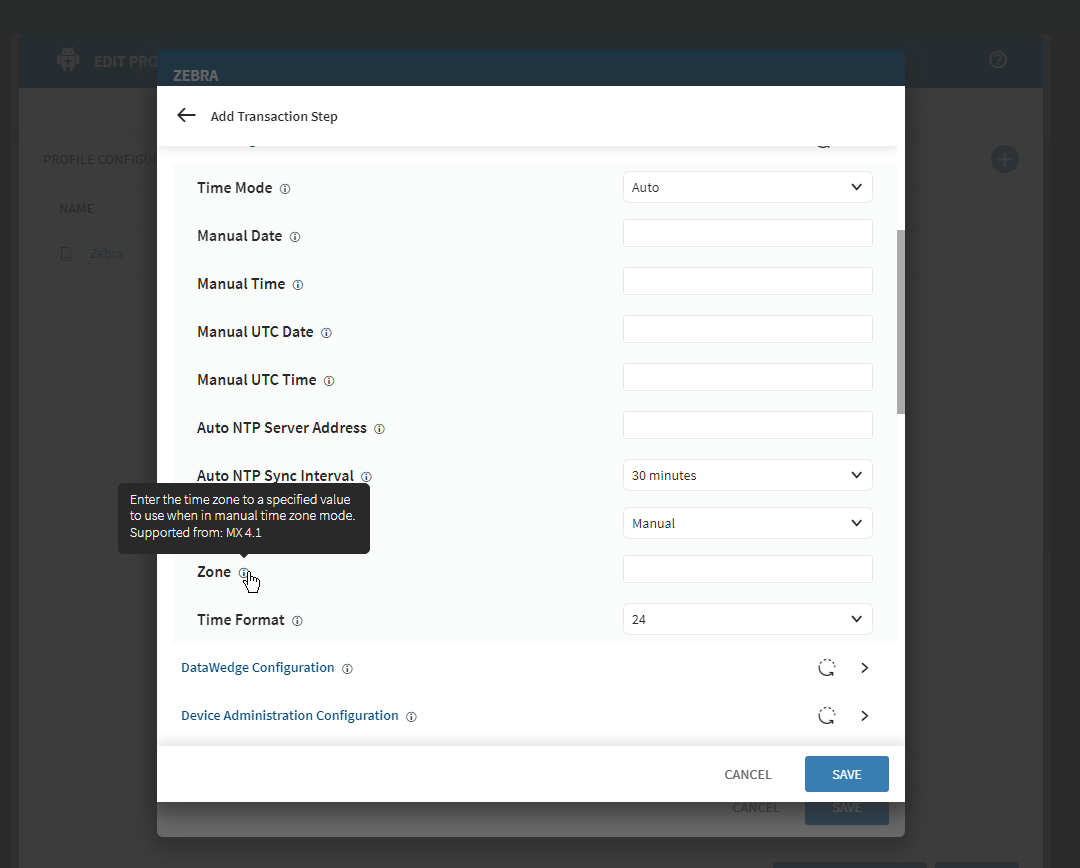
I try set time Time and date settings and TimeZone
I have Zebra TC51 with Android 8.1, MX 10.3.0.29 and TC52 A11, MX 13.2.0.3

Try using Group - Advanced configuration - Time Synchronization 
I see it working on TC52 A11, but not on TC51 A8.1

Then my thought was to control it with Zebra OEM config, but can't find the right syntax documentation.
Is it UTC, GMT, Town name ? 

See my picture below.
a year ago
Android
ANSWERS

It should be like this:

https://techdocs.zebra.com/mx/clock/

Set Time Zone


Used to set the Time Zone for calculating the Local Time Coordinate (LTC) on the device. Entering an empty value (or the absence of this parm from the XML) causes any previously configured setting to remain unchanged.

Parm input rules:

  • Accepts a string with a maximum of 255 characters
  • If left empty (or parm is absent from the XML), previous Time Zone setting will be retained
  • The string must be one of the following:
    • A value equal to the "GMT" or Greenwich Mean Time zone
    • A value equal to the "UTC" (the equivalent of GMT)
    • A value that starts with the prefix "GMT" and contains an offset in hours or hours and minutes. For example:
      • GMT-10 (GMT minus 10 hours)
      • GMT+05:30 (GMT plus 5 1/2 hours)
    • An Olsen/tz Time Zone identifier (i.e. "America/New_York")

For more information, refer to these reference sites:

Status: In devices running Android 13 and later, this feature can be accessed through StageNow and compatible EMM systems, or using Android Device Policy Manager (DPM) APIs.

Shown if: The Auto Time Zone checkbox is "unchecked"

Parm Name: TimeZone

Requires:

  • MX: 4.1+
Solution
TK
Thomas Knudsen
a year ago

I love this forum! :)

I, think, I have tried many combos, but now it works.

Thanks!

Glad that i was able to help ;)

A
ABMOD@SOTI Silver Contributor
a year ago

Hi Thomas Knudsen,

Thanks for posting on SOTI Pulse, Thanks Rafael Schäfer for responding to the post, your expertise and willingness to help are greatly appreciated!

I am glad that your question is answered now.