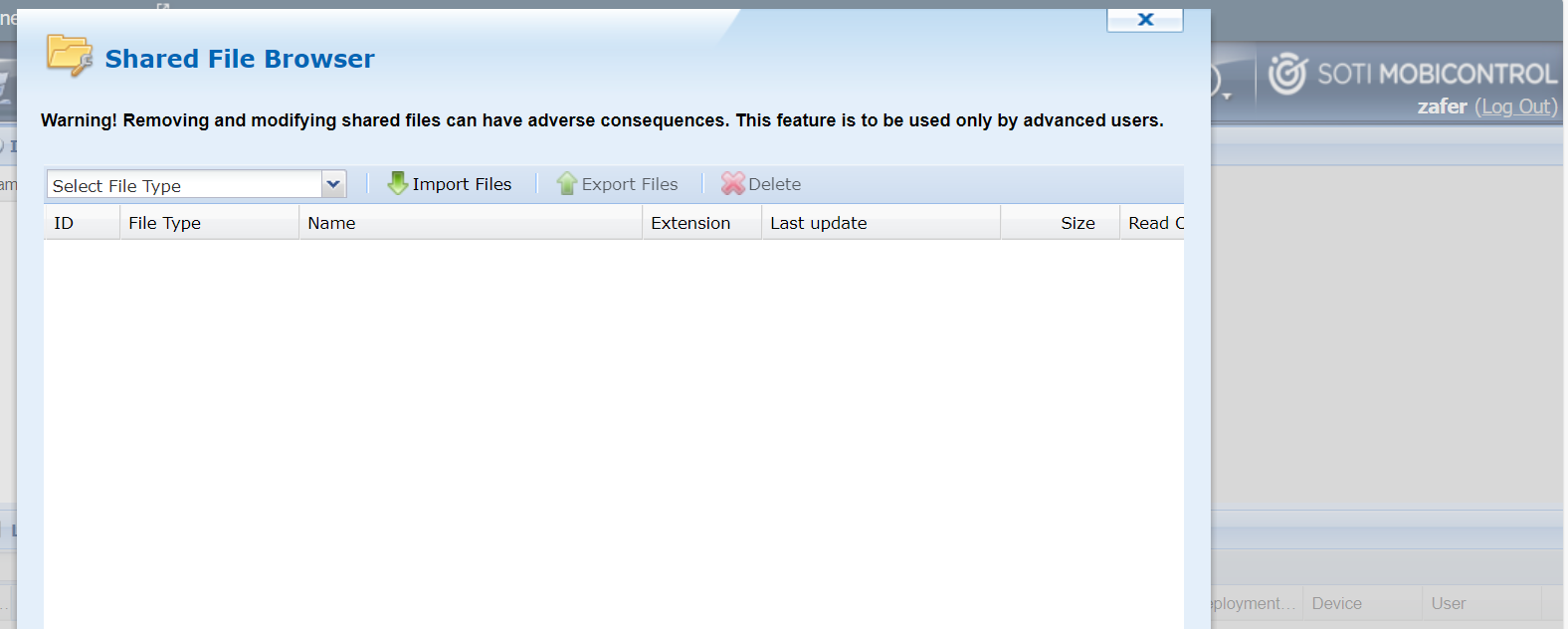
Has anyone found out to get into the shared file browser on MC 2024 ? Or is there a new way to delete unneeded Agents or plugins ?


Has anyone found out to get into the shared file browser on MC 2024 ? Or is there a new way to delete unneeded Agents or plugins ?

Hi Martin,
Hamburger Menu -> Policies -> Alerts -> Ctrl + Shift + Left Mouse Click on your name at the top right corner (left side of Log Out)
Zafer
Hi Zafer,
Thanks for the tips and tricks 👌🏽
Did you checked on the 2025 versions please?
Best regards,
Kamel

- Hamburger Menu -> Policies -> Enrollment Policy -> Legacy Console at the top center -> Ctrl+Shift+Click on your name in the top right corner
This works on 2025.0.0 onwards :)
Sorry @Kamel C.
Just saw your message, yes as @Gianluca Marchesementioned, you should access it by using following path
Hamburger Menu -> Policies -> Enrollment Policy -> Legacy Console at the top center -> Ctrl+Shift+Click on your name in the top right corner
.png)
Hi Martin K. ,
Thanks for posting on SOTI Pulse, Thanks Zafer for responding to the post, your expertise and willingness to help are greatly appreciated!
Have you had an opportunity to test the suggested solution by Zafer, and has it successfully addressed your query?
If not, or If you have any additional questions or concerns, please don't hesitate to reach out. We're dedicated to providing assistance and support.
Kind regards,
Technical Support | SOTI Inc. |1.905.624.9828 | support@soti.net | www.soti.net |