Hi,
I'm wondering if there's a way to deactivate the captive portal mode on the Samsung devices like we can on Honeywell or Zebra devices.
It looks like also the auto reconnect is not working in this "constellation".



Hi,
I'm wondering if there's a way to deactivate the captive portal mode on the Samsung devices like we can on Honeywell or Zebra devices.
It looks like also the auto reconnect is not working in this "constellation".

Could you please briefly describe how you achieved what your need on your Honeywell or Zebra devices?
Are your Samsung devices enrolled in Android-Enterprise Work Managed (Device-Owner) mode? What about those for the Android firmware and Knox API/libraries?
.
What are the version and build numbers of the device agent on your Samsung devices ?
Honeywell: https://support.honeywellaidc.com/s/article/Android-What-does-limited-or-no-Internet-Access-mean
Zebra: https://supportcommunity.zebra.com/s/article/Disable-Captive-Portal-remove-the-explanation-mark-from-wifi-icon?language=en_US
All dedicated devices || BN: SP1A.210812.016.T575XXU3CVE1 & RP1A.200720.012.T540XXS3CVE1 || Knox API level: 35 & 34 || Knox: 3.8 & 3.7.1|| DA: 15.2.4.1034||
According to official Mobicontrol device agent release note at
https://docs.soti.net/soti-mobicontrol/android-agent/release-notes/151/android-enterprise-agent-maintenance-releases/
captive portal detection can be disabled silently on AEDO device running v15.1.2+ agent AND with a plugin supporting such feature. I am checking details of this and some other script commands for another support case with Soti support team at the moment. I'll update you if their reply indicates that Samsung devices are also supported.
Please note that there is no mention of similar support for any classic Android+ device using an OEM-specific Android+ device agent.
Hi Remy,
Please try out the script command
writesecuresetting -glo captive_portal_mode 0
with an AE agent v15.1.2+ and AEDO device plug-in.
There is no AE plug-in for Samsung devices, but I don't know if the above works for Samsung or not. I couldn't get a list of supported OEM. So, please share with us your test result.
Hi Raymond,
Appreciate your support.
Here is the result:
"2022-10-11 09:22:39.878|script-executor|D|DO|[AfwSecureSettingsManager.writeGlobalSetting:3] command: captive_portal_mode value: 0, note this only works in Device Owner Permission denial: device owners cannot update captive_portal_mode|
2022-10-11 09:22:39.881|script-executor|D|DO|[net.soti.mobicontrol.y7.t0.i:16] script command: writesecuresetting [-glo, captive_portal_mode, 0], result: ScriptResult{description='FAILED', resultType=FAILED}|"
#MobiControl net.soti.mobicontrol.androidwork 15.2.4 Build 1034
MobiControl Generic Service net.soti.mobicontrol.plugin.generic 1.21.0.123+50c447a3#

Hello everyone,
Thank you for your posts.
As mentioned earlier, here is the SOTI Release Notes (Android Enterprise Agent Maintenance Releases) mentioning the Captive Portal Detection on AE.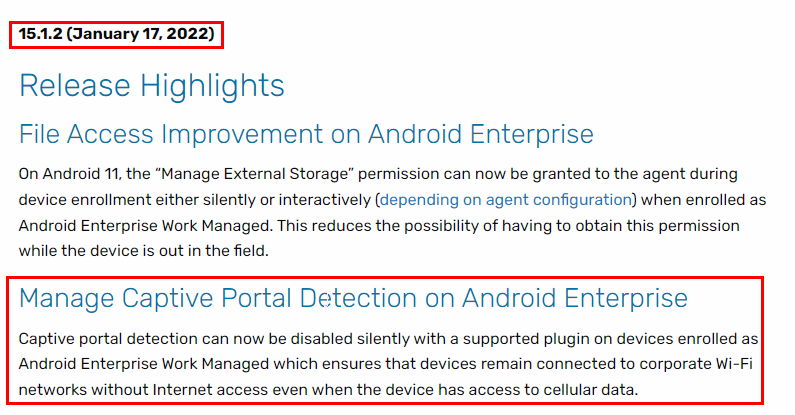
On Samsung Devices, no Plugin is required as mentioned on SOTI Technical Documentation/MobiControl Device Agent Downloads: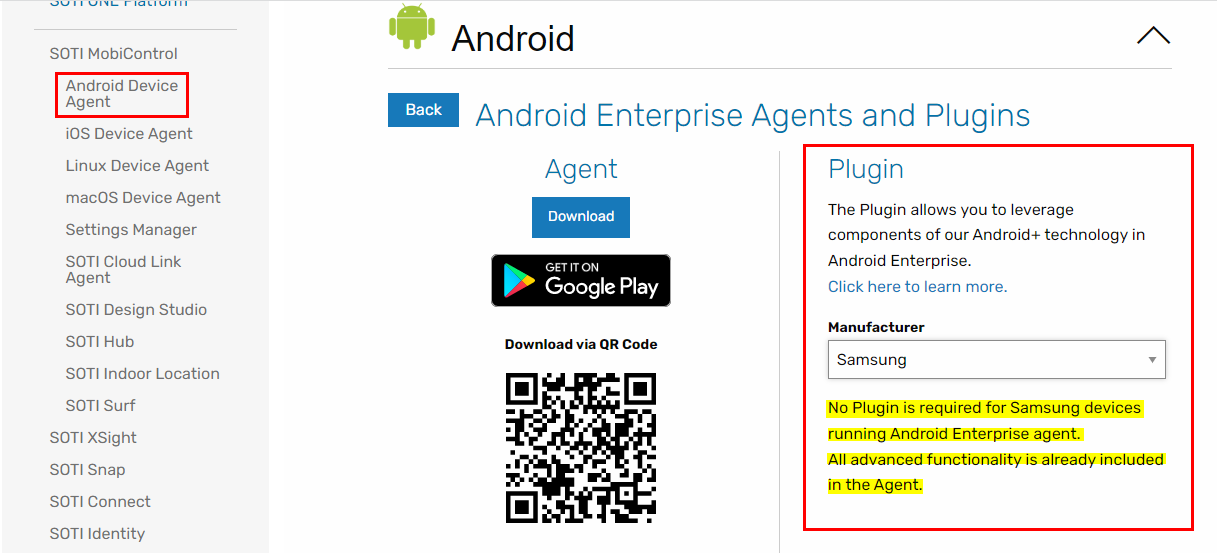
Please raise a ticket with Technical Support to investigate further your issue.
Thank you.
Regards,
Technical Support | SOTI Inc. |1.905.624.9828 | support@soti.net | www.soti.net |
Hello everyone,
As mentioned in SOTI Release Notes (Android Enterprise Agent Maintenance Releases):
Manage Captive Portal Detection on Android Enterprise devices can be disabled silently with a supported plugin on devices enrolled as Android Enterprise Work Managed, which ensures that devices remain connected to corporate Wi-Fi networks without internet access even when the device has access to cellular data.
Since no OEM plugin is required on Samsung devices, Manage Captive Portal Detection on AE devices will not work.
Thank you.
Technical Support | SOTI Inc. |1.905.624.9828 | support@soti.net | www.soti.net |