
File sync onetime Android

Is there a way to realize a file sync rule that sync onetime for each target device?

  • If a target device is online the file sync should triggers once.
  • If a target device is offline the file sync should triggers once when the device gets online.

--> Like the behaviour of a profile with a package where it gets installed exactly once.

We tried the schedule functions but it seems that they aren't reliable when defining a "once schedule".
4 years ago
Android
ANSWERS
R
Rafael Gold Contributor
4 years ago

You should do following:

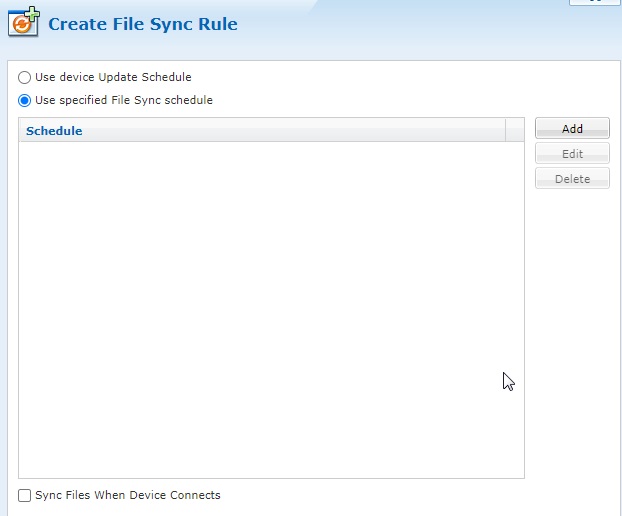
  • "Use specified File Sync schedule"
  • Check "Sync Files When Device Connects"

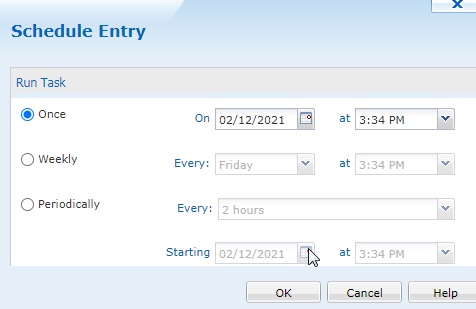
  • Then "Add"
  • Once

  • Ok
  • Next

And maybe before click "Finish" goto Advanced and change "Only transmit files when" to "Always transmit".

That should work. And if you want that all device which are curently online get this now too, in advanced tab: "Sync files now" to "Yes"

RC
Raymond Chan Diamond Contributor
4 years ago (edited 4 years ago)

Hi Nicola,

From your post, I believe you had used the  standard one-shot file-sync approach mentioned by Rafael and found it insufficient before you started this discussion.

Below is what I would try.  Let's first assume your Android devices are restricted to one device group, and that there is not any real files to want to file-sync (i.e. just intend to use file-sync to run a post-install script.)  The steps are as follows:

1. Create one child device group to inherit all existing policies. 

2. Create a new alert rule to relocate device from this child group back to it parent whenever a file (a small dummy token file) has been synced.   Deploy this rule only to the new child device-group

3. Create a new downlink file-sync rule to download a small dummy token file intended for triggering the above-mentioned alert-rule .  You can use any file-sync schedule, except the fixed date one-shot, you like.   Deploy this rule only to the new child device-group

4. Drag ALL devices that need to be sync'ed once into the new device child group.

With the above, any device that is powered-up and gets on-line connection to the MobiControl server will eventually have the token file transfered and post-install script run, and the token file transferred will trigger the server to automatically relocate the device back to the orginal device-group.  So, exactly one and only one file-sync done.  You can also have clear visibility on which devices have been file-synced based on the device group the devices reside.

If your devices are scattered in lots of device groups, you have to duplicate the above (at least for the alert-rule, which still do not support relocating to "relative" directory such as ".." for the parent of current directory, that I have filed a feature-request to Soti long time ago)  for each device group.   The same file sync rule can be reconfigured to re-target all the device groups of interests.