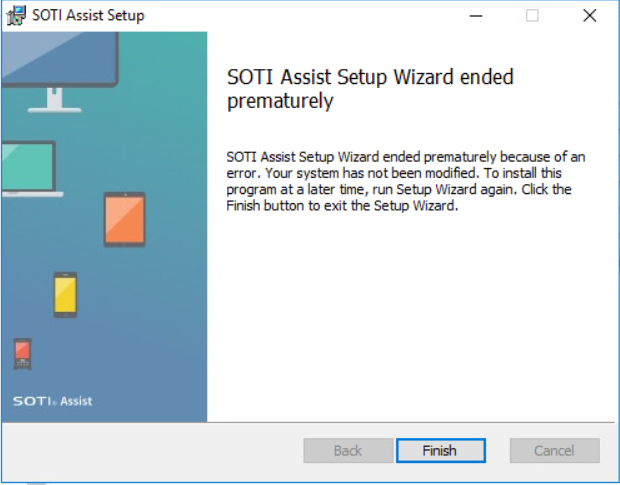
where can I find log information that shows what`s going wrong.

where can I find log information that shows what`s going wrong.
Hi, the next release of SOTI Assist (1.6) will support MS SQL Server 2017. Release is expected within next few weeks.

You should give more details about what you saw and what you did?
It may be due to :
- problem with your MobiControl installation (incompatible MC or SQL versions, improper configurations, etc.)
- your hardware and/or software not meeting the minimum requirements
- networking/firewall issue
etc.
Well - I'm with you on this part. As you aren't asking anyone to solve the issue but rather asking where the install log files are. With MobiControl Installations there is a very nice DBInstall.log file with any errors.
But, I have been updating several Instances to version 14.x and then also installing SotiAssist for the Web based RemoteControl. One of them keet ending prematurely as well. In my case I found a hint in the log of my MS SQL Server.
- without creating the DB before running the installer, I get the error unable to open the db
- creating the DB and then running the installer, I get a similar error and the changes are rolled back
Even if I grand the user "sysadm" rights I get the same errors - the only difference that I can think of is that this is running on a shared MS SQL Server and I am not using the "sa" user for this instance.
If anyone wants to compare noted - this is the system:
Windows server 2016 (MS + SotiAssist) - seperate DS server
MS SQL Server 2017
SOTI MobiControl 14.4.0 (Running fine with currently only around 400 devices)
Hardware, network and firewall are more that sufficient for the tome
Thanks to all Supporters.
I have set up a new test environment. The only difference is the database version. Now SQLEXPRESS 2014 instead of Version 2017.
additional Info:
I could not find any hint or error in the DB log (SQL-Server 2017) file Allan mentioned, that something went wrong.
Hi Winfried, small update to this.
I just got the information that the Soti Assist is not compatible with sql Server 2017 and that this is the issue.
I was also informed that there will be an update that will fix this. ETA unknown to me.
Hope this helps.

