A link to reset your password has been sent to your registered email.
If you do not find it in your inbox, check your spam folder.
Didn't get email?
Verify Your Email
A link to verify your email has been sent to you.
If you do not find it in your inbox, check your spam folder.
Didn't get email?
Secure access required
The Customer Portal requires secure link authentication. Please enter your email to receive a log-in link.
By submitting, you acknowledge this form is protected by reCAPTCHA and the Google
Privacy Policy
and
Terms of Service
apply.
Check your inbox
We sent a secure sign-in link to . Click the link in the email to sign in — no password needed.
Didn't receive the link?
Link resent!
Check your email
We sent a 6-digit verification code to
.
Enter it below to continue.
Invalid verification code.
Didn't receive a code?
Code sent!
SOTI Snap App
Tutorial: How to install a SOTI SNAP App
Use the above token to get this app on SOTI Snap web console. Then, publish it on selected devices. For step-by-step directions.
Watch Video
SOTI Snap App
Weather Application
By SOTI Inc.
SOTI Snap App
SOTI XSight
SHARE
Email
Copy Link
Overview
Features
Resources
Company
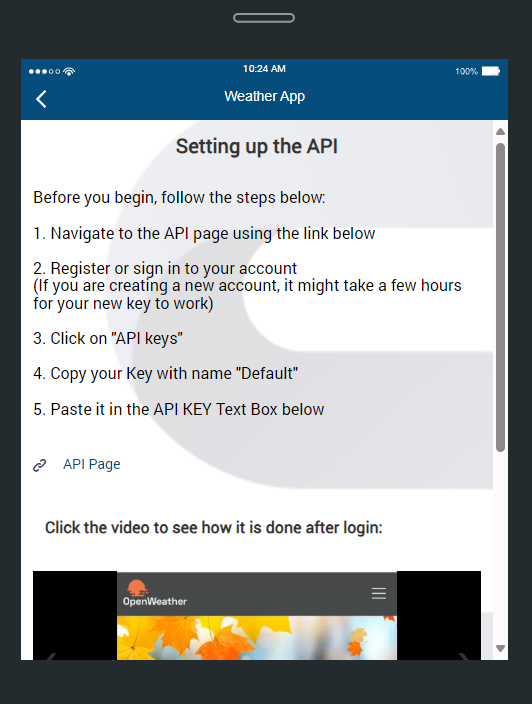
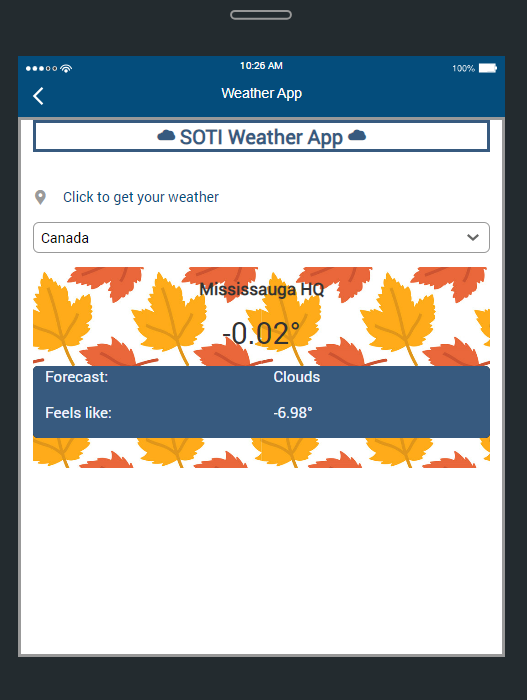
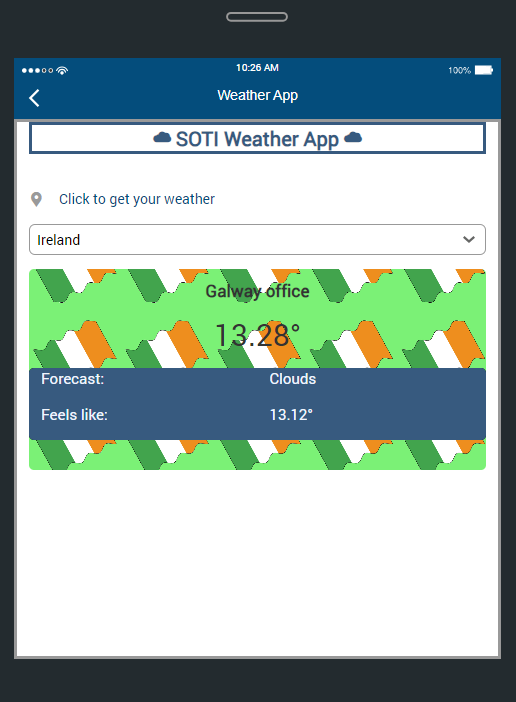
Weather App to monitor and stay updated on weather conditions for SOTI offices and your current location. The app provides a general forecast with dynamic backgrounds that change based on real-time weather conditions. It displays key details like temperature, "feels like" temperature, and weather status for both SOTI office locations and the user's current location.
Key Features
Paragraph
Display a paragraph of text.
Link
This can do several things: Configure a URL to open with an external browser. Open the OS’ phone dialer to make a call. Send an SMS text to a particular number. Open Email to compose a message with included email address.
Carousel
Allows multiple images to be scrolled through in a specific order, along with options like auto scroll and arrow styles.
Textbox
For text input, you may check that it adheres to a specific sequence of letters and numbers. Show character count. Supports multi-line inputs. Allow barcode scans as input.
Button
Programmable to do different things. Common use cases are page navigations or form submissions, but can also be used to do things like calculations, trigger business logic, etc. The button’s appearance is customizable.
Dropdown
The list of choices is configured during design time and can be populated from various data sources like Excel or Google Docs.
Geo Location
Users can input their location by clicking this widget. Will capture info like address, city, country, latitude, longitude, etc.
Images
Show logos, banners, and visualizations in the app. It also supports creation of hotspots, so users can click on specific parts of the image to trigger actions. It can also map a URL to show an image.
Video Player
Show a single video or create a playlist. Allow autoplay, resume from pause, loop, hide controls, lock display ratio size, and add a display thumbnail. Supports YouTube, Vimeo, and on-device videos with a 50 mb upload cap. Video formats: MP4, MOV
Additional Resources
SOTI Weather App Guide.pdf
SOTI Weather App Guide.pdf
About Company
SOTI is a proven innovator and industry leader for simplifying business mobility solutions by making them smarter, faster and more reliable. With SOTI’s innovative portfolio of solutions, organizations can trust SOTI to elevate and streamline their mobile operations, maximize their ROI and reduce device downtime. Globally, with over 17,000 customers, SOTI has proven itself to be the go-to mobile platform provider to manage, secure and support business-critical devices. With SOTI’s world-class support, enterprises can take mobility to endless possibilities. For more information, visit www.soti.net.