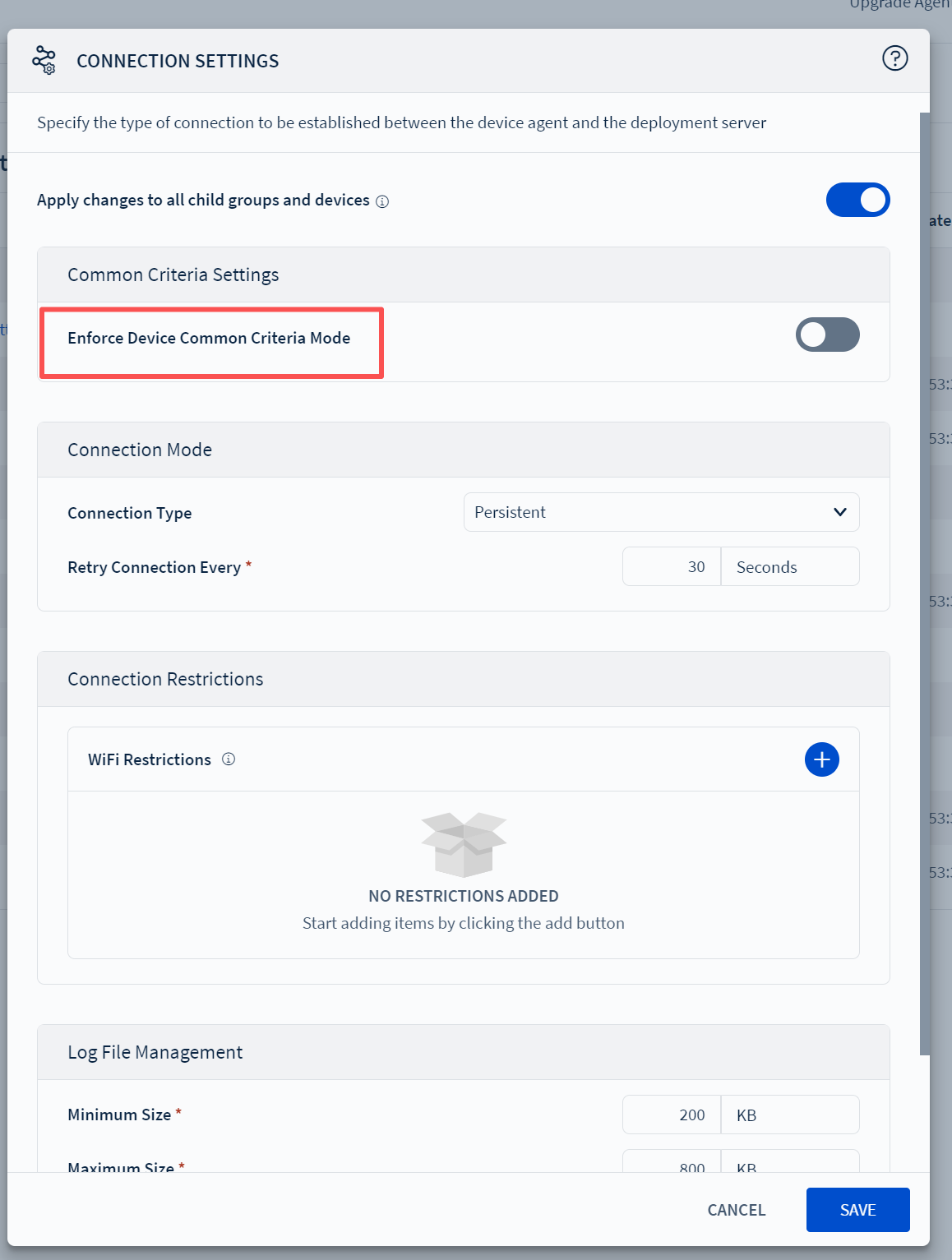
Advanced configuration - Connection settings, there is a general standard option: Force device general standard mode.

M
Miya
meferi2023

Advanced configuration - Connection settings, there is a general standard option: Force device general standard mode.
What are the functions of enabling and disabling this toggle? What manifestations will occur on devices?
The tooltip indicates that the device will enforce defense-grade security requirements specified in the general standard overview.
It is supported only on Android 11 and above devices under work managed mode.
Does it support work profile registration and company-owned personal registration types?


8 days ago
SOTI MobiControl
ANSWERS
K
KJMOD@soti.net
7 days ago

Hello Miya,

Thanks for posting on SOTI Pulse.

The “Enforce Device Common Criteria Mode”means the device will apply Common Criteria (CC) security standards, which are government-grade security requirements defined for highly secure enterprise or regulated environments. Kindly find below the functions for enabling and disabling the toggle.

  • Enabling: Enforces enhanced security protocols on Android 11+ work-managed devices, increasing security but potentially limiting user flexibility.
  • Disabling: Operates under standard security measures, providing more freedom but potentially reducing security compliance.
  • Supported Registration: Only works with company-owned, fully managed devices; does not apply to work profile or company-owned personal use registrations.

For the best security practices, it is recommended to assess the security needs of your organization and determine whether the enhanced protections are warranted given your use case.

Thank you for choosing SOTI.

Regards,

Technical Support | SOTI Inc. |1.905.624.9828 | support@soti.net | www.soti.net