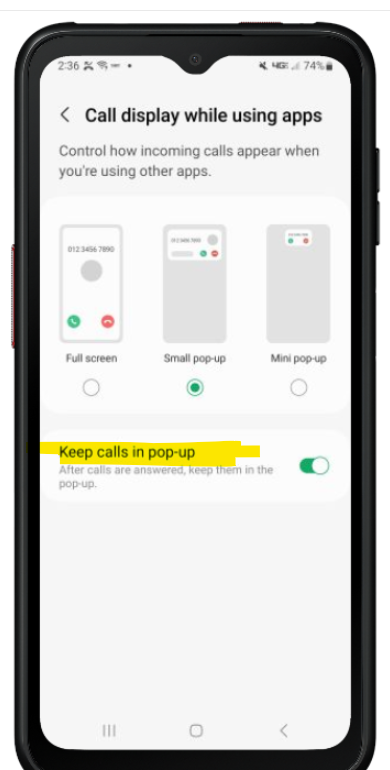
Is there an option for Samsung to automate the phone setting: "Keep calls in pop-up"?

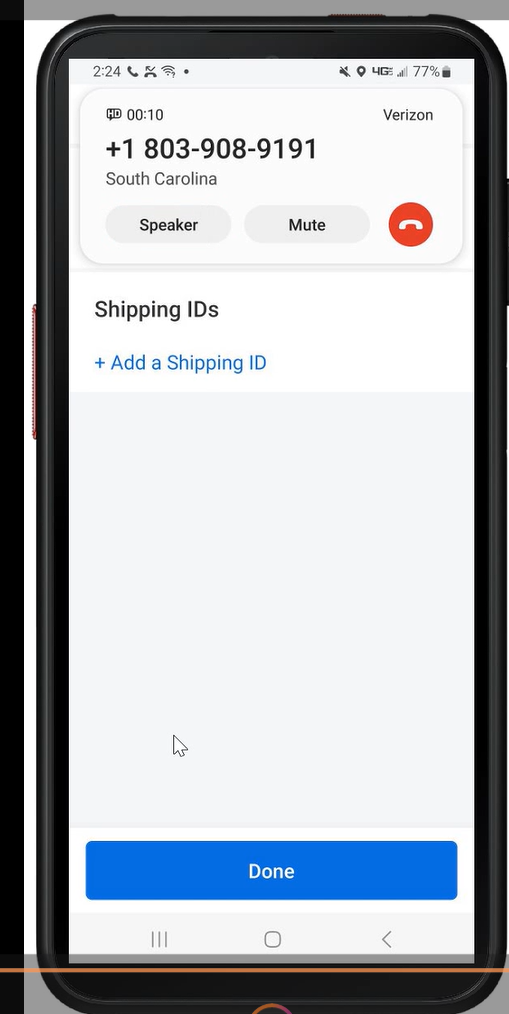
Enabling this setting allows for my users to keep their productivity app opened when they answer the phone, so it will be easier to push the button to end the call while they are driving and their device is sitting in the cradle. They currently have to swipe down from the top to get to the phone activity and then end the call. I have tried this myself and the phone blacks in and out while i am trying to swipe down to get to the call. It is rather inconvenient  for our drivers and having the in call session on the phone alleviates this issue. They can simply press the end button from there. will attach video and setting i changed manually to get this:

a year ago
SOTI MobiControl
ANSWERS
RC
Raymond Chan Diamond Contributor
a year ago

For Samsung device firmware and MobiControl device agents at least 5 years ago,  the script command to be used should be

     writesecuresetting -sys call_popup 1

Unfortunately, this won't work any more for any recent device firmware versions and MobiControl device agents.

The latest OEMConfig profile or Knox Service Plugin KSP  for Samsung also do not have any related option to configure this parameter.

One possible way to automate the REMOTE configuration of target devices is to use macro playback in non-html5 remote-control session, which require special expertise to prepare macro(s) for different required device model.