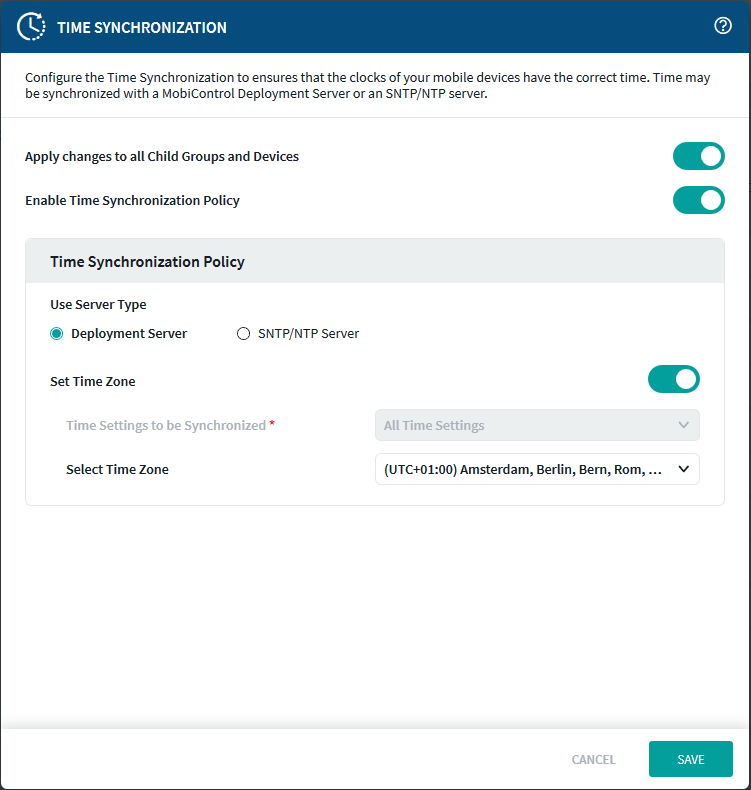
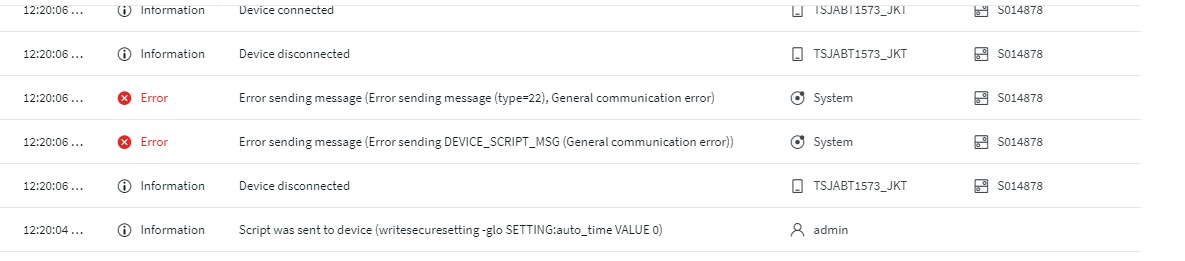
how do I disable the date and time editing function on android enterprise on soti mobicontrol v.14?


how do I disable the date and time editing function on android enterprise on soti mobicontrol v.14?
I don't know, unfortunately. There is a checkbox to tick when you create profile under "feature control", but it doesn't work for me. Nobody in this forum has offered me an answer since.
I am currently trying to force a time sync via a script, but I haven't come far yet, since I have so many other tasks to do (non-SOTI-related).
Would be cool if you could open a thread and send me link, then I would participate in the discussion.
I find it a little weak on the customer service side of SOTI, that they are not able to provide solutions to such "simple" problems.
Edit: I thought this was a private message, since I received a mail from SOTI saying so and linking me to this thread. So forget about the "create a thread" part of my post :)
In Android Enterprise Mobicontrol v.14 there is no feature to disable manage date and time. Can it be disabled by sending the script?
Hey John Doe,
I have already tried that, but when I change the time setting on a device by hand, the time stays on the manual setting and does not re-synchronize (at least not for the time I have watched it).
I then wanted to offer the two apps I need in lockdown mode (so the settings can not be tinkered with), but that doesn't work either unfortunately (because if I don't enable the settings app in lockdown mode as well, the permission popups (which apparently can't be all granted via script) deadlock the device more or less).
Here are the threads I already created due to my problems:
https://discussions.soti.net/thread/how-to-hide-the-settings-shortcut-in-lockdown-mode/
https://discussions.soti.net/thread/allow-permissions-via-script/
BR
Dahin
Edit: @OP: in the profile you have to use "feature control"
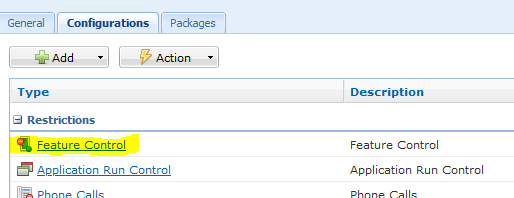
There you should see the checkbox
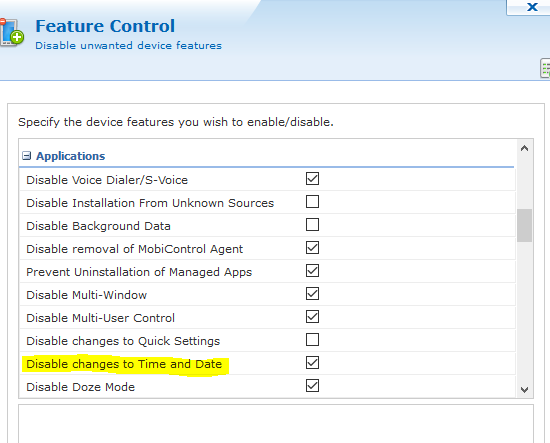
I don't know if it will work, though.

What i observed is, that you can change the time by hand but on the next device checkin the correct date and time gets set by mobicontrol.
You can test this easily just change time settings and then do a manual device check in.

Hello Carmadi,
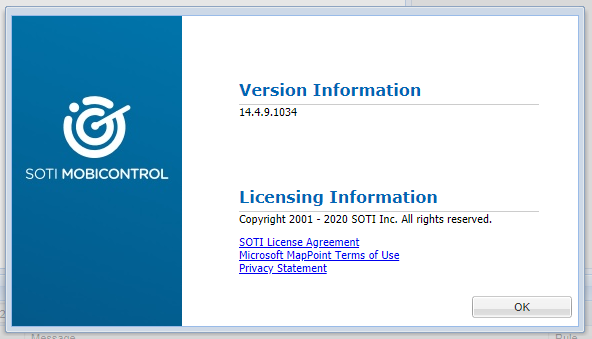
Thank you for your response, can you please provide exact MobiControl version with it's build number?
Also, is it possible for you to upgrade your instance to latest version of MobiControl? as this feature is available in newer builds?
Regards,
Hi JVMOD,
I use soti mobicontrol version 14.4.9.1034, for now we still want to continue using MC version 14.4.9
Hello Carmadi,
Thank you for your response,
If you're looking to disable following functionality on the Samsung device -
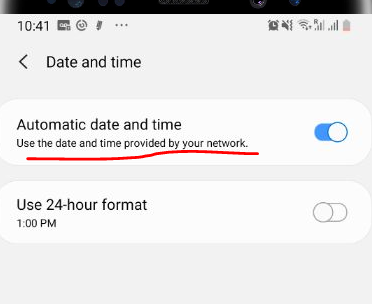
Following is the script which worked for me to disable automatic date and time -
writesecuresetting -glo SETTING:auto_time VALUE 0
Please send check-in request after sending this script.
Please try this and let me know if that works for you.
Regards,

Hi Carmadi,
For Samsung devices with KNOX libraries in their firmware, enabling the feature control profile option "Disable Date and Time Change" should make the date and time editing Settings fields inactive. This feature has been available on Samsung Android+ platform for over 6-7 years even though the web-consoles in earlier days did not show such option in the GUI. I think you can find such option in your MobiControl v14.4.9 server. Samsung devices using earlier AE-DO device agents does not suuport this two years ago, but as far as I can remember, more recent AE-DO device agents support this. What are the version and build numbers of your device agent?
Have you checked from the device's Settings if its firmware includes any Samsung KNOX libraries? If so, what are the versions?
Hello Carmadi,
Thank you for your response,
I would like you to create a support case(click here) or call SOTI Support team(click here) to raise a Feature Request to add this feature. These feature requests should be insisted on by customers via a Support case.
To provide you with a heads up, this would not be an instant resolution as SOTI Product Team should communicate with Product Team to leverage this feature to be managed by MobiControl. So, this may take weeks to months to get it included in the new build. Please follow the release notes of SOTI MobiControl to get an update on the improvements done on the new release.
https://docs.soti.net/soti-mobicontrol/release-notes/
Also, if this post has helped you in solving your inquiry, I would request you to mark the particular comment as "is solution", so others may benefit from this information.
Regards