Is it possible to block websites by categories in advanced settings of Chrome?

Solved

Good afternoon everyone.

Could someone help me or advise me on this issue:

Is it possible to block websites by categories in advanced settings of Chrome?
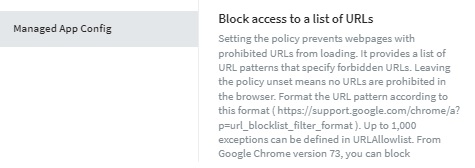
Or just apply Block access to a list of URLs and Allow access to a list of URLs

If anyone has managed to apply these configurations I would appreciate the feedback.

Greetings.

2 years ago
Android
ANSWERS
M
MNMOD@SOTI Gold Contributor
2 years ago

Hi Alejandro,

Thank you for posting on SOTI Pulse!

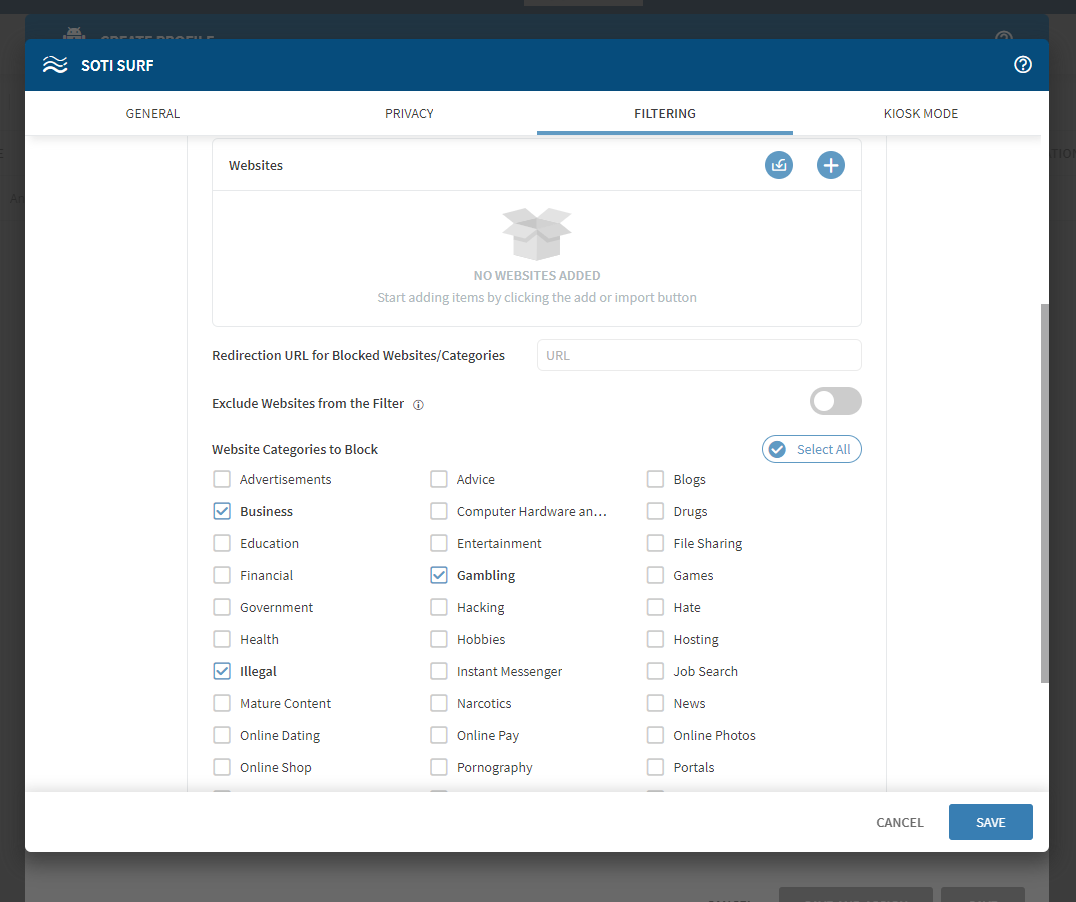
As mentioned by Raymond and Rafael, blocking by categories is not supported in the Chrome browser. But this can be achieved by using SOTI Surf. You can refer to the screenshot below to see how websites can be blacklisted and whitelisted by categories (Hamburger menu>Profile>New Profile>Android>config>SOTI Surf>Filtering tab>Enable Website Restrictions)

Please mark the post as solution that resolved your issue. If you require any more assistance, please feel free to let us know.

Kind regards,

Technical Support Specialist | SOTI | +1 905.624.9828 | SOTI.net l Discussion Forum | Log a Case Online l Facebook l LinkedIn l Twitter 

Solution
RC
Raymond Chan Diamond Contributor
2 years ago

As far as I know, blocking by categories is not supported for the latest Chrome browser.

RS
Rafael Schäfer Platinum Contributor
2 years ago

Not sure why you would need both but in Chrome managed app configuration you can block and allow URL's (as raymond said, not via category). But allow takes precedence over block, so you could allow the URL's you want and block all other (*).

M
MNMOD@SOTI Gold Contributor
2 years ago

Hi Alejandro,

I have marked the relevant post as solution. If this post did not assist you in resolving the issue and you have additional questions, please do not hesitate to reach out.

Kind regards,

Technical Support Specialist | SOTI | +1 905.624.9828 | SOTI.net l Discussion Forum | Log a Case Online l Facebook l LinkedIn l Twitter