Hi,
Before deploying an .apk I would like to create a folder on the android terminal with SOTIMobicontrol
Is that possible with MobiControl?
Thks in advance

Hi,
Before deploying an .apk I would like to create a folder on the android terminal with SOTIMobicontrol
Is that possible with MobiControl?
Thks in advance

It depends on the location of the folder, as Soti MobiControl device agent is only an ordinary app and has no write permissions to many of the system folders or individual app's private folder.
Hi Raymond,
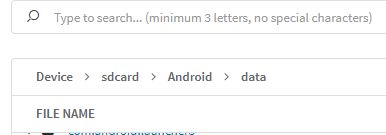
I need to create under sdcard/Android/data the subfolders folder1/folder12
Is it possible with a script, with stagenow or something else?
can I include that script in a soti deployment package?
JJC

It sounds like what you're trying to do is create a folder and place files in a scoped storage directory. You may find that some of that is possible today with android devices in SOTI however once you upgraded your Zebra devices to Android 11 and the newer SOTI agents you will no longer have read/write access into scoped storage at all with SOTI, or any EMM for that matter.
https://developer.zebra.com/blog/scoped-storage-enterprise-applications
Please keep this in mind as whatever line of business app you are trying to configure today by placing files in a scoped storage directory will not be able to be configured the same way in Android 11 and beyond and that app will need to be refactored to support an alternative mechanism for configuration such as Managed Configurations or movement of a configuration file back into shared storage with the MANAGE_EXTERNAL_STORAGE permission requested and granted.
From your post history I and see mentions of the MC9300 and VC8300 and as Helios devices both of those are now already eligible for A11 and will likely be shipping with A11 as early as Q1 next year. You'll want to plan for A11 and how it affects your line of business app configuration strategy.
Hi Matt,
Sorry for responding late.
Thks for the information regarding Android 11 with folder creation in scoped storage directory
We are using Android MC3300 version 8.1 (this devices cannot be upgared to Android 10 or 11)
With the VC8300 we will stay on Android 8.1 up to 10.
is a post-install script like this can works
md %sdcard%/folder1/folder11
where folder1 and folder11 does not exist in the scoped storage
Thks
If scoped storage directory is not a concern for the device models you are using, then you can try using like
mkdir %sdcard%\folder1\folder11
to create new folder in pre-install script or post-install script of .pcg, file-sync rule, ... etc.
The only issue is whehter the read-write permission of the particular path are granted on the particular device model or firmware version, as firmware image of differnt device brand/model may have different permissions granted based on design of the corresponding firmware team. There is no need to ask anyone here. Just directly test the command out on your own devices.
