Hello,
Does anybody know why after assigning a new IP address to the MS the displayed IP in the console is "still" the old one?
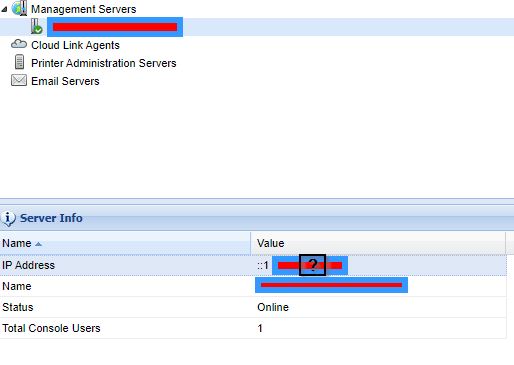
In the MCAU we use only a FQDN and no IP adress.
MC vers. 15.4.1.4828
update: dbo.MSInfo->IP



Hello,
Does anybody know why after assigning a new IP address to the MS the displayed IP in the console is "still" the old one?
In the MCAU we use only a FQDN and no IP adress.
MC vers. 15.4.1.4828
update: dbo.MSInfo->IP

Your descriptions are contradictory - you mentioned about assigning new IP address at the beginning and then you said you only used FQDN towards the end.
Please clarify and elaborate the steps you took in the change.
Also, I believe you do not have problem logging onto the web-console after making the change, right? Aparting from the "wrong" IP address displayed, do you have any real problem changing/adding any MDM policies or controlling any enrolled devices from your web-console after the change?
Hi Raymond,
It was more a "bug" report.
But I have to say that my description is not contradictory at all.
True fact: I've changed the IP on the server but what's the point related to the Soti specific settings in the MCAU?
In the MCAU I have only the FQDN.
With the Webconsole is all good but I get a strange error message every time I made a login like this:

And of course I'm trying to "find" all sort of connections related to this.
Are your MS and DS both installed on the same MS-Windows server instance?
Did you reconfigure the new IP with MCAU ? Or edit the database table dbo.MSInfo directly?
Yes, both are installed on the same server instance.
No, the new IP is assigned via a DHCP reservation.
In the MCAU I use only FQDN without any IP entries.
I made the change via the db table.
Why didn't you make your server reconfiguration with the MCAU utility?
Who gave you the details on which table(s) or field(s) to modify directly in the MobiControl database and the order/steps to modify?
Sorry but now I didn't catch you.
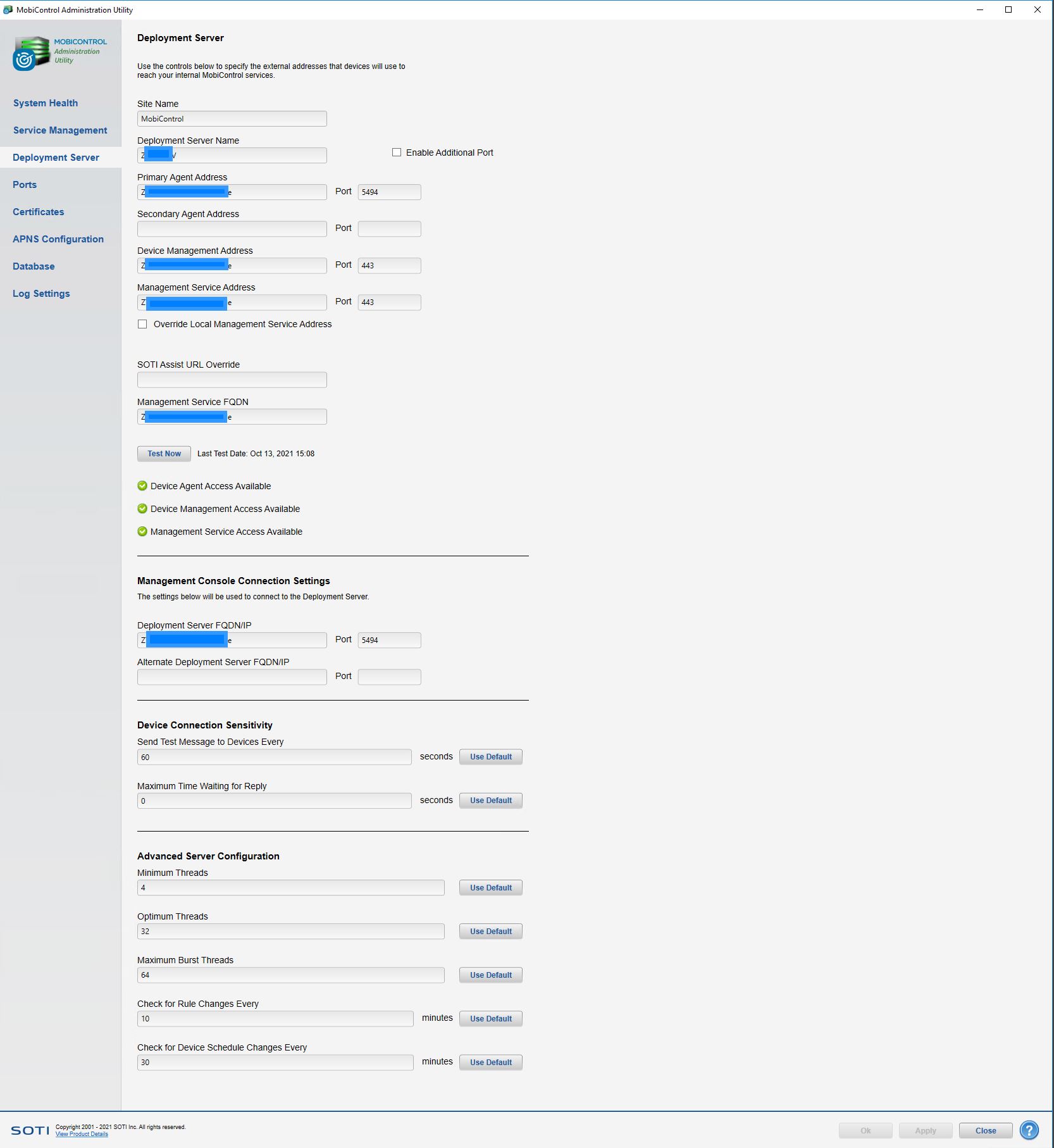
I found the "workaround" myself...Let's say I had not the best experience in the past when a DB "issue" has occured.
Of course it's not a productive environment but hey...I follow the "best practices" :)
As shown in your own screenshot, there are fields for configuring MS related services. If you are playing with an evaluation server instance, you can consult your local Soti reseller or Soti support team directly to avoid revealing too much corporate networking infrastructure details on a public forum like this one.
Regarding your so-called "workaround", my advice is "Do NOT mess directly with the MobiControl database unless instructed officially by experienced Soti support experts". In the past, when I really had to do so, I often verified the procedure beforehand with two independent Soti sources that I have confidence in. In some case, thorough tests on non-production test server were done to verify the validity of the solution before moving to a production server. When working on production server, do not 100% trust the information related to direct database table manipulation you get on this forum by anyone (including me or any moderators from Soti), as the information/procedure may only be applicable to certain Mobicontrol server version or implementation configurations that can be different from your case.
Do NOT think that making database or VM snapshots/full back-ups as best practices can allow 100% fallback with zero impact in ALL cases. Not all parameters have the same level of impact if something goes wrong. I had some previous customers who thought they're smart enough to hack and modify the database directly after making all required snapshots/back-ups, and later found that their devices got out-of-control or intermittent partial malfunctioning due to corrupted database. In the worst case, affected devices (especially Apple DEP devices or Google AEDO devices) need to be factory-reset (with some loss of end-user apps data on each device) and re-enrolled to fix the problem.