Failure to register a Samsung tablet

Solved
K
Kivlov
groupeleduff9458

Hello everyone :)

I'm having trouble registering a new type of device. Up until now, I've only used Zebra TC52 terminals, and my entire configuration was built around this hardware.

Now, I'd like to enlist Samsung hardware. I've got a Samsung A9+ tablet (SM-X210) and I can't get it to work.

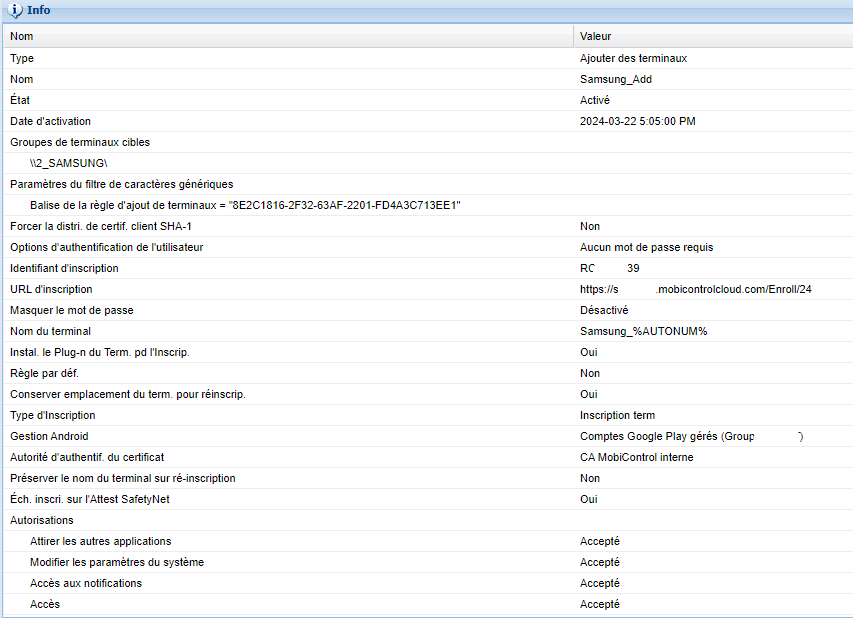
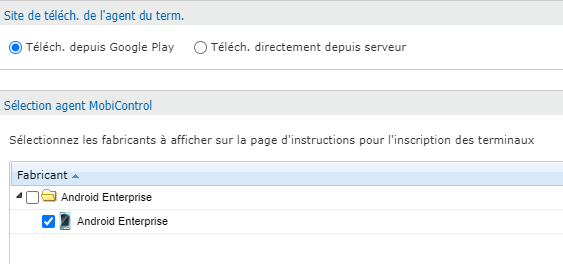
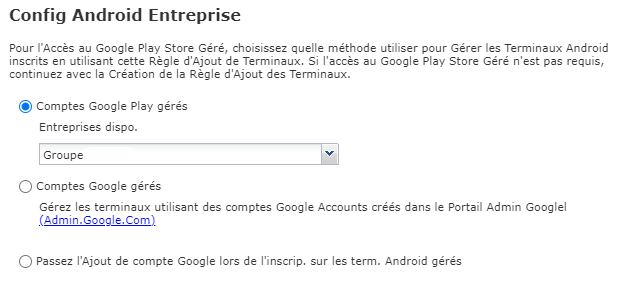
I've created a separate folder for registration and created a new add rule identical to the one for Zebra TC52s. I read that the tablet was Android Enterprise compatible and that I could use the Android Enterprise agent downloaded directly. I also chose to use the Google Play account managed with the same company as for my Zebra terminals.

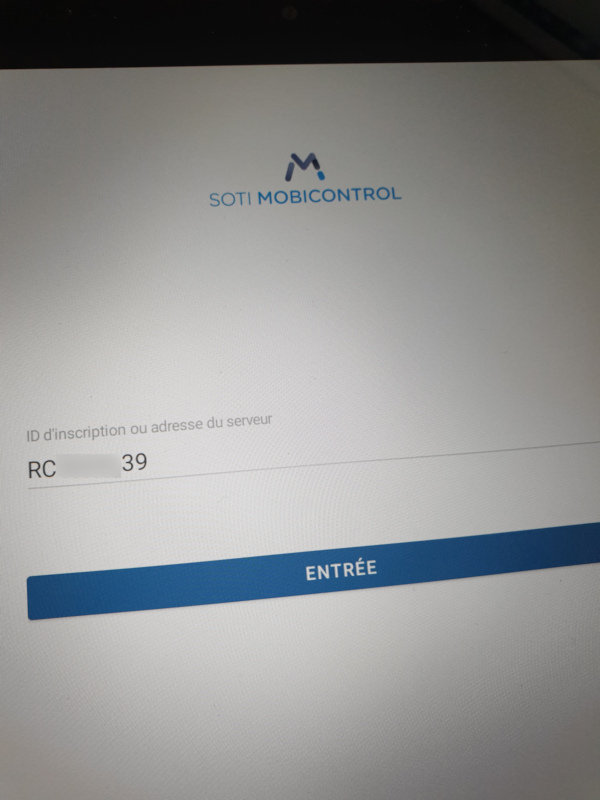
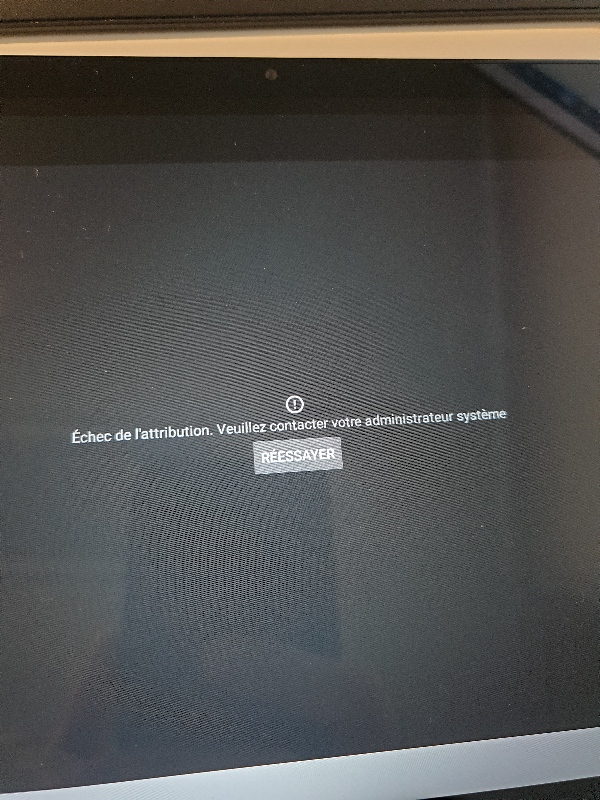
On enrolment, the whole procedure seems to work, right up to the moment of registration: the registration ID I entered in the QR Code appears, but at the next stage, I get an error message on a black background: "Assignment failed. Please contact your system administrator" and underneath it a "Retry" button.

Do you have any idea what's wrong and how I can fix it?
Thanks in advance!

Translated with DeepL.com (free version)

a year ago
SOTI MobiControl
ANSWERS
S
SGMOD@SOTI
a year ago

Hello Kivlov, 

As you have already mentioned that you have tried to enroll the device with two diffrent enrollment rules, So it requires further troubleshooting to check the cause and find appropriate resolution of the problem accordingly. 

So, we would like to suggest opening a ticket with Support@soti.net or if you are a Premium /Enterprise customer feel free to use the customer portal. Also, please do let us know if the support ticket is already in progress.

Solution

Hello Kivlov, 

Thank you for your inquiry on SOTI Pulse.

What type of Enterprise enrollment are you aiming for?  A Android Enterprise Managed Device or a Managed Profile?  I am assuming the later as you mentioned "that I could use the Android Enterprise agent downloaded directly."

Android Enterprise Managed Profile

Android Enterprise Work Profile

How to enroll a Device into Android Enterprise

A SOTI Technical Support Moderator will be following up on your inquiry soon.  Please feel free to provide more details and/or images to assist them in providing you a solution.

Warm regards,

K
Kivlov
a year ago

Hello :)

my goal is to register this hardware in Android Entreprise Work Managed, like my Zebra TC52.

That's why I used the same way to enroll this tablet.

What do you mean with " I could use the Android Enterprise agent downloaded directly"?
During enrollment (so it grabs it from playstore)?

Did you try a manual enrollment (using DPC identifier) instead of QR?
Is your enrollment policy Android Enterprise as well?
Did you comapre the enrollment ID, so no typo in it or so?

K
Kivlov
a year ago

Hello :)

yes the enrollment ID is correct.

I used the same method as for the Zebra: when starting the blank tablet, I pressed several times until I was able to scan the QR Code created with Stage Programmer. 

How about my other questions?

K
Kivlov
a year ago

Hello,

I tried a manual enrollment usinf afw#mobicontrol and the result is the same :(

MD
Matt Dermody Diamond Contributor
a year ago

Is your desire to have the devices fully managed? I am assuming so since you have experience with Zebra TC52 previously. If you're trying to have the devices fully managed and not enrolled under Work Profile then you cannot download and install the Android Enterprise agent manually on the device. Downloading and installing an Agent manually will always result in Work Profile management. For Fully Managed you need to use one of the AEDO enrollment strategies like NFC, QR, ZTE, or DPC Identifier during the Setup Wizard from a factory default state. You may have used StageNow previously with the Zebra devices and while that does technically download and install the Agent directly on the device, Zebra has some additional hooks to be able to set the Agent as the Device Owner during that process. 

K
Kivlov
a year ago

Hello :)

yes fully managed like the Zebra TC52.

Everything goes well (reading the QR Code, company profile, etc.) until the registration stage:

MD
Matt Dermody Diamond Contributor
a year ago

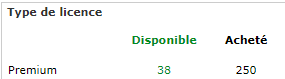
I see, so you're using QR based enrollment through the Stage Programmer app which is one of the supported mechanisms for fully managed device enrollment. The process you're following seems to be valid from my perspective. The devices are failing at the point of enrollment to the MobiControl server. This error message in the agent is unfortunately vague (I have asked SOTI repeatedly to give us more verbose error messages during enrollment) and so the cause could be one of many things. One obvious thing to check first is to see if you have enough licenses available on the MobiControl server. There are many other reasons for enrollment failures but the easiest to check first is available licenses.

K
Kivlov
a year ago

thank you.

I'm not limited by licenses, I still have some available.

K
Kivlov
a year ago

I forgot to attach the screenshots to make it clearer. Here they are:

S
SGMOD@SOTI
a year ago

Hi Kivlov,
 
Thanks for posting on SOTI Pulse, Thanks Rafael and Matt for responding to the post, your expertise and willingness to help are greatly appreciated!
 
What is the OS version of the Samsung device which you are trying to enroll and was it previously enrolled on the same server?

Have you tried enrolling the device using any other enrollment method such as afw#mobicontrol apart from the QR code approach? If not, then please try to create a new enrollment rule/Policy and use the afw#mobicontrol method to enroll it as a work managed device.

If you have any additional questions or concerns, please don't hesitate to reach out. We're dedicated to providing assistance and support.

K
Kivlov
a year ago

Hello,

I tried to enroll with afw#mobicontrol and the result is the same as my previous screenshots.

I tried with 2 different register ID (the one which works with Zebra and the one I created for this tablet) and same result.

if I reboot the tablet, I boot into android (13) and MobiControl is installed: however, it now offers me the Android Work Profile configuration and not Android Work Managed Device...

K
Kivlov
a year ago

Hello,

I tried to register another Samsung terminal, a Samsung A41 smartphone running Android 11, using the QR Code method, with the same registration ID: the terminal registered without any difficulty.

I tried a n-th time with the Samsung A9+ tablet running Android 13, using the same QR Code method and with the same registration ID: still an error when registering.

I don't know what's wrong, should I boot the tablet, update Android to its latest version, then factory reset and try again?
Is my 15.1.0.3416 SOTI MC platform too old to enroll Android 13 devices and I need to update it (cloud platform, an update to at least 15.6.5 or 2024.1 is already planned)? I've seen old posts talking about SHA1, SHA2... a priori I haven't seen anything new on that front.

Thanks in advance!

J
JJMOD@SOTI
a year ago

Hi Kivlov,

Thanks for posting on SOTI Pulse.

Can you confirm if you are still facing the issue?

I strongly recommend you Log a Case Online so we can investigate it further.

Please feel free to include any additional info regarding this issue.

Kind regards,

Technical Support | SOTI Inc. |1.905.624.9828 | support@soti.net | www.soti.net |