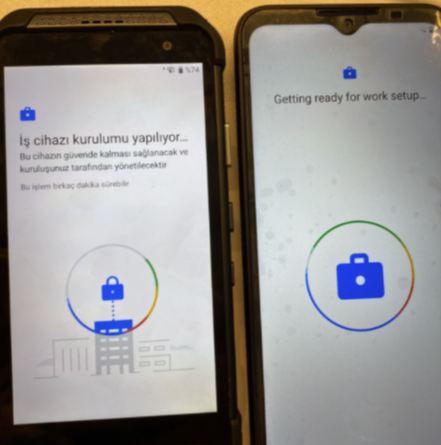
Enroll Motorola Defy and Point Mobile PM85 into SOTI , not possible to get the devices work managed

WE
Willem Essing
Arvato Distribution GmbH

Goodafternoon,

We are able to get the with a work profile but not work managed.

Barcodes have been generated with SOTI stage but as soon as we scan the first barcode we receive the following error in both devices.

Point mobile PM85 details: android 9, 85.27 (Jun 13 2022).

Motorola Defy details: android 10, QZD30.60, 
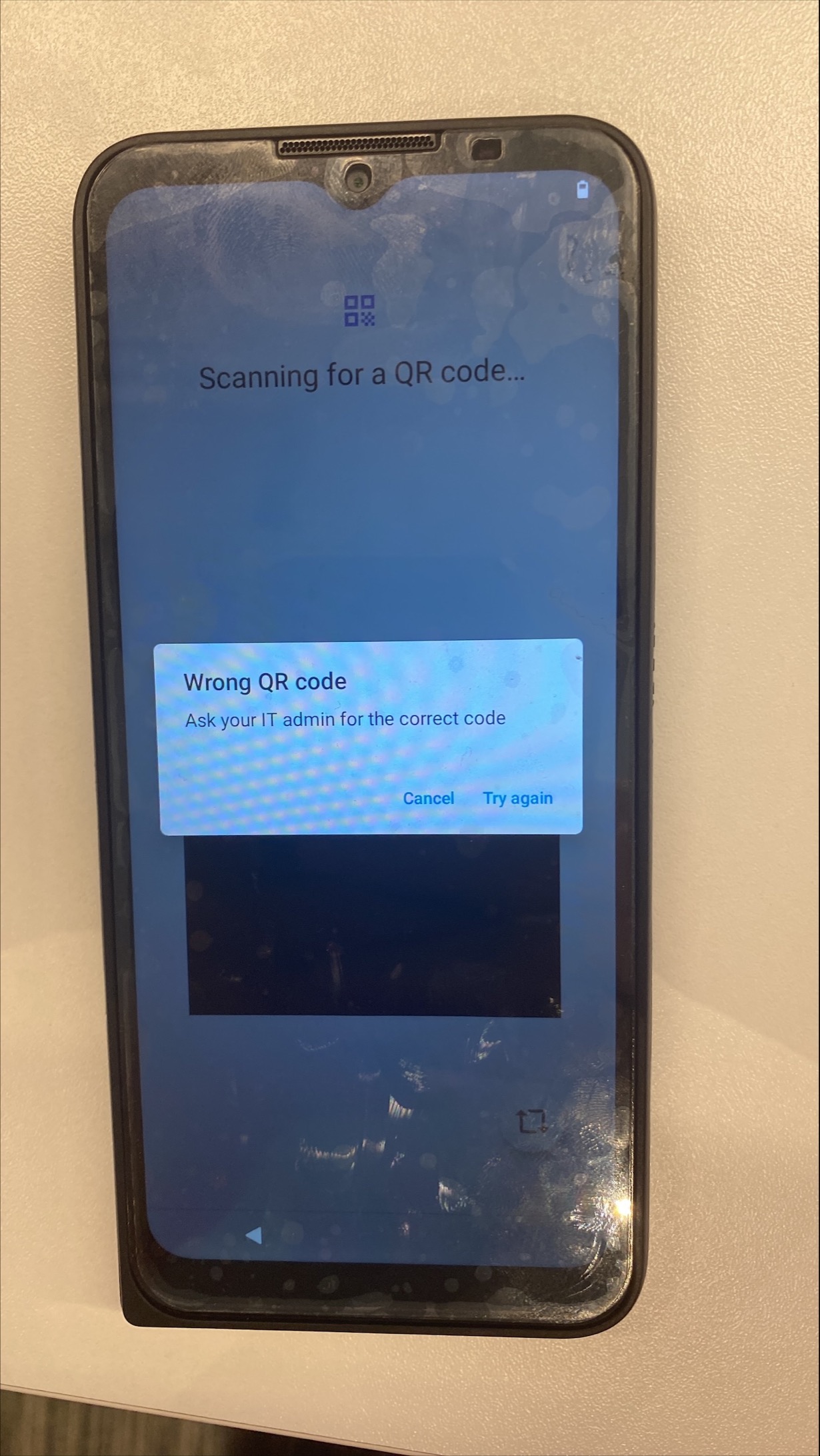
Agent Version
15.1.4.1058

2 years ago
Android
ANSWERS
WE
Willem Essing
2 years ago

Hopefully anyone has enrolled these devices before.

RC
Raymond Chan Diamond Contributor
2 years ago

Did you use the" Mobicontrol Stage Barcode Generator" MS-Windows .exe (downloaded from Soti web-site)  or the "MobiControl Stage Programmer" Android app "net.soti.mobicontrol.programmer" downloaded from Google Play Store?  

From your post, it seems that you are using the former,  but enrolling an AE device into AEDO mode actually needs the latter.  

WE
Willem Essing
2 years ago

Hi Raymond,ive used Mobicontrol Stage Barcode Generator.

So this means i need to use the programmer app?

RC
Raymond Chan Diamond Contributor
2 years ago

Yes.  Download "MobiControl Stage Programmer" Android app "net.soti.mobicontrol.programmer"  from Google Play Store onto a parent provisioning Android device.  Run the app, input required parameters, and select QR code output to get the QR-code pattern displayed on the parent device screen.  Then, scan this code with your device to be enrolled.

WE
Willem Essing
2 years ago

Unfortunately both device keep hanging on the same image.

RC
Raymond Chan Diamond Contributor
2 years ago

Have you ever successfully enrolled any Android-Enterprise Work Managed device onto any MDM server before?  If not, please describe how you try to do the device enrollment.

Could you try again with other device brand(s)/model(s) to verify if the problem is specific to your current two device models?

 Have you successfully enrolled any Android-Enterprise Work Managed device onto your current MobiControl server in the past?    

WE
Willem Essing
2 years ago

yes, with Zebra and Honeywell devices we have no problem at all

RS
Rafael Schäfer Platinum Contributor
2 years ago

How about the manual way (afw#mobicontrol etc.)?

Does this work?

WE
Willem Essing
2 years ago

We have found the issue, the wifi vlan needs next to the netwerk also internet conection. we didnt alow it.