
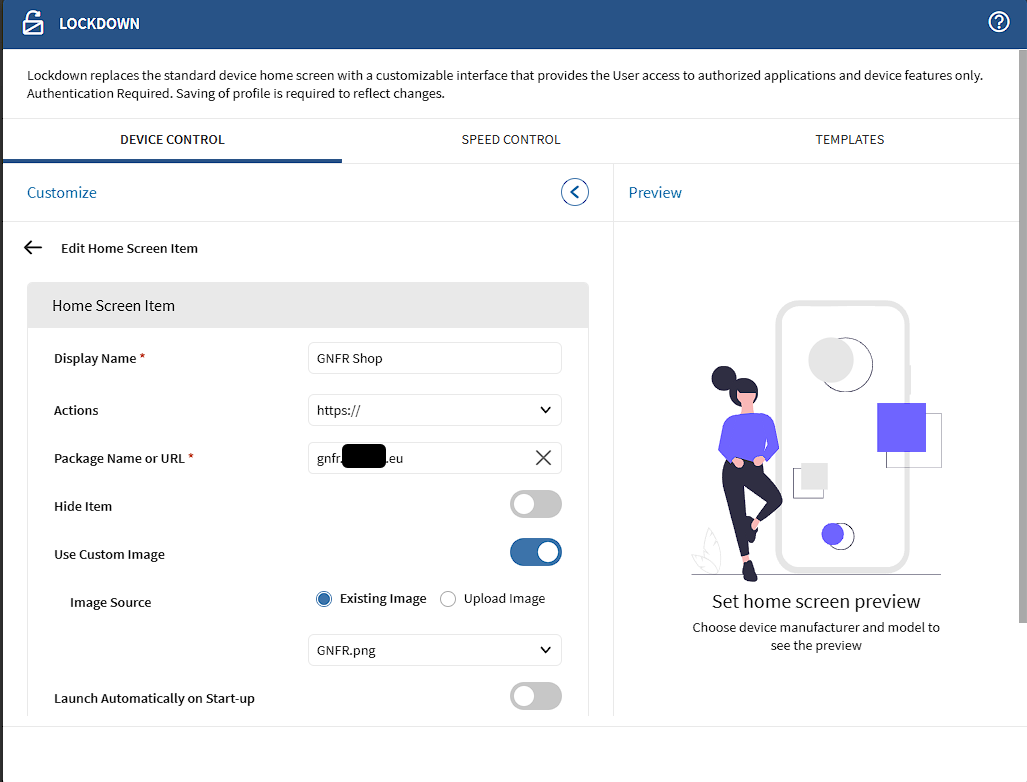
Mobicontrol Lockdown - Actions : HTTPS:// - clear all state/cache for the application

TK
Thomas Knudsen
Normal A/S

Mobicontrol Version: 2025.1.2.1007

Agent 2026.0.2.1278

Zebra TC27, Android 14


I use the Mobicontrol lockdown, I have added this tile, in order to provide access for the user to 1 website.
The website is a O365 registrered enterprise app, and it remember the username/email.
My user used a private email, and now the browser keeps giving me error message.
If I open Chrome browser, then user can log in, so user/permission/access is working.
I would like to "wipe" the application, but I understand that a "webview" is used, and I can't find any earlier tickets with a, for me, usable method like wipeapplication chrome or Soti surf.


So I need help with wiping the "built in" single page browser used by Lockdown
 

19 hours ago
Android
ANSWERS
RS
Robert Schäfer Bronze Contributor
19 hours ago

Im not entirely sure why you are using the in built browser as you are clearly familier with soti surf. I would recommend using SOTI surf rather than the in built browser, which is very limited. I don't believe there's a way of wiping the inbuilt browser as that would probably require wiping the mobicontrol app itself.

Use SOTI surf, chrome, edge or another app that can be configured and limited to that single website you wish to give access to.

TK
Thomas Knudsen
15 hours ago

Hey Robert.
I would like to just use Google Chrome, but I don't know how to enable that as default HTTPS opener, as I in the LockDown config just select HTTPS, and add address URL.


AS
Alin Sfiriac
14 hours ago

use Browsers://  instead https:// action.

That will use device's default browser, instead androidWebview. and you can create a script to wipe data of that browser.

Or use Soti Surf as Robert mentioned.


If you are using managed Google Play, you can configure web apps there, and deploy those apps to your devices. With this, you can wipe the data for that specific app. Package name is usually like this com.google.enterprise.webapp.xxxx..

RS
Rafael Schäfer Diamond Contributor
14 hours ago

Not sure if it helps but we created for some websites a web-app through playstore.

There the web-app using the relevant urls data then can easily be wiped by the bundle id like an app and is a dedicaded chrome tab.