how to update the register code on the onprem server, I have tried changing it via the database but it doesn't work, please help


how to update the register code on the onprem server, I have tried changing it via the database but it doesn't work, please help

Hi Carmadi,
on which MobiControl version are you currently?
Since 2024 you are able to change or update the license key in the WebConsole under License Management.
Just click on the top left menü.

And on (14.x? and) 15.X you should be able to do this in the legacy part of profile creation as well in the menu top right.
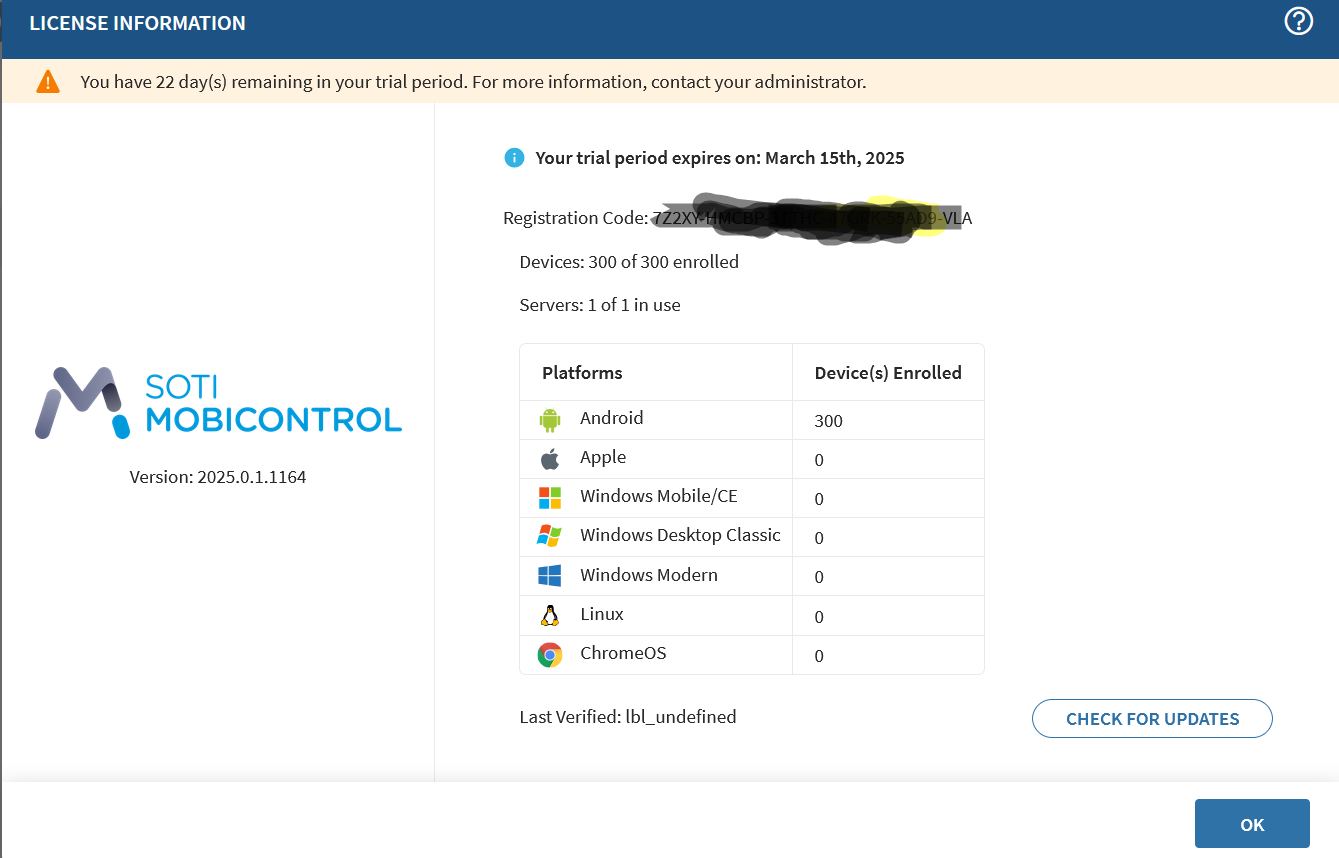
I've tried clicking check for updates, but it still doesn't change. How do I enter the latest Registration Code, because there is no change registration code button there.
I guess in this case it should grab it's license key from Soti directly based on the prior one.
So, maybe check if you block connections to somewhere at Soti.
But in in general i recommend to look into it with Soti support.

Hello Carmadi,
Thank you for your post on SOTI Pulse. Rafael Schäfer & Leon Callsen thank you for responding to the post your expertise and willingness to help are greatly appreciated!
As Rafael mentioned, you will need to connect with the Soti Team to update the license information. Based on the picture you shared, it appears to be a trial server, and you want to convert it into a production server. To proceed, it may be necessary to check with the backend team to implement the required license changes.
Please follow the process outlined below for further information on submitting this request.
I would like you to create a support case(click here) or call SOTI Support team(click here) to raise a Feature Request to add this feature. These feature requests should be insisted on by customers via a Support case.
To provide you with a heads up, this would not be an instant resolution as SOTI Product Team should communicate with Product Team to leverage this feature to be managed by MobiControl. So, this may take weeks to months to get it included in the new build. Please follow the release notes of SOTI MobiControl to get an update on the improvements done on the new release.