
How to disable local login to Identity when SSO is active?

Solved

Hello

we are using SOTI Identity connected with Entra ID (Azure AD), so users can login using SSO (Microsoft account) instead of a local SOTI account. During login, they are still prompted to chose a login method (local, Entra ID or "other") although they do not have a local account, only via Entra ID.
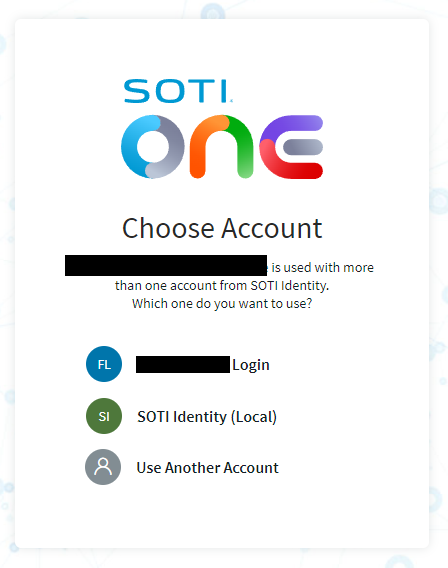
How can we disable this option? It would be nice to just enter your mail address and being re-located to the SSO login page of Microsoft.

Best regards
Markus

a year ago
SOTI Identity
ANSWERS
A
AMMOD@SOTI
a year ago

Hello Joakim,

Thank you for posting on SOTI Pulse, unfortunately, we do not have this feature in current MobiControl version.

I would like you to create a support case (click here)  or call SOTI Support team (click here) to raise a Feature Request. These feature requests should be created by customers via a Support case.

To provide you with a heads up, this would not be an instant resolution as SOTI Product Team have to work internally with different departments to get this added.  Please follow the release notes of SOTI MobiControl to get an update on the improvements done on the new release.

https://docs.soti.net/soti-mobicontrol/release-notes/

Also, if this post has helped you in solving your inquiry, I would request you to mark the particular comment as "is solution", so others may benefit from this information.

Regards,

Solution