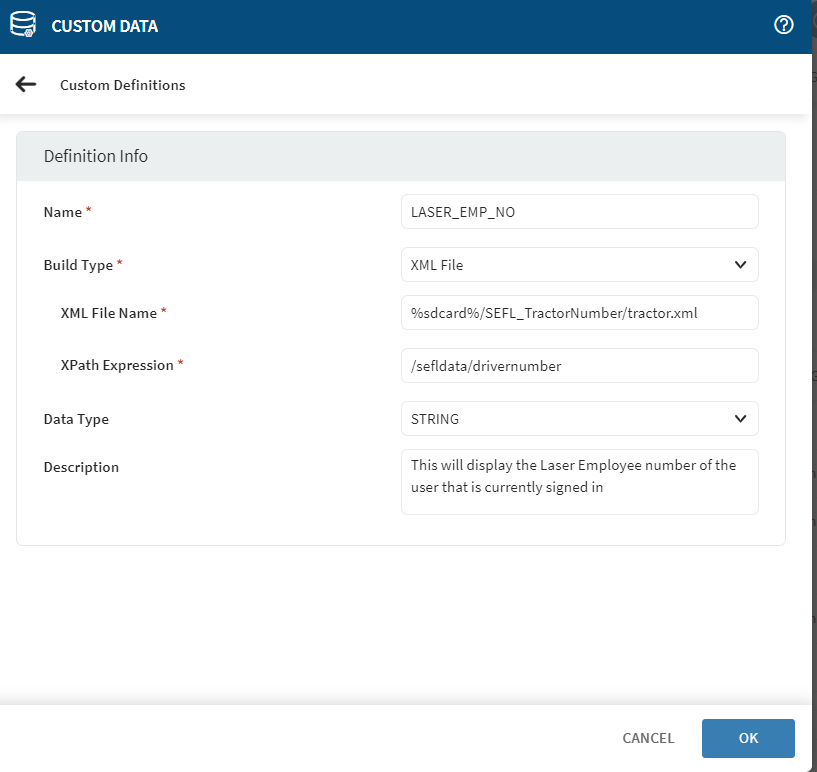
Setup Custom Data Manager with XML file

Solved

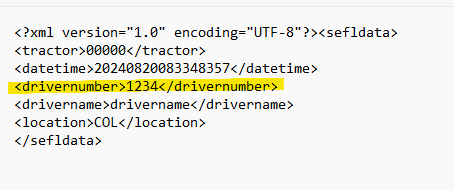
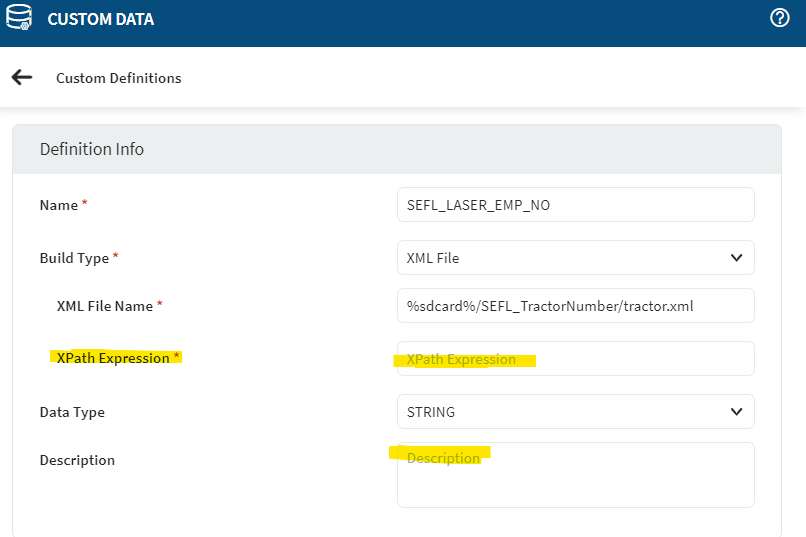
I am setting up a custom data field using xml file that is already syncing to our devices to pull the information and I'm not sure how to pull this information from the xml file into SOTI to display in the details page. what do I put in the "XPATH Expression" field from the XML file to get the "driver name" to display
a year ago
SOTI MobiControl
ANSWERS

I think you should take a look into this and find out:

https://www.soti.net/mc/help/v15.6/en/console/reference/dialogs/devicesettings/customdatamanager.html#customdatamanager__section_z5j_yg3_dwb

https://www.w3schools.com/xml/xml_xpath.asp

As i don't use XML yet here i would assume /sefldata/drivername but not entirely sure but you may try it out here: http://xpather.com/

Solution
KW
Katie Williams Bronze Contributor
a year ago

thank you, this was the answer but I will note I tried this several times and it did not go through until about an hour or 2 later after trying other methods and just trying this a few more times. I'm not sure where the delay was. nonetheless thank you!

EG
Edgar Gomez Platinum Contributor
a year ago

Hi,

Custom data get parsed on device checkin, that's why it took 2 hours,

S
SSMOD
a year ago

Hi Katie,

Thanks for posting on SOTI Pulse and I am glad that the issue has been solved.  I extend my gratitude to Rafael for your assisting Franko is resolving the issue. Your expertise and willingness to help are greatly appreciated.

Incase of any further concerns, please don't hesitate to reach out.

Kind Regards,

Technical Support | SOTI Inc. |1.905.624.9828 | support@soti.net | www.soti.net |