Perform Google Play Update automatically

GT
GIPA Technik
GIPA Ges. f. Informationssysteme u. Prozessautomation mbH

After Upgrading to Agent-Version 15.1.5 Build 1049 all devices show system message "Update google play services" (Mobicontrol is only executed when updating Google Play Services) (freely translated from german message). 

We think there is no chance to skip the update because the message apears periodically. So we want to know if there is a chance to perform the update of Google Play Services automatically. The devices (>900) are enrolled as  device Family "Android Plus" and are currently not assigned to a Google account. 

Thank you in advance. 

3 years ago
Android
ANSWERS
RS
Rafael Schäfer Diamond Contributor
3 years ago

I think there are 3 possiblitys:

1. Assign a Google account and configure the update policy in this profile. But if you don't want to use a Google  Account, this shouldn't be an option.

2. Do you need it for other apps/provided apps installed on your device? Then how about blacklist this Google play service (it will unsintall it!) via profile? (never tried)

3. Is there a OEM app for your devices? Maybe there's a setting which can turn off specific notifications, otherwise you could ask the manufacturer for it.

GT
GIPA Technik
3 years ago

We decided to enable the Google Play Store App on all devices with the help of our customers. Enabling the app will update all Google services and MobiControl stops reminding for this update. The assignment of a Google account seems not to be required.

Unfortunally we did not find a solution to enable the App using a script.

The command "enable_system_app" does not work because of the enrollment type.

S
SAMOD@SOTI
3 years ago
S
SAMOD@SOTI
3 years ago

Hi @GIPA Technik,

Thank you for your post.

As per your message, I want to confirm if you are enrolling your device using Android Classic.

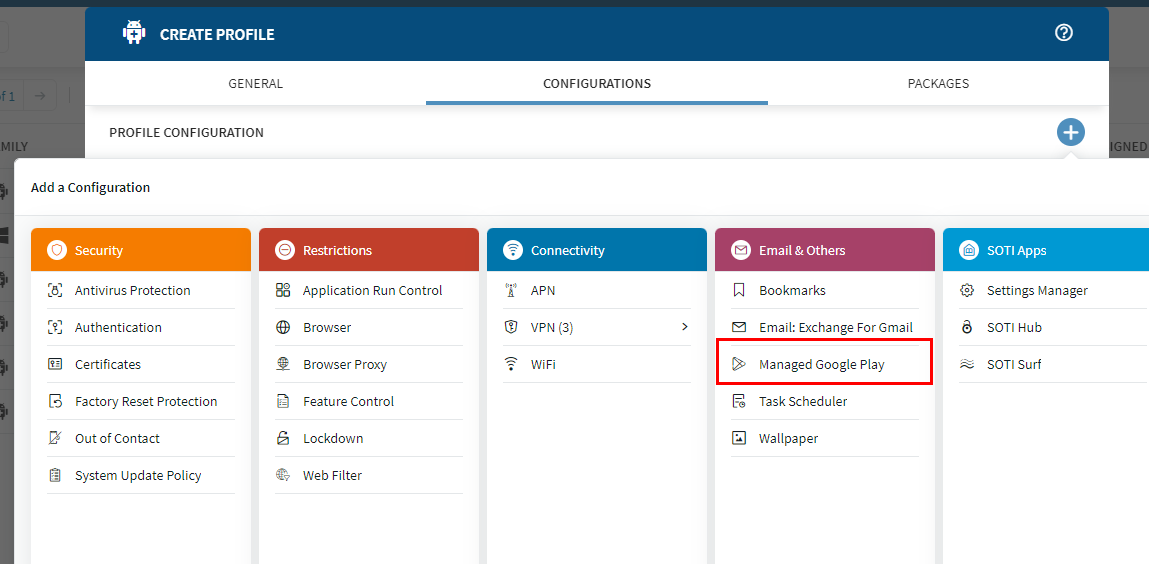
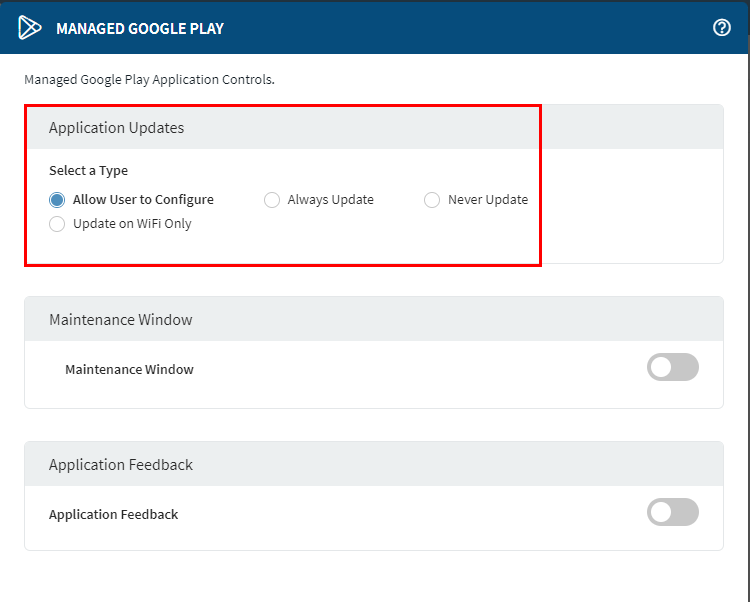
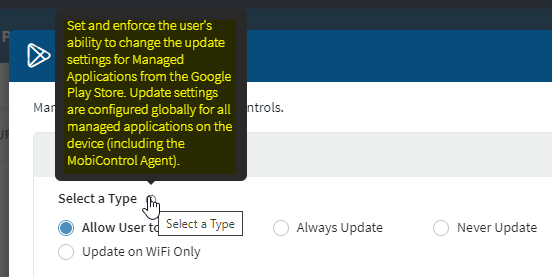
Depending on your version of MobiControl, if your devices can be enrolled as Android Enterprise (AE), under Profiles, you can have a section named "Managed Google Play(MGP)", where you can decide how "Application Updates" are performed.

To do so, you will need to bind a Google Account to your MobiControl, then you can configure this option (MGP).

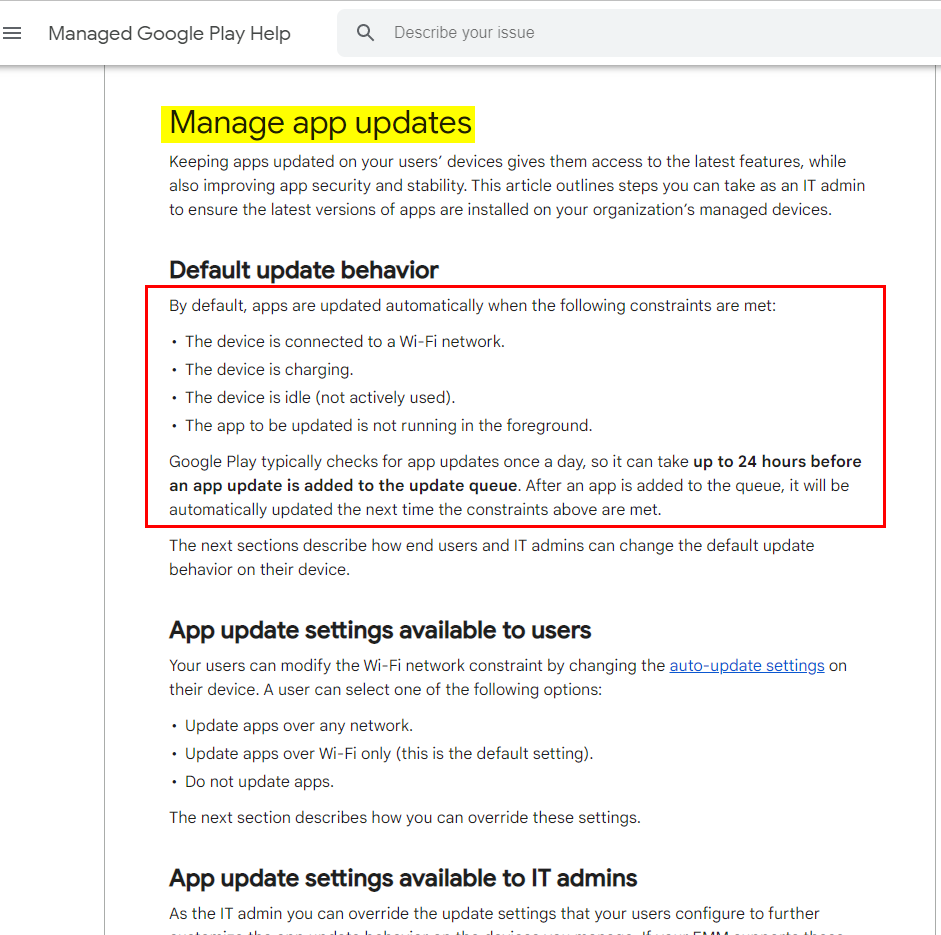
As per Google's Recommendation, to manage app updates you need to meet certain criteria (as shown in the below link and screenshot):

(Be aware that with Google Managed Play, Google handles the distribution of their app updates, so it may take up to 24 hours before an update can be performed as long as the criteria are met.

https://support.google.com/googleplay/work/answer/9350374?hl=en#zippy=%2Cset-a-minimum-version-code

Manage app updates


Regards,

Technical Support | SOTI Inc. |1.905.624.9828 | support@soti.net | www.soti.net |