Microsoft Edge managed app config

Solved
M
MetroMRA
METROSELSKABET I/S

I'm trying to install the Microsoft Edge app on my devices with some settings in the managed app config part.

But no matter how I format the below in the different fields it does not work. The default search engine is still Bing and the bookmarks are not there.

What could be wrong??

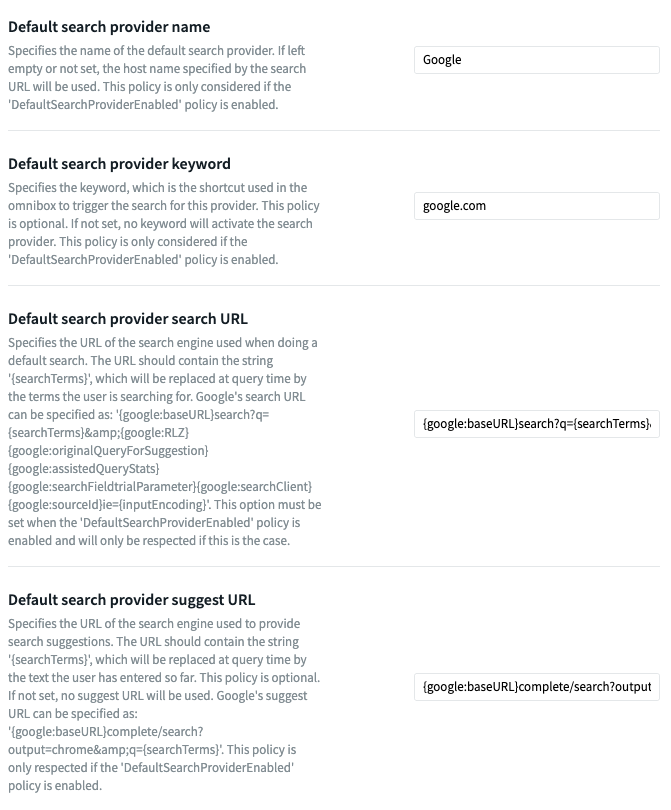
Default search provider name: Google

Default search provider keyword: google.com

Default search provider search URL: {google:baseURL}search?q={searchTerms}&{google:RLZ}{google:originalQueryForSuggestion}{google:assistedQueryStats}{google:searchFieldtrialParameter}{google:searchClient}{google:sourceId}ie={inputEncoding}

Default search provider suggest URL: {google:baseURL}complete/search?output=chrome&q={searchTerms}

Managed Bookmarks: [   {     "toplevel_name": "Company Name"   },    {     "url": "SiteURL",      "name": "URLName"   },    {     "url": "bing.com",      "name": "Bing"   },    {     "name": "Microsoft Edge links",      "children": [       {         "url": "www.microsoftedgeinsider.com",          "name": "Microsoft Edge Insiders"       },        {         "url": "www.microsoft.com/windows/microsoft-edge",          "name": "Microsoft Edge"       }     ]   } ]

4 years ago
Android
ANSWERS
RC
Raymond Chan Diamond Contributor
4 years ago

I'm sorry I don't really know what you meant when you said  "manage app config in the app in SOTI" in the last post.  Please show any screenshot or any URL to document you referenced from.

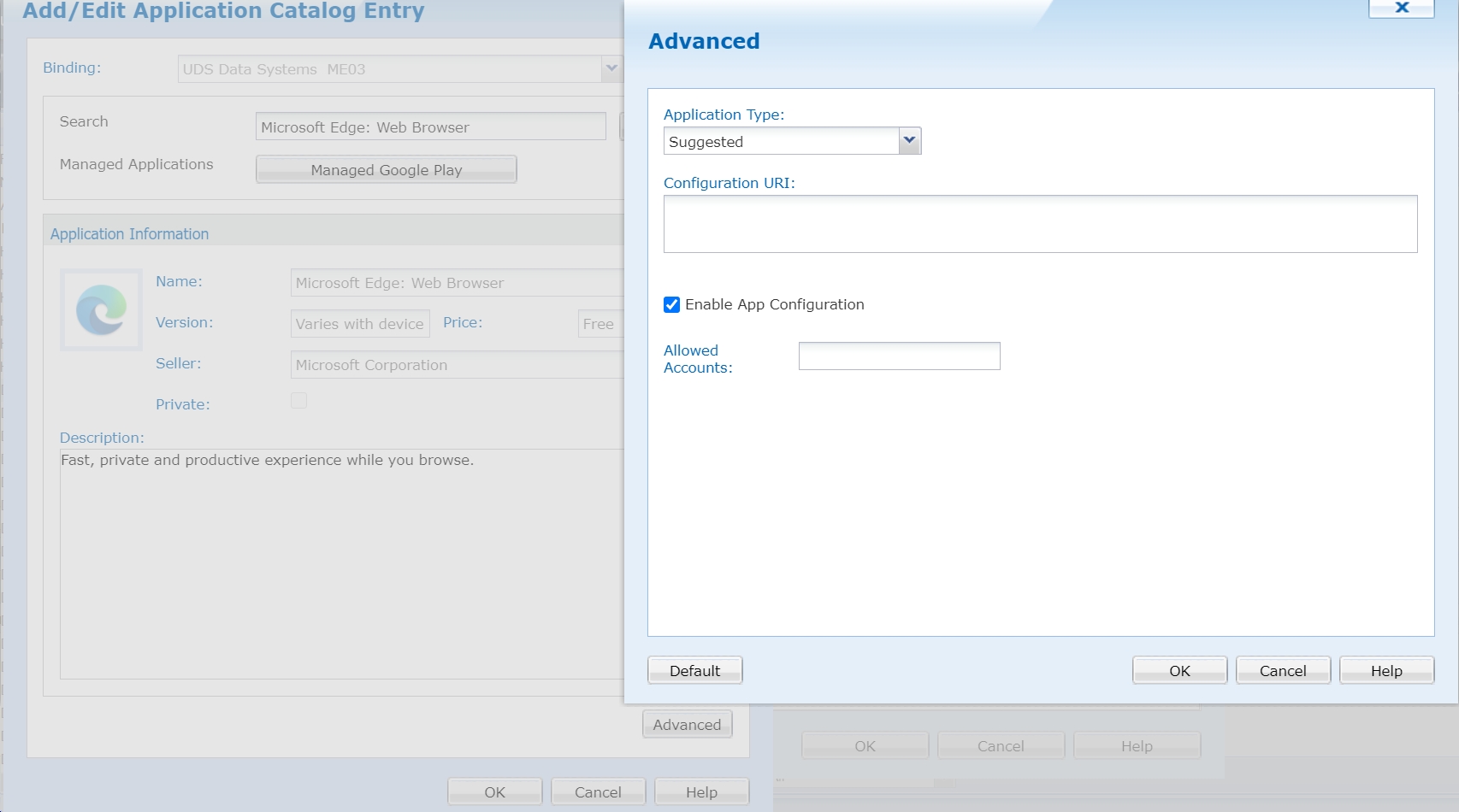
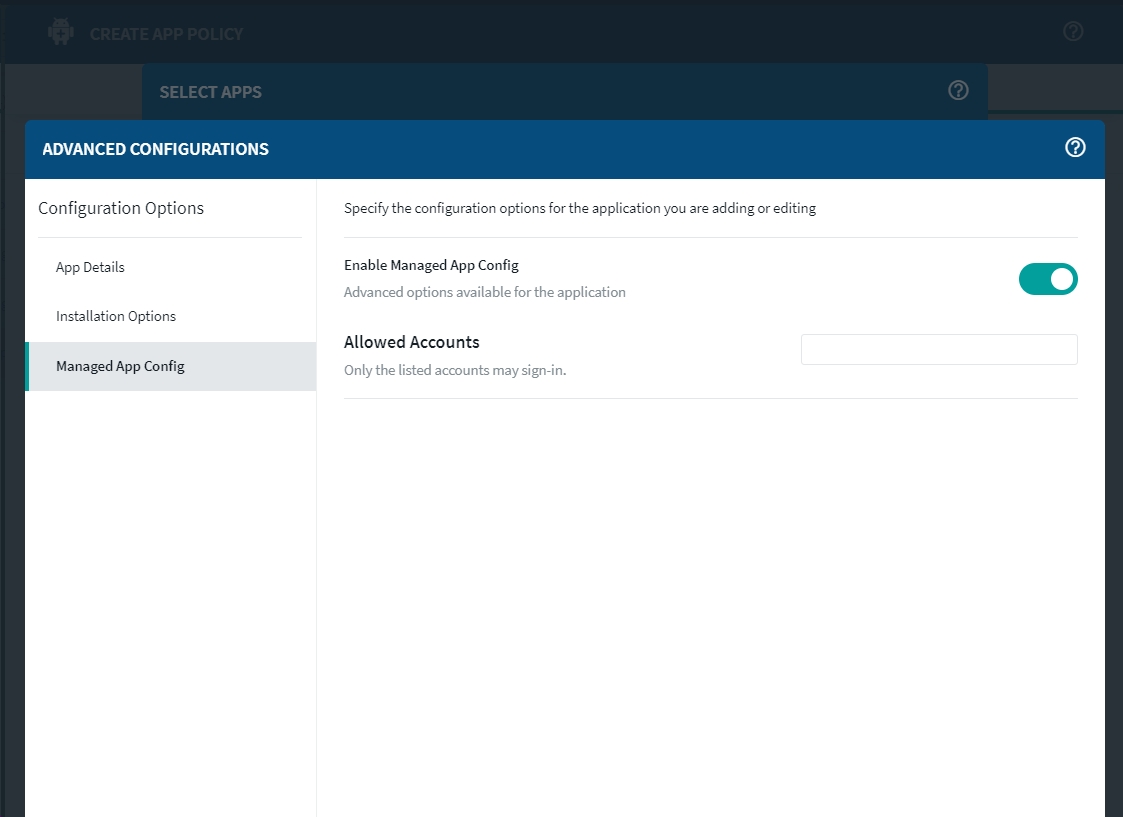
I just checked the AppConfig parameters for latest Microsoft Edge Browser AE app on MobiControl v14.5.5 and v15.3.0.  As shown from the following screenshots, there are virtually nothing to be configured.

Solution
RC
Raymond Chan Diamond Contributor
4 years ago (edited 4 years ago)

Could you please confirm the device platform(s) on which to deploy and configure your Microsoft Edge browser app?

From which Microsoft  document did you get the parameter keyword names from?

M
MetroMRA
4 years ago

The device platform is Android 10. the Microsoft Edge browser is the newest from Google Store.

The parameters are taken from the app info it self

RC
Raymond Chan Diamond Contributor
4 years ago

According to the online documentation on Microsoft Edge I found at https://docs.microsoft.com/en-us/mem/intune/apps/app-configuration-policies-overview,  the parameters/policies you mentioned in your last post (e.g. DefaultSearchProviderEnabled, etc.) are for Windows and MacOS versions of Edge only.  I don't know whether your have access to a more updated or more authoritative version of the document.

In any case, if there is any discrepancy between the document and the app binary,  you should go after the app developer or their support team, not the MDM/EMM vendor.  Either the document is wrong, or the program implementation is problematic.  There is nothing any other party can do.

M
MetroMRA
4 years ago

It is taken from the manage app config in the app in SOTI. So I figured that the settings would be the ones working for the app on android.

I will see if I can find a place at Microsoft to contact about this.

M
MetroMRA
4 years ago

We have had some issues with the app sync function, that got fixed yesterday. I can now see that Microsoft has removed all the nice functionalities.