How can I reinstall a package that failed using a script? Is it possible?

How can I reinstall a package that failed using a script? Is it possible?

In [Configuration] tab click on the [Down] arrow to expand the [Profile].
Then select the Three Dots on the left and click the "Force package Reinstallation".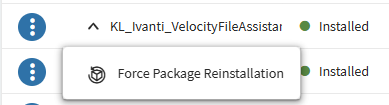

Afik there's no script for it but I assume you need to do it via script as multiple devices failed.
To try to fix them in one go, you can go to profiles (not on device details), search for the relevant profile , press three dots and choose "retry installation":
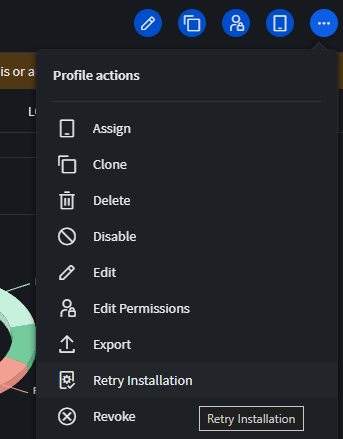
It will then retry the installation on all failed or partially installed devices.
BUT keep in mind, if the profile contains more than just the package, everything else will also be reinstalled (thats why i recommend to split them up).
The only alternatives i know are:

Hi @IK,
Thanks for posting on SOTI Pulse, Thanks Rafael, and Onno for responding to the post, your expertise and willingness to help are greatly appreciated!
Have you had an opportunity to test the suggested solutions by Rafael and Onno, and has it successfully addressed your query?
If not, or If you have any additional questions or concerns, please don't hesitate to reach out. We're dedicated to providing assistance and support.
Maybe this is helpful, sometimes we are using following JavaScript snippet (all assigned packages are downloaded to this location):
mobicontrol.packages.install('/data/user/0/net.soti.mobicontrol.androidwork/app_pkg/InsertYourPackageNameHere.pcg');
Make sure the package is available at the location before sending the script command
.jpg)