Users must see the accurate date and time on their devices even when the device is unenrolled and re-enrolled onto SOTI.
Automatic date and time and time zone does not enables when device is enrolled back.

Users must see the accurate date and time on their devices even when the device is unenrolled and re-enrolled onto SOTI.
Automatic date and time and time zone does not enables when device is enrolled back.

Hello Sandip,
Thanks for your post!
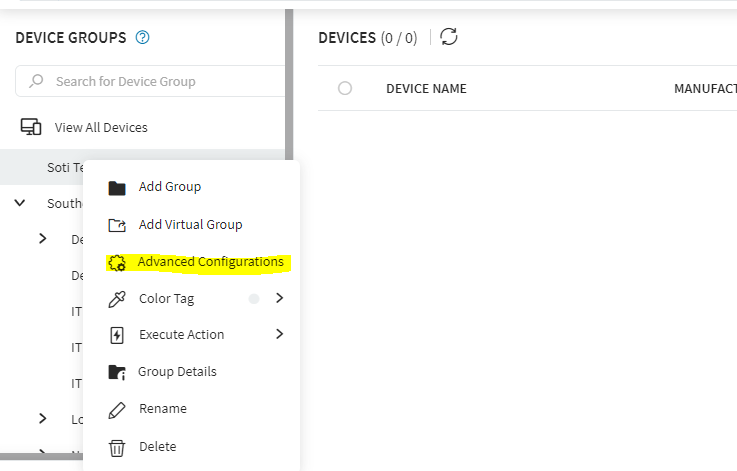
To follow up with this, you can set up a time synchronization advanced configuration on a group level. This will ensure all and any supported device located in the group(s) will automatically get the proper date and time upon re-enrollment.
Regards,
Technical Support | SOTI Inc. |1.905.624.9828 | support@soti.net | www.soti.net |

What are the brand(s) and model(s) of your devices?
What about the enrollment mode (legacy OEM specific Android+ or generic Android-Enterprise), and version and build numbers of your device agent?
All of the above can affect whether your device firmware supports relevant MDM policies to enable automatic date/time feature-control and time synchronization advanced-configuration.
We are using Topicon MDT 760 devices running on Android 9.
Enrollment mode is android enterpise and mobicontrol version is 15.2.1 Build 1058

Hello Sandip,
Thank you for posting on SOTI Central!
I am looking into it and I will update this post once I have an update for you on this.
Regards,
Technical Support | SOTI Inc. |1.905.624.9828 | support@soti.net | www.soti.net