I have issue with samsung SM-T295 model. I can enable the automatic date time. this only occurred for device that enrolled with soti.
is there any script to enable this by force

I have issue with samsung SM-T295 model. I can enable the automatic date time. this only occurred for device that enrolled with soti.
is there any script to enable this by force

Hi Ruwan,
Thanks for your post!
Have you gotten a chance to try the script suggested my Raymond? Kindly mark the post as solution if it was helpful to you, or let us know if you need anymore assistance with this issue.
Regards,
Technical Support | SOTI Inc. |1.905.624.9828 | support@soti.net | www.soti.net |

To ensure the devices have accurate date/time and not modifiable by device end-users, you can deploy a "Time-Synchronization" Advanced Configuration policy to the devices to enforce the device time to be synchronized with either your MobiControl server or some specified SNTP/NTP time server(s).
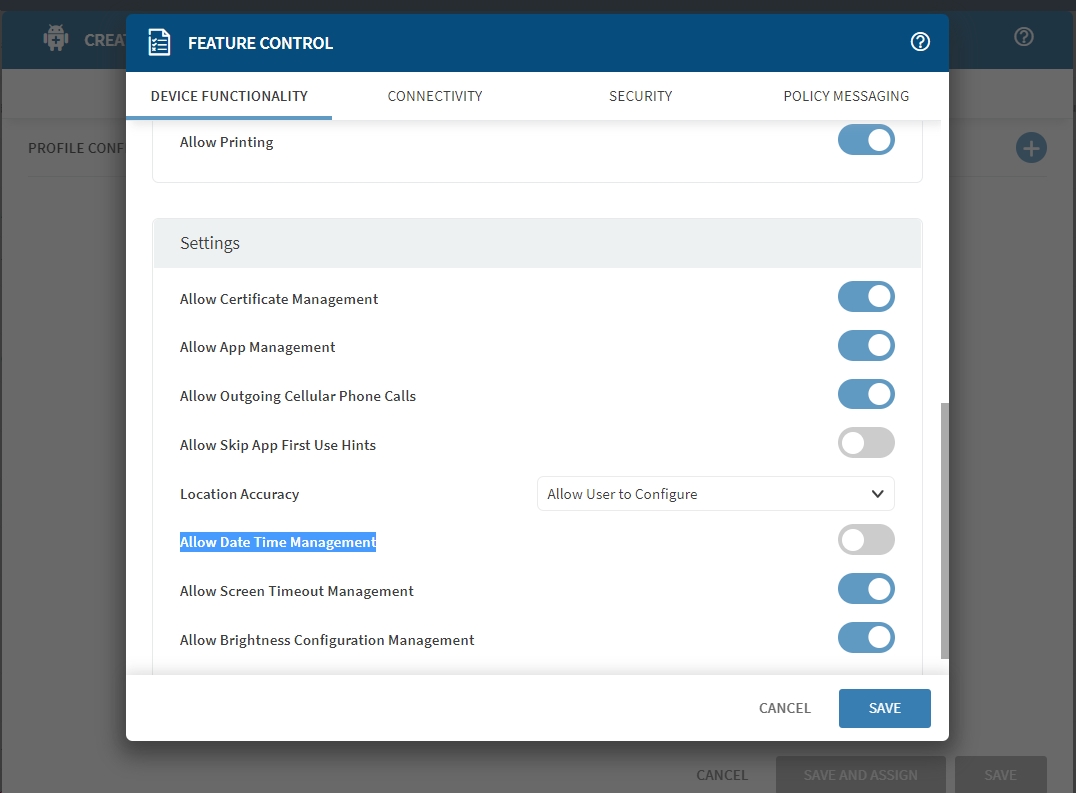
Also, make sure you have a profile with feature control payload deployed to your Samsung devices. The "Allow Date Time Management" option in the Device Functionality tab should be turned off if you won't want the end-users to be able to make any change.
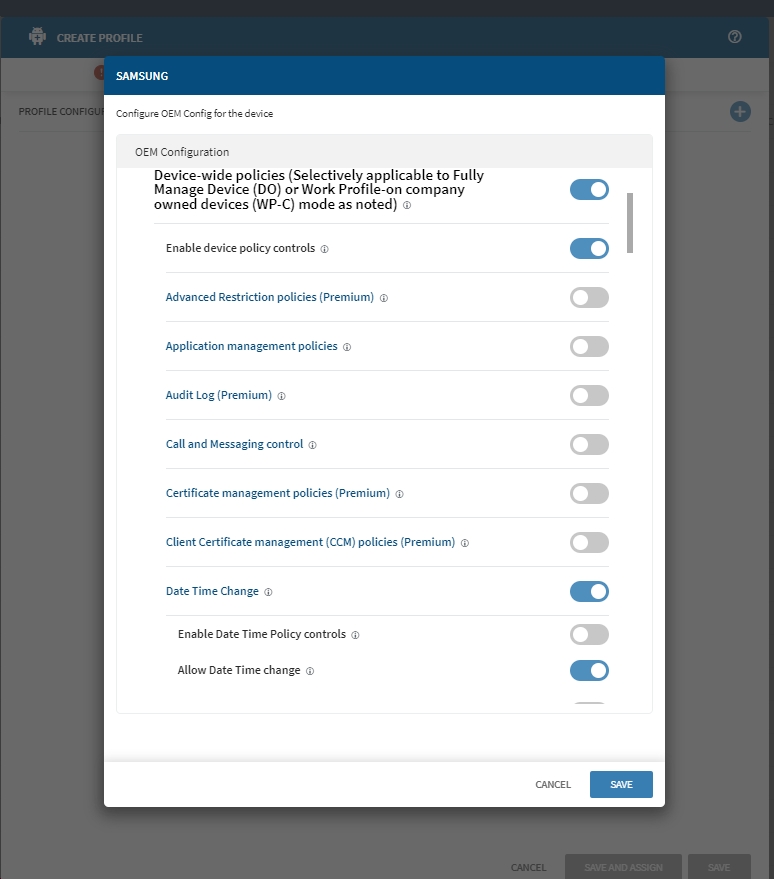
There are similar configuration options in AppConfig/OEMConfig compliant Samsung Knox Service Plugin app from managed Google Play store. You can configure the options in either Advanced Configuration tab of the app in your App-Catalog Rule/Apps Policy, or with Samsung OEMConfig profile payload for MobiControl v15.6.0+ server.
You can use,
writesecuresetting -glo auto_time 1
But without the policy I mentioned in previous post, device end-users can change this auto option or manually set the device time to anything they like, which in general is insecure and not desirable.