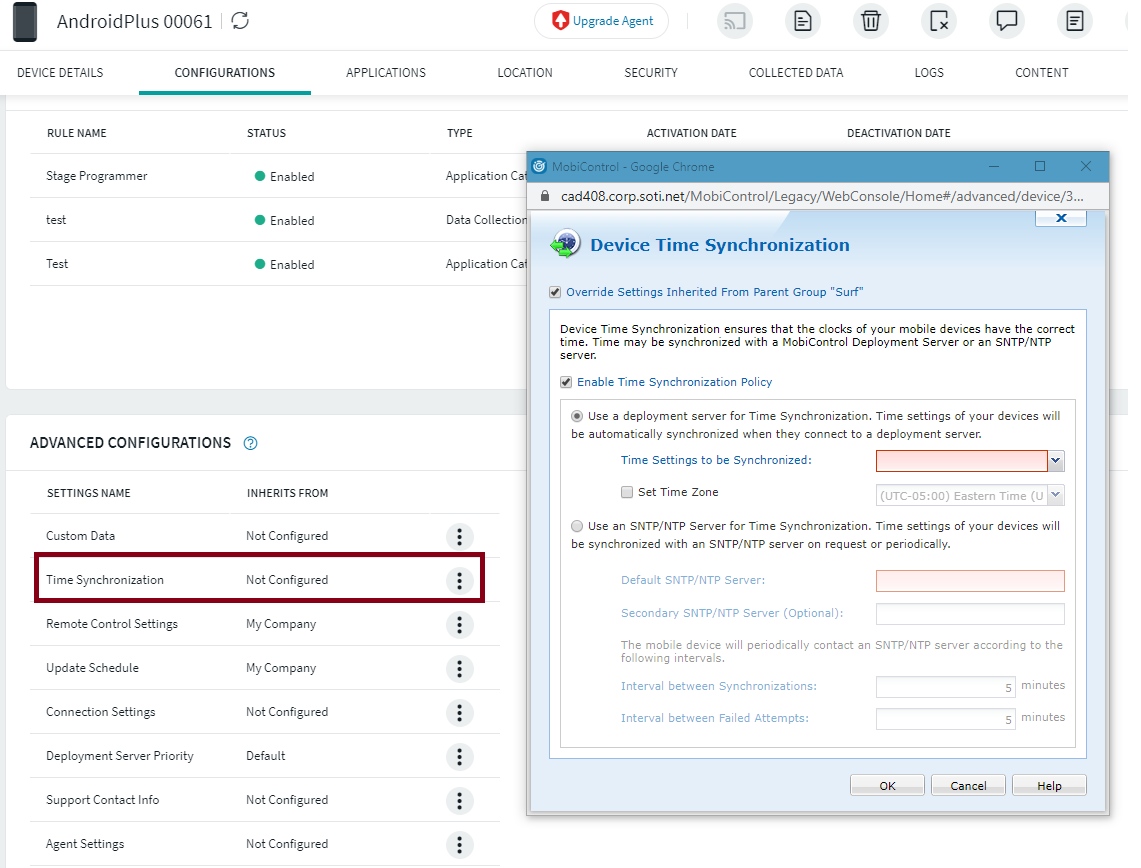
There is a Time Synchronization option tied to the Group that you can adjust.

Be aware that the Android agent has a bug that was fixed in agent version 14.1.4:
| MCMR-20369 | Time synchronization incorrectly also synchronized time zone when the option to synchronize with the deployment server was selected |
That one bit me and I had to disable time sync from MobiControl until it was fixed.

Hi Barom,
Thanks for posting here!
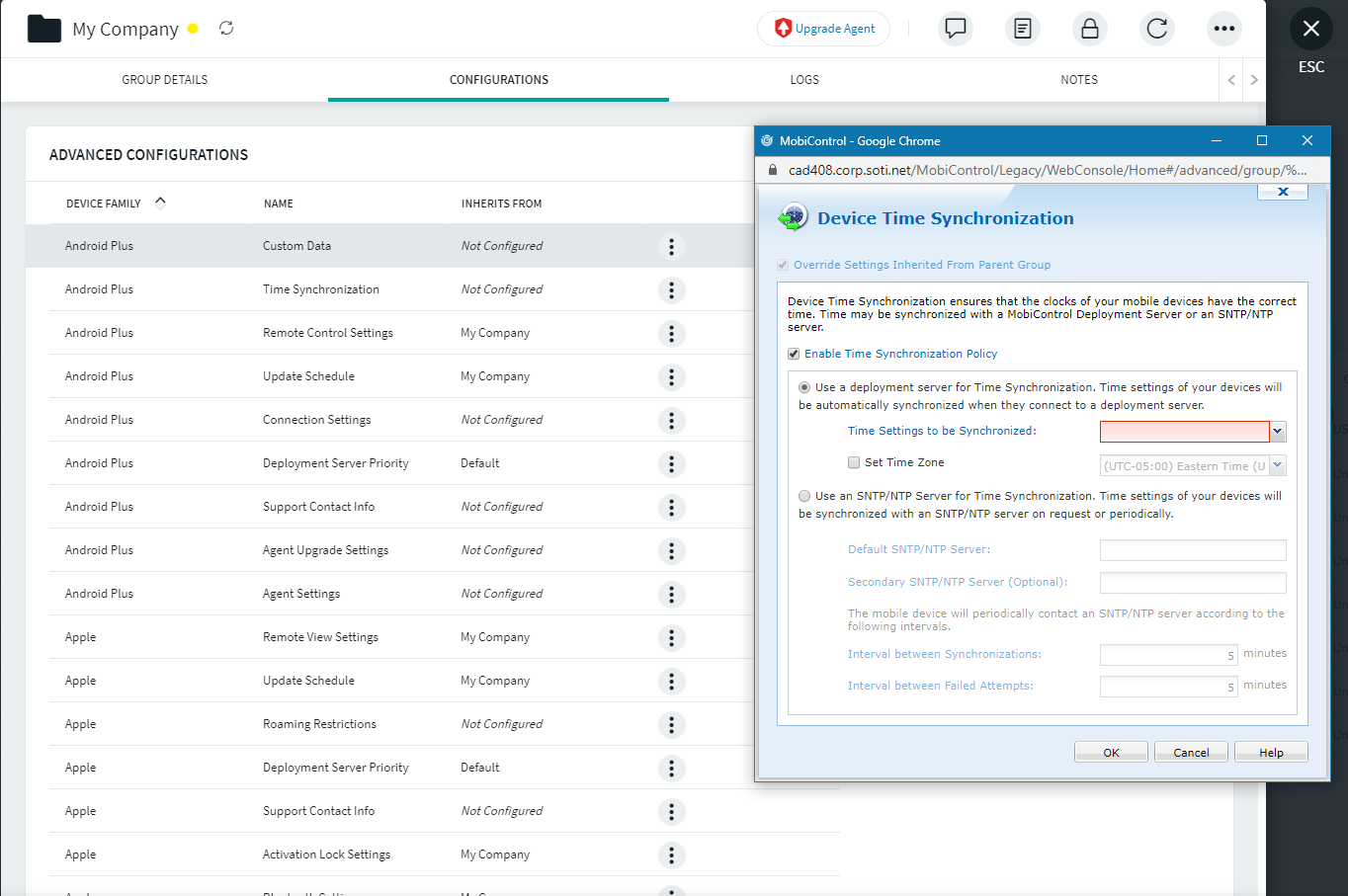
Navigate to a particular device or a group to configure the Time Synchronization:
Click on three dots beside the group > Group Details > Configurations > Depending upon the device family select the Time Synchronization and configure it based on your requirements
Click on a device > Configurations > Scroll down to Advanced Configurations > Time Synchronization