How to launch a configuration for Outlook Mail & Calendar app for iOS?

Solved Locked
DS
Danielle Sim
Hope HealthCare Services

Is it possible to launch the app with a config to turn the Focused Inbox and signature off?  

Can the Application Configuration be used to make setting changes within iOS versions of any app?  If not through the App Configuration, is there a way to control settings of iOS apps?  

Edited 5 years ago
iOS
ANSWERS
RC
Raymond Chan Diamond Contributor
5 years ago (edited 5 years ago)

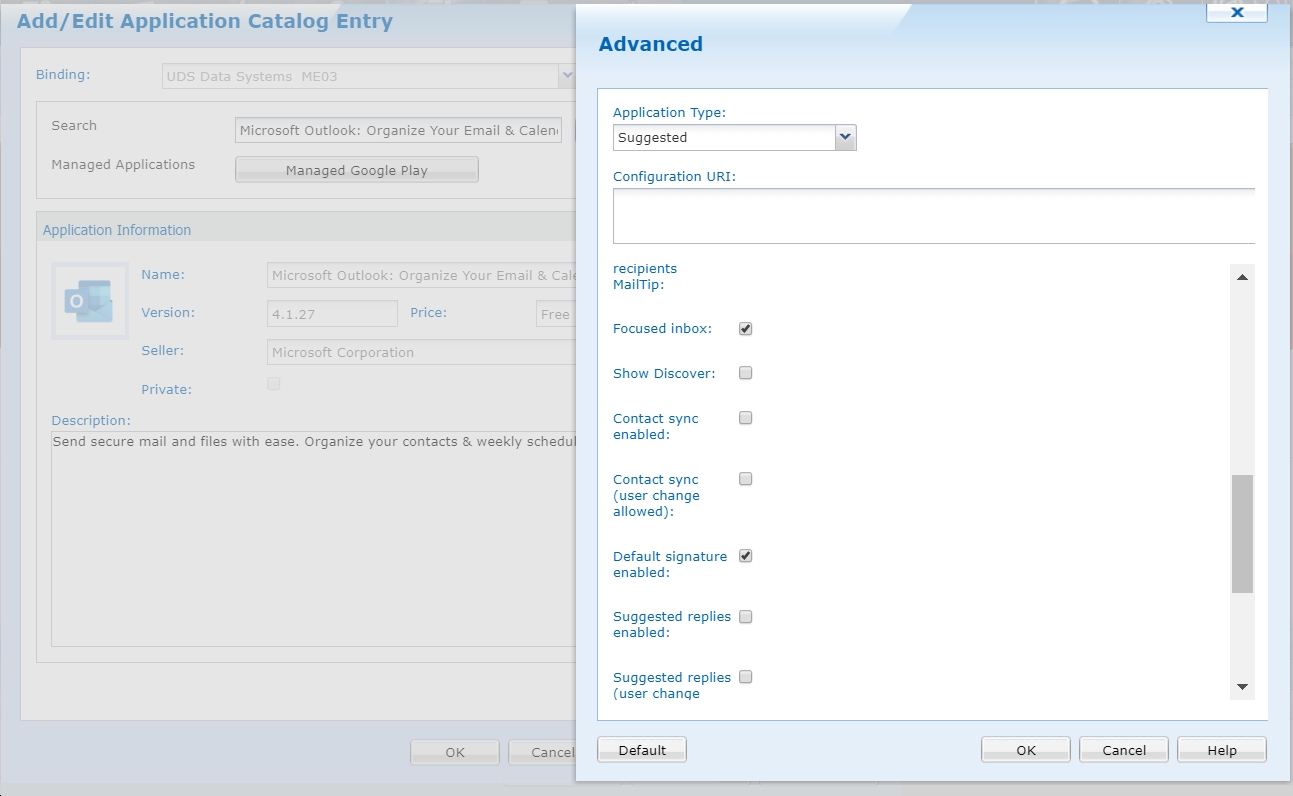
iOS platform does support app configuration just like Android Enterprise platform.  However, while the latter platform has a simple GUI in the web console (see screenshot below), the former platform currently needs  to use configuration file to define the required configuration(s).

I haven't got everything to check things out for iOS platform, but I think you can try the following in the "Configuration Command" field in "Application Configuration" tab of an "Outlook" app entry in an iOS App-Catalogue rule:

<dict>
<key>com.microsoft.outlook.Mail.DefaultSignatureEnabled</key>
<false/>
<key>com.microsoft.outlook.Mail.FocusedInbox</key>
<true/>
</dict>

Let me know if the above works or not.

Solution
DS
Danielle Sim
5 years ago

Thank you so much!  That worked!