Draft available

Solved

Hi there,

For al long time a had a Profile with "Draft available", and it's made by an engineer who is not available any more. The draft is never be made active. How can i see what contains the "Draft" so i need to mad a change in this specific profile. It concerns a kiosk policy with 450 TC56 zebra devices connected.

so need to see change between draft and recent version.

2 years ago
Android
ANSWERS
A
AMMOD@SOTI
2 years ago

Hi Marcel,

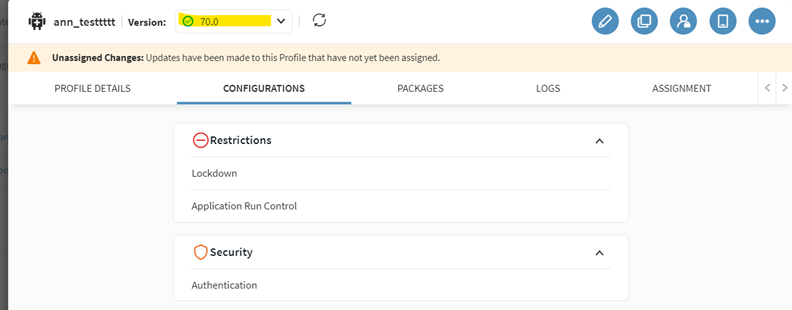
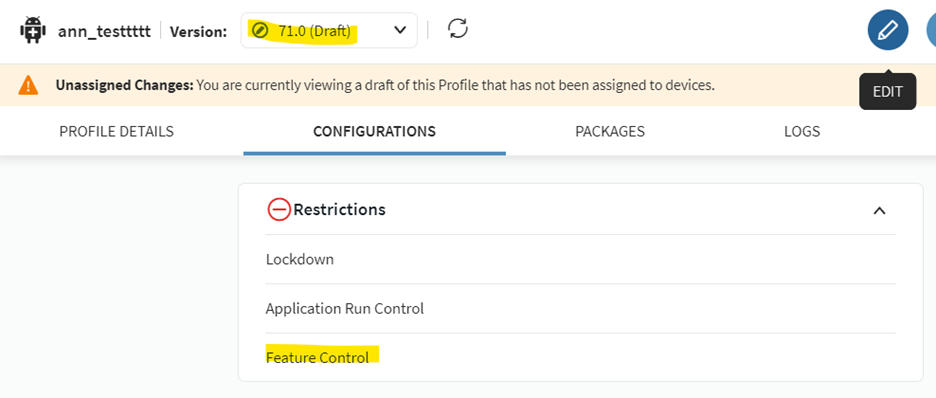
Certainly, you can Click on  the draft version from the dropdown. I am attaching screenshots for your reference. It will only become active if you edit and then click on save, and assign; otherwise, it won't be activated. Therefore, you can select the version and review the configurations.


Alternatively, if you are genuinely concerned as there are many devices assigned to it, you can take the following approach: while in the draft version, click on "clone" to duplicate the drafted profile.


This action will create an exact copy of your profile, allowing you to test it on one of your devices and observe the changes.


Kindly inform me if this addresses your query.

Regards

Solution
MD
Marcel de Boef
a year ago

Thanks for all the help!

RS
Rafael Schäfer Platinum Contributor
2 years ago

Choose the relevant version number in the profile detailed overview of your selected profile and see the changes (in general like package versions, configurations added/removed). 

For deepdive you need to compare each setting fro,m the two versions.

In general i recommend to have a changelog somewhere for every change being made.
And also if you have to implement changes, you should know about what to expect from your profile and check if everything is set as expected.

And the last thing: Always try it on some test devices first before you roll out changes to all productive ones to prevent issues.

A
AMMOD@SOTI
2 years ago

Hi Marcel,

Thanks for posting on SOTI Pulse, Thanks Rafael,for responding to the post, your expertise and willingness to help are greatly appreciated!

The profile is currently in draft stage as it has not been assigned to any devices.

To view the content of the draft, simply click on the specific profile in its draft stage. Click on "Edit" and navigate to the configuration to inspect the payloads added to the profile.

 For a more detailed view, select the required payloads to see all the elements added to it, For example if lockdown is configured click on it to see what all apps are added as home screen items. If no changes are required, click on "Cancel."
However, if modifications are necessary, you can make them and then assign the profile to any test device to know what to expect from the profile.

I hope this solves your query. Please let me know if you have any other questions.

Regards,


MD
Marcel de Boef
2 years ago

Hi thanks for your answers,

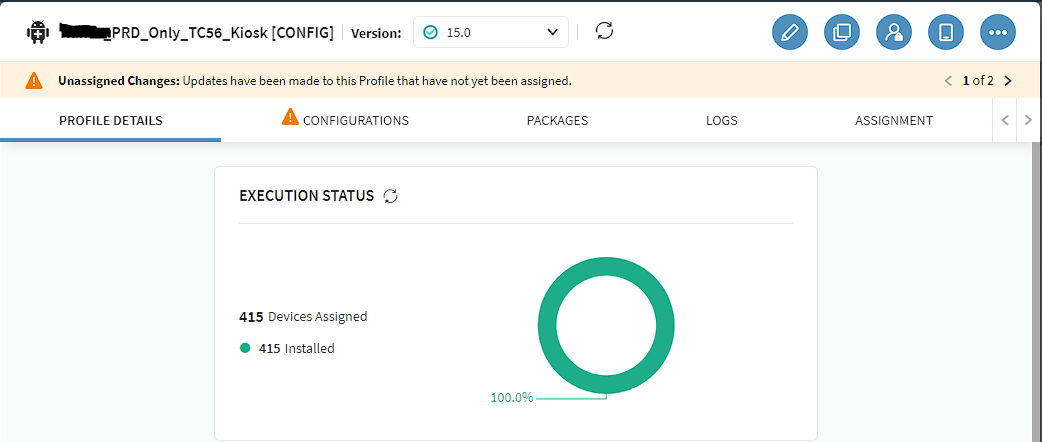
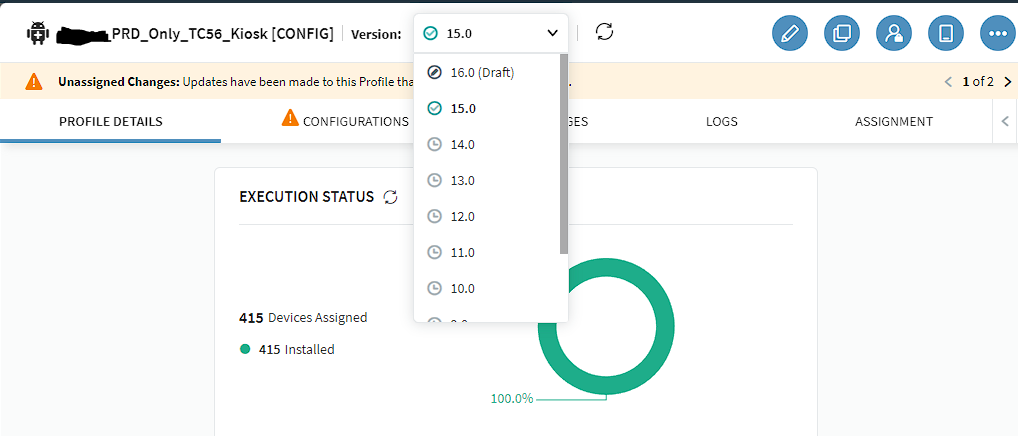
This is the profile i refered to. Version 15.0 is production.

Can I click on 16.0 (Draft) for testing without activating version 16? I need to know the difference between 15.0 and 16.0 (Draft) without disrupting production. As mentioned, 415 production scanners are linked to it.

Kind Regards,

Marcel