Zebra tablet lose BT pairing every device shutdown/restart

BY
Bar Y.
Raval Ltd.

Hello,

I am trying to overcome an issue i have with a Zebra Tablet, Model ET40.

the Tablet has a connection to a bluetooth scanner (also zebra device) that has to be connected manually (but thats another story all together).

the issue is the devices (currently only 1 enrolled as part of test) are being shutdown every week during the weekend and when a new work week starts the devices are being turned on and seemingly lost the pairing to the bluetooth device, and since we are working in Kiosk mode the users have to call on IT to re-connect the device manually.


is there a way to disable the unpair on device shutdown, or make the device re-pair on activation?

Appriciate your Help,

Bar Y.


2 days ago
SOTI MobiControl
ANSWERS
RS
Rafael Schäfer Platinum Contributor
2 days ago (edited 2 days ago)

At least you could provide the BT options in lockdown using/providing the Settings Manager and only enable BT options there. 
Just as a short workaround to let staff reconnect to the device instead of need to call support.

Have you taken a look into Zebra Oem config if the BT settings there might help you as there are several?

BY
Bar Y.
2 days ago

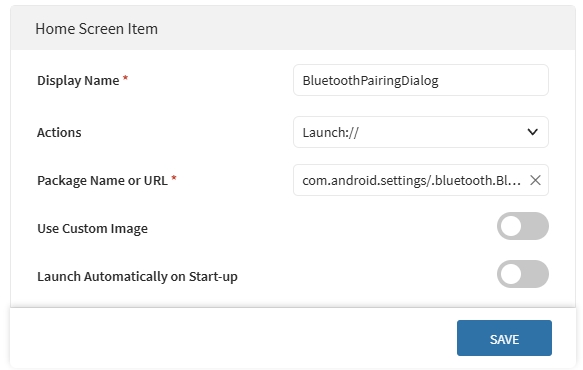
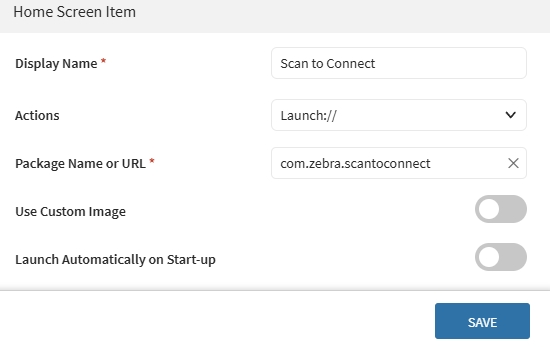
we used to have the app called "scan to connect" in a past MDM, just after making this post i have found that you can add a built in Zebra app for scaning barcode to connect and i have added it to the kiosk lock screen, i am just waiting for further testing by the users to see if it works for them (connecting the scanner by themselves by scanning the barcode).

crossed fingers, but if not i would have to try mess around in the BT options to allow the setting to be used while in kiosk mode, the way you mentioned.

I will update here if and what worked.

Thank you!

Scan to connect is also available here ofc as it's an app from playstore.

Completely forgotten about this one but on side of this, maybe a look into oem config maybe worth if the BT settings there can help you even to avoid the need of reconnecting.

BY
Bar Y.
2 days ago

 * the scan to connect original app did not work for us in the Zebra device, the app i mentioned is a diffrent app that comes built in the device, so we are hoping this one succeeds in pairing.