
Smart Switch Not Showing Certain Options

I have a customer who is trying to use Smart Switch to copy over everything including the home screen layout from one tablet to another.

For some reason, the likes of Home Screen is not showing as an option, whereas if I try and copy my AE device to my work phone which is not on MobiControl, the home screen displays.

What config change do I need to make to allow the likes of the home screen to show in the app? I know there are several options/settings within the Knox Service Plugin, but I've no idea what does what within there?

4 years ago
Android
ANSWERS
RC
Raymond Chan Diamond Contributor
4 years ago (edited 4 years ago)

What were the related options you found in Knox Service Plug-In?  I could only see one straightforward option of enabling/disabling SmartSwitch.

CK

Hi Raymond,

It's the Knox Service Plugin that has the additional options, which by going by this: https://discussions.soti.net/thread/allow-smart-switch-on-samsung-android-enterprise-devices/ you stated that there were some options.

Since App Policy introduction, I can't blatantly see this anymore?

RC
Raymond Chan Diamond Contributor
4 years ago

I only said and show one option (and NOT many optionS)  related to Smart-Switch in the discussion thread at https://discussions.soti.net/thread/allow-smart-switch-on-samsung-android-enterprise-devices/ .  It only allows/disallows Smart-Switch, with no extra parameter(s) to fine tune whether home-screen layout can be migrated. 

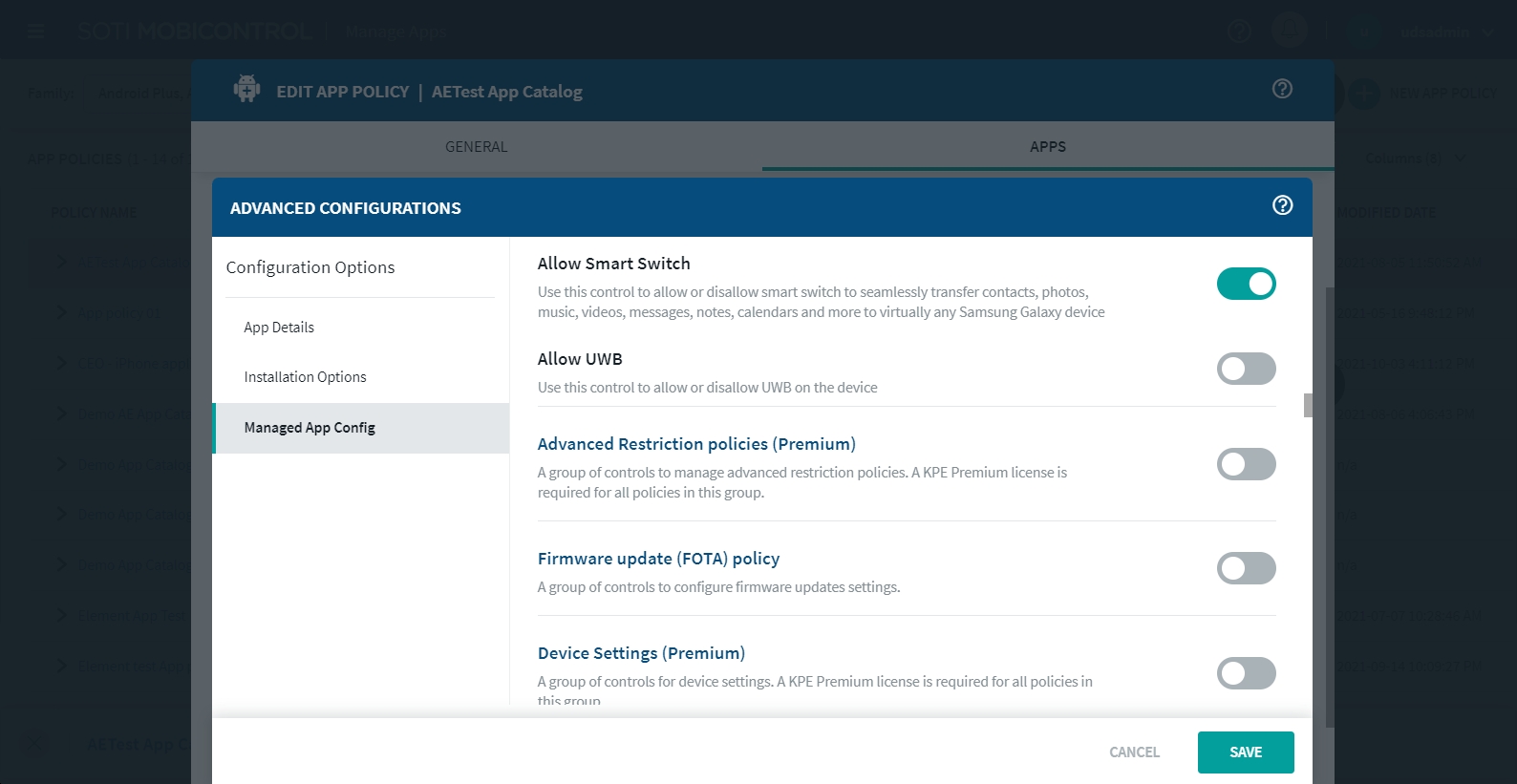
With App-Policy in the newer Mobicontrol v15.x server, the same option can be found in the "Managed App Config" tab of the Knox Service Plugin app item in any App Policy as shown in the screenshot below: