

Windows 10( Unified) endpoints do not need any device agent, and all required MDM software is already included in the Operating System.
For Legacy Windows (Windows CE/Mobile, Windows XP/2K/7/8, etc.), you have to build the required agent file via your Web-Console.
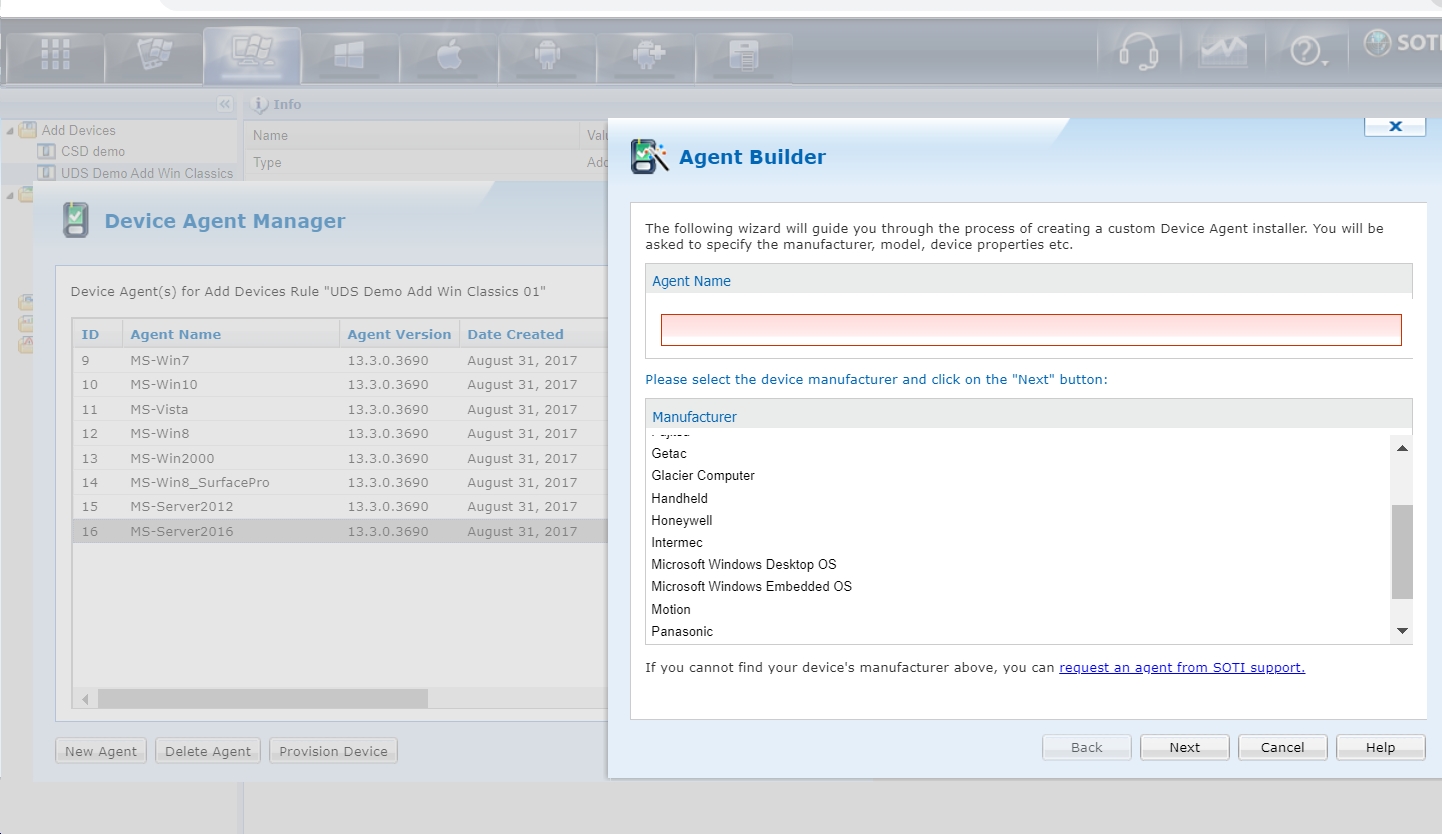
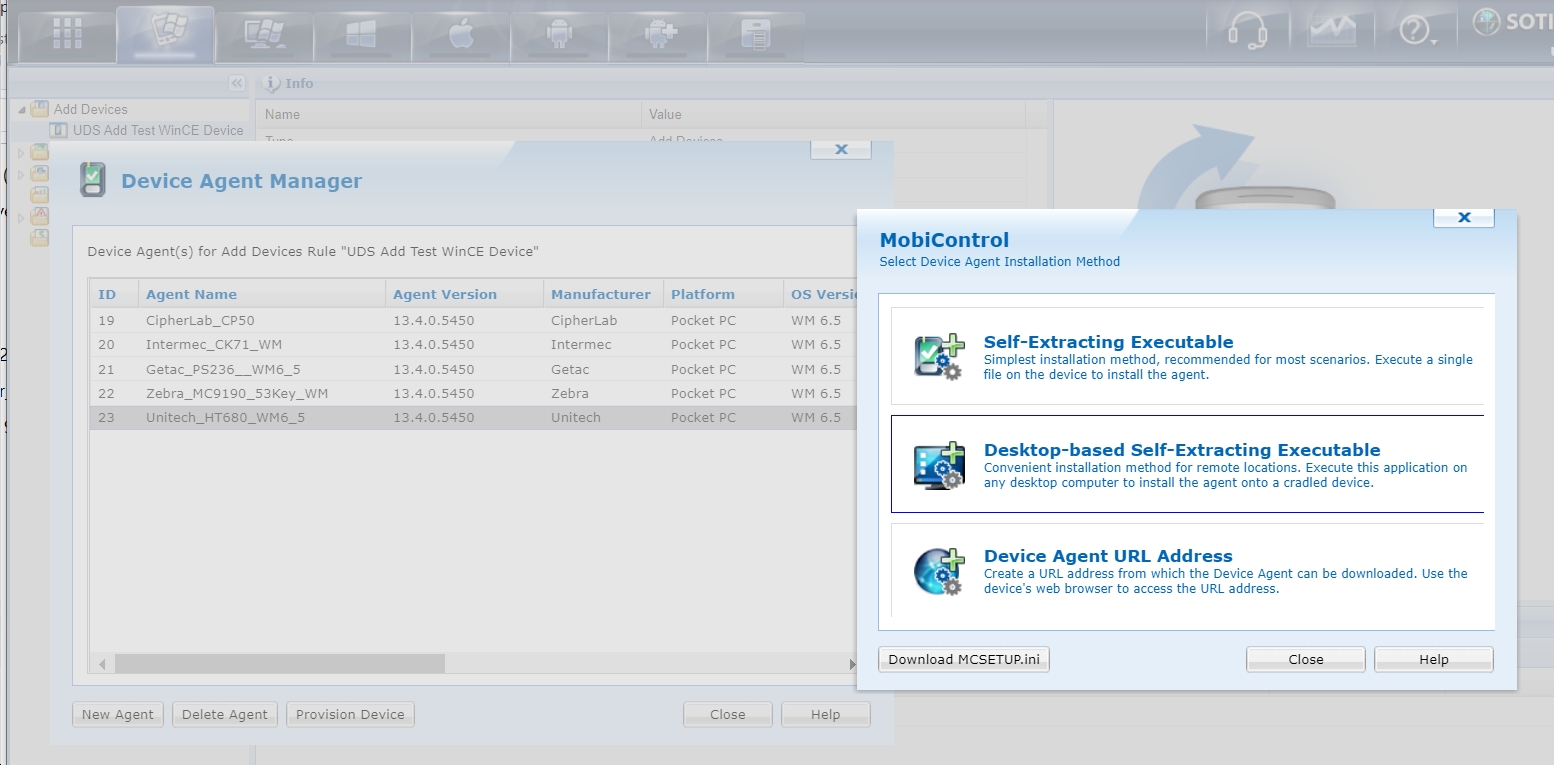
In the MobiControl web console, create corresponding add-devices rule in the target Window Platform tab, click on the rule and select "Device Agent Manager" in the pop-up menu. Click on the "New Agent" button to select vendor/model and configured other parameters to create the required agent, and then the "Provision Device" button to get the required EXE file or URL link for actual device enrollment. While the following screenshots are for MobiControl v13.4, the mechanisms are the same for MobiControl v14.x+.

Hello Brad,
Thank you for requesting a response from SOTI Support Staff.
As Raymond has indicated Win10 devices do not need a device agent. Otherwise, using the information provided in the previous comment for other Windows devices, in conjunction with Windows Mobile Device Centre, you should be able to configure your Windows devices.
Please let us know what issues you are having.
Warm regards,