I enrolled few linux based devices to soti mobicontrol using the "Enrollment URL"

I enrolled few linux based devices to soti mobicontrol using the "Enrollment URL"

Hi Thiwanka,
Alternative way would be using legacy script to re-name the device which is devrename "new_name_of_your_device"
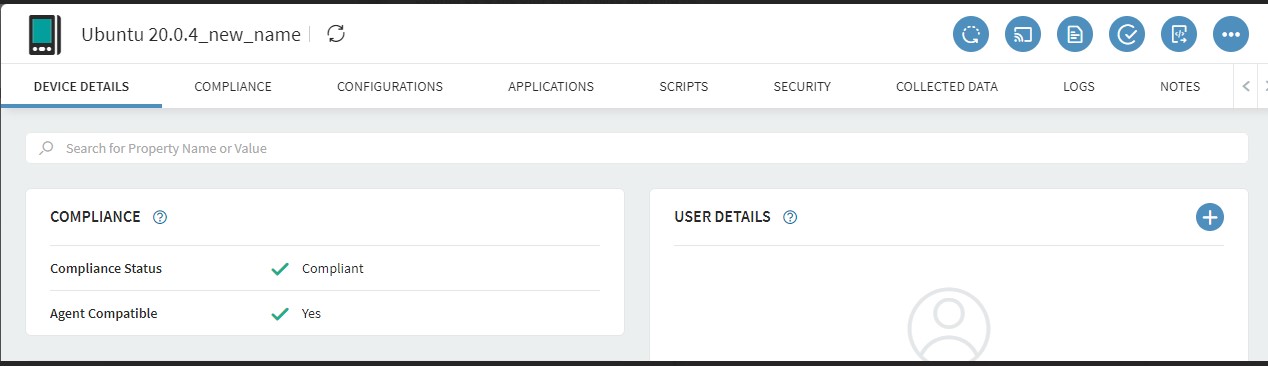
I just tested it on ubuntu and it worked as below:
sending this as legacy --> devrename "Ubuntu 20.0.4_new_name"
For bulk operations to update multiple device names or automate it you may either use custom data or custom attibute; the syntaxt is:
Rename using Custom Data: devrename %MCCustomData:CustomdataName%
Rename using Custom Attribute: devrename %CustomAttr:attribute_name%
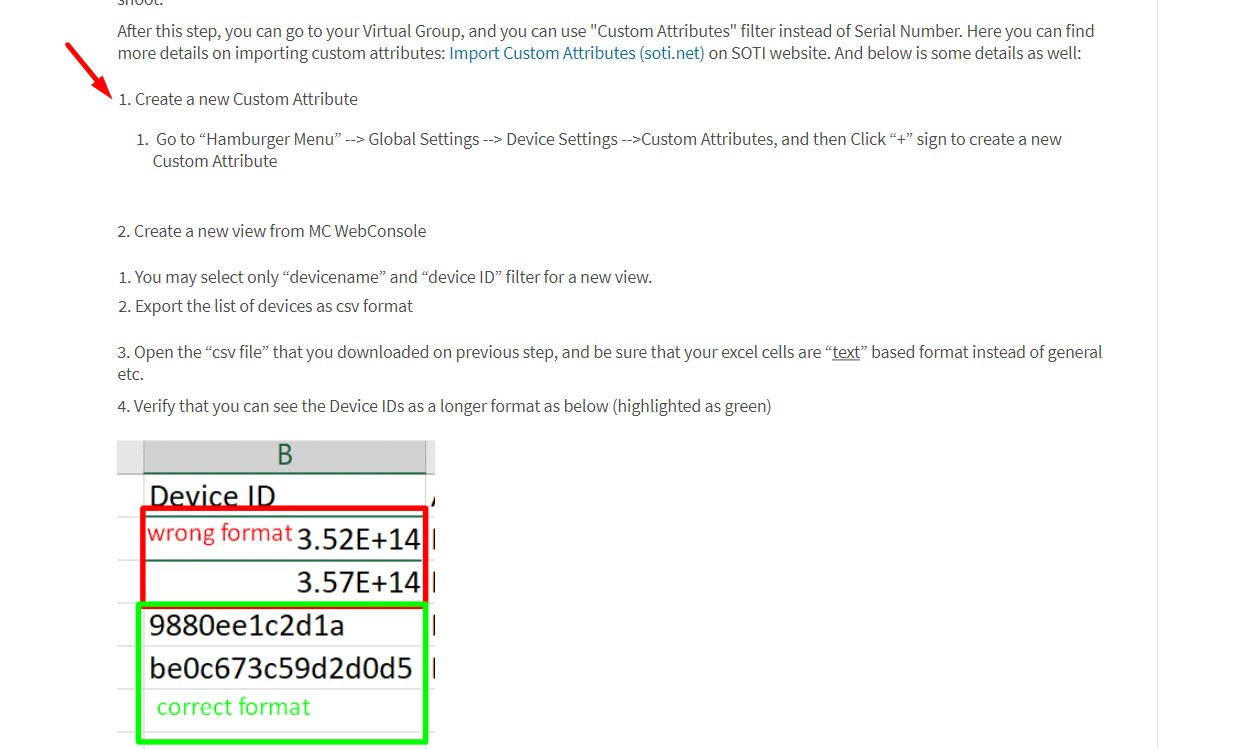
You can see more information about how to use custom data on SOTI Pulse or on soti help page. Regarding the custom attributes; you can also change your device(s) name in one shoot by uploading an excel list. If this works for you, you can find the steps to update your devices name here: SOTI Discussion Forum
Starting from below section step-1:
I hope it helps. Thank you
Zafer

Hi Thiwanka,
Thank you for posting on SOTI Pulse!
Has Zafer's response helped you in your question?
Kind regards,
Technical Support Specialist | SOTI | +1 905.624.9828 | SOTI.net lDiscussion Forum | Log a Case Online l Facebook l LinkedIn l Twitter
Hi Thiwanka,
I have marked the relevant post as solution. If this post did not assist you in resolving the issue and you have additional questions, please do not hesitate to reach out.
Kind regards,
Kind regards,
Technical Support Specialist | SOTI | +1 905.624.9828 | SOTI.net lDiscussion Forum | Log a Case Online l Facebook l LinkedIn l Twitter