Granting SOTI Permissions using Zebra OEM Config via SOTI Profile NOT App Policy

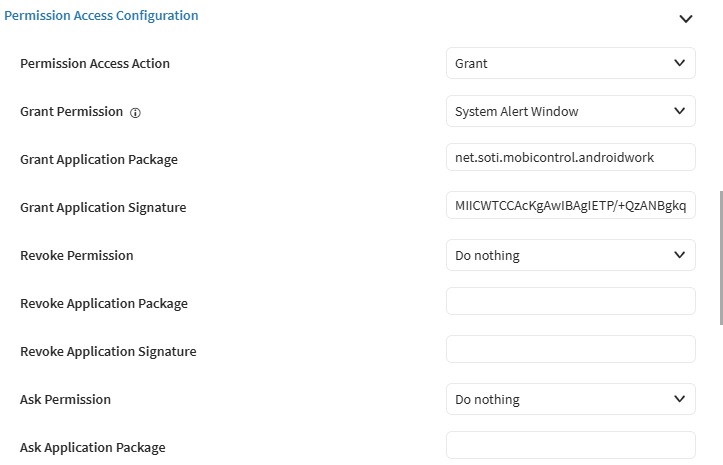
I am running into issues trying to grant the permissions using the Profile for Zebra OEM Config: Is there a prerequisite to using this funcitionality or something I am missing. 

I don't want to go through the Play store and download the app, I find that the changes are not instant and I have to wait for the PS to push them down to the device. 

I have used the article here: https://pulse.soti.net/support/soti-mobicontrol/articles/ka2OF0000001nNDYAY

But the permissions are not allowing. I have tried two devices and revoked, restarted the device and reinstalled the profile and it is not setting the permissions for: 

usage access, notification access, system alert window, manage external access

These devices are TC78's, A14, running 2025.0.4 SOTI Agent Version.
3 hours ago
SOTI MobiControl
ANSWERS
RK
Radim Kadlec
3 hours ago

Hi Katie,

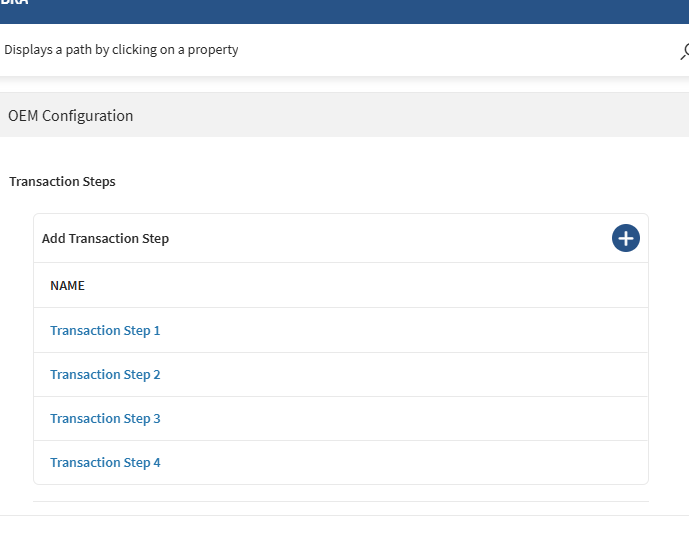
As per the article you mention the approch to setup OEMConfig via a Profile is only available for Android 10 and below devices. You should use an App Policy instead.

If your device does not have a Google account you can use Enterprise App Store + Zebra OEM Config (com.zebra.oemconfig.release) + Managed App Config.

KW
Katie Williams
3 hours ago

Thanks for the quick response, I clearly skimmed through it and overlooked what took me in circles! Thank you for pointing that out!

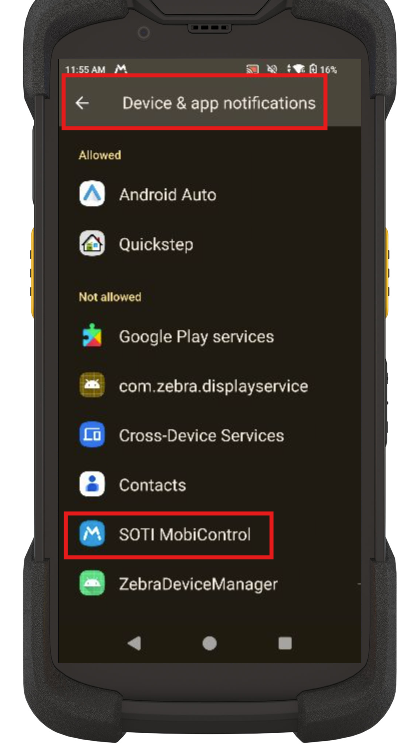
 I did go over and try app policy just to see if it was working over there and seems to be partial, all file access and device and app notifications aren't granting for me, what option is this? And I believe Modiy system settings has to be done manually is that correct? Or is there an option for that one that is called another name?


KW
Katie Williams
2 hours ago

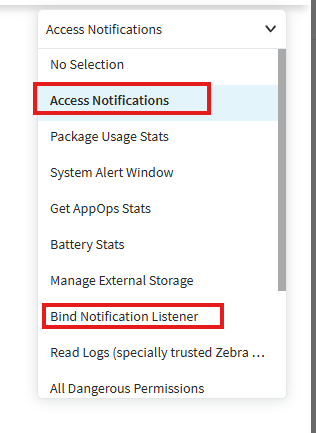
Update Device and App Notificatios needs both options here: 

RK
Radim Kadlec
2 hours ago

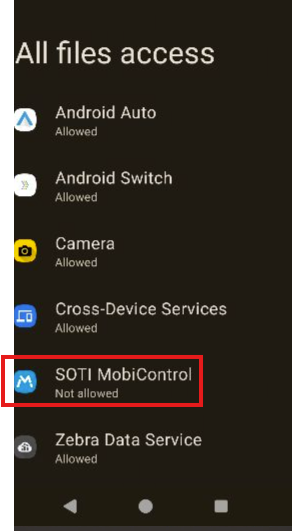
All Files Access = Manage External Storage
Modify System Settings = Write Settings

While the Manage External Storage is supported on MX10.4+, Write Settings requires MX 14.2+. So if doesn't work on your devices it may be related to your OS build number.

KW
Katie Williams
2 hours ago

all worked but all file access: