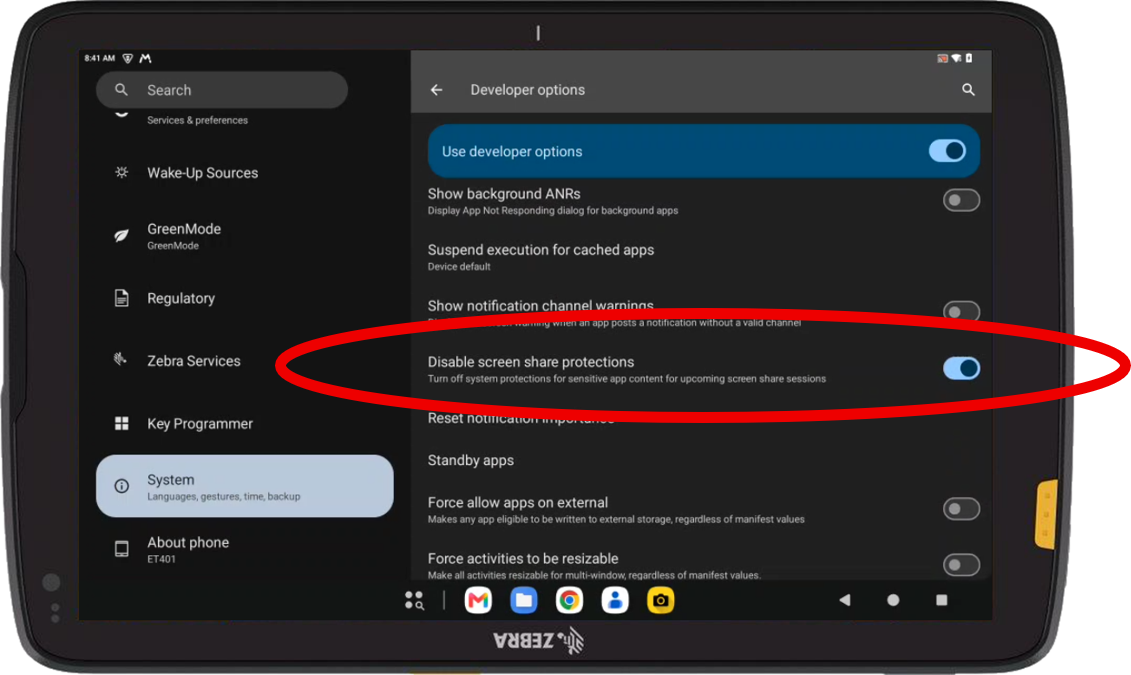
Hello, Since Android 15, some applications, such as Microsoft Warehouse Management, or the developer options, are no longer visible during a remote control session.
This issue occurs with both the web-based version and the legacy plugin.
This is due to the new ‘disable screen share protections’ setting, which is unchecked in the developer options, under the Apps section.
The adb command to enable this setting and recover full remote control display, without a black screen, is as follows:
adb shell settings put global disable_screen_share_protections_for_apps_and_notifications 1
Is there a script that can do this in MOBICONTROL? Or with ZEBRA StageNow?