Hi
We have a 20 button lockdown for Honeywell EDA51 devices but need more buttons. Is it possible for one of the 20 buttons in the lockdown to open a second lockdown when pressed or is it possible to add a folder where apps can be opened
Thanks


Hi
We have a 20 button lockdown for Honeywell EDA51 devices but need more buttons. Is it possible for one of the 20 buttons in the lockdown to open a second lockdown when pressed or is it possible to add a folder where apps can be opened
Thanks
Hi Ricky,
To answer your question, I have recently been looking for something similar to this. There is certainly no easy way to achieve this. I have found an option for this (currently evaluating its suitability) using shared device, but I dont believe this would satisfy your requirements.
However, is it possible to add additional buttons to the template you currently have assigned to the lockdown profile already in place?
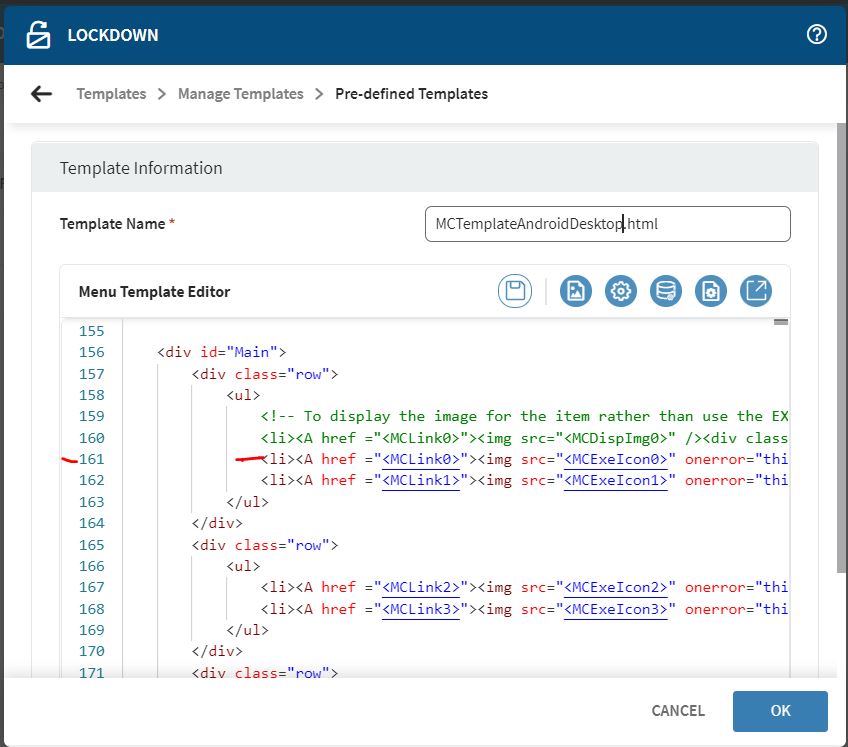
In the template editor you may see a lines similar e.g.
<li><A href ="<MCLink0>"><img src="<MCExeIcon0>" onerror="this.style.display='none'" /><div class="txt"><MCDISP0></div></a></li>
e.g. MCLink0, MCExelIon0 and MCDISP0 make references to the first menu item added to the lockdown device homescreen.
Is it possible to add additional lines of code (similar to the above) for MCLink20, MCLink21 etc for the additional icons you require?
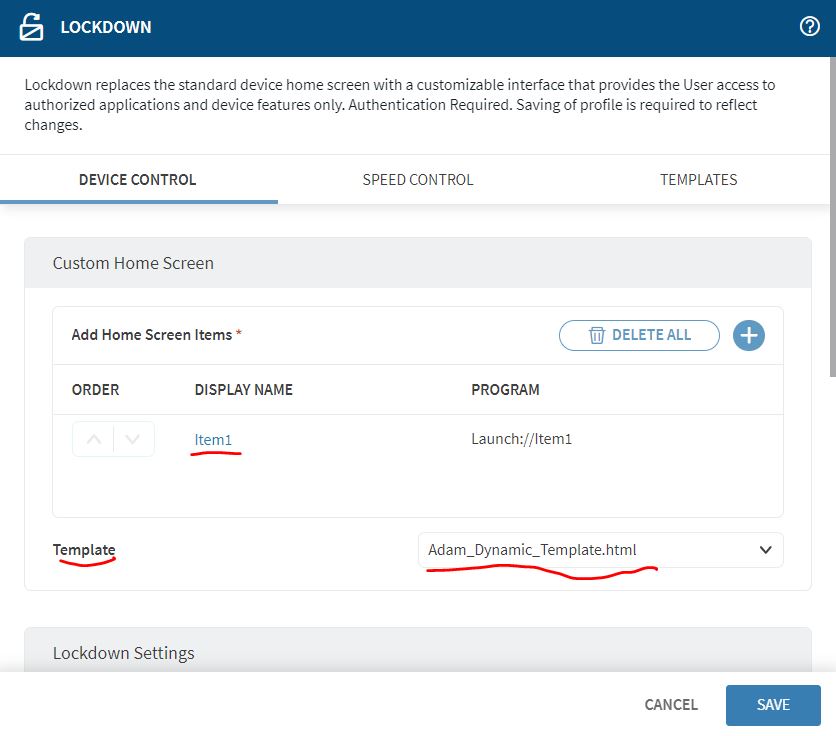
From DynamicAndroidLockdownTemplate.html at least 100 menu items can be added.
Thanks
Adam
Hi Adam
Thanks for your response, I know how to add more buttons and indeed more rows, started as a 2 x 2 now its a 4 X 5. Is it possible then to add a vertical scroll bar instead?
If you take a look at DynamicAndroidLockdownTemplate.html (which has some hefty JS)
This template allows you to define
Hi Ricky,
SOTI has default lockdowns that support multiple pages as well as custom lockdowns that have folder support. As Adam mentioned earlier, the DynamicAndroidLockdownTemplate.html template will create multiple pages of applications the user can swipe through. The number of apps per page can be changed by altering the “columns” and “rows” variables found at the top of the lockdown. If you prefer a scroll bar for the additional applications, you can reach out to SOTI to request a custom lockdown.