
install ipa ios via application policy failed

C
Carmadi Bronze Contributor
PT. SATYA AMARTA PRIMA

Hi,

We had problems when trying to install the application by uploading the IPA file via Apps Policy. where when the application appears on the device an error appears as in the picture.
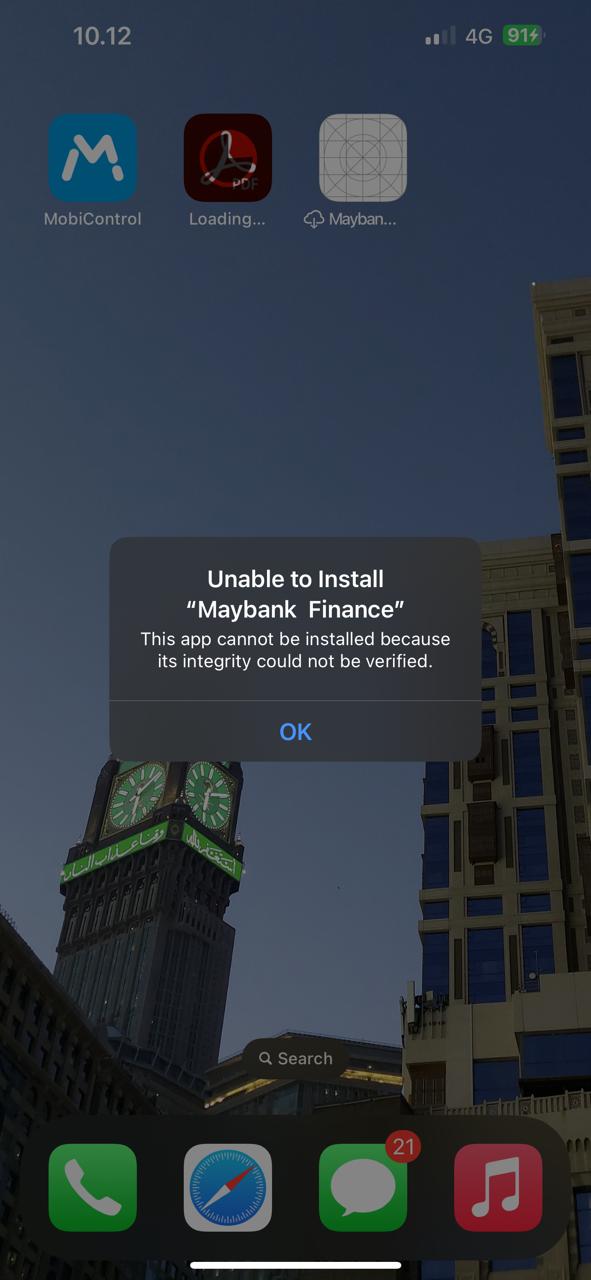
We use enrollment device types and unsupervised devices. Is it true that on an unsupervised device you can't push the IPA file type application?

a year ago
iOS
ANSWERS
RC
Raymond Chan Diamond Contributor
a year ago

What are the version and build numbers of your MobiControl server?  What about the firmware version of your Apple device?

Have you done any test on another .ipa app and got the same result?

For unsupervised device, "silent" push is not supported.   What options did you configure in your app policy?   Did you get any prompt on the device screen on starting installation of the app? 

Check with the developer/vendor of the app to see if the app has been developed with proper Apple developer's license (Apple Developer 'Enterprise' Program)?

C
Carmadi Bronze Contributor
a year ago

What are the version and build numbers of your MobiControl server?  

-- 2024.1.0.1052

What about the firmware version of your Apple device?

-- 17.4.1

Have you done any test on another .ipa app and got the same result?

-- Yes, same

For unsupervised device, "silent" push is not supported.   What options did you configure in your app policy?

-- Mandatory

Did you get any prompt on the device screen on starting installation of the app? 

-- Yes

V
VPMod@SOTI.net
a year ago

Hi Carmadi

 
Thanks for posting on SOTI Pulse.
Thanks, Raymond for responding to the post, your expertise and willingness to help are greatly appreciated!
 

Have you had an opportunity to test the suggested solutions Raymond and has it successfully addressed your query?
 
If not, or If you have any additional questions or concerns, please don't hesitate to reach out. We're dedicated to providing assistance and support.

Technical Support, SOTI Inc.