Some file rules are not working

TK
Todor Kostadinov
ENERGO-PRO Varna EOOD

Hi,

We install all devices with afw#mobicontrol in enterprise mode.

About month ago we installed 500 devices (Samsung tablets).

The agent version was 15.0.1 build 1051, and right now i tried reinstalling one of the devices and the current version is 15.1.1 build 1031.

I have two very important file rules for downloading files from server to devices.

First rule is downloading 5 files from server to all tablets in their main directory %internalsdcard%

This rule is currently not working!!!

Second rule is dowloading single file from server to all tablets in their "Downloads" folder.

And it is working!

Please advice how to make my first rule working again?

Thank you in advance!

3 years ago
Android
ANSWERS
MD
Matt Dermody Diamond Contributor
3 years ago

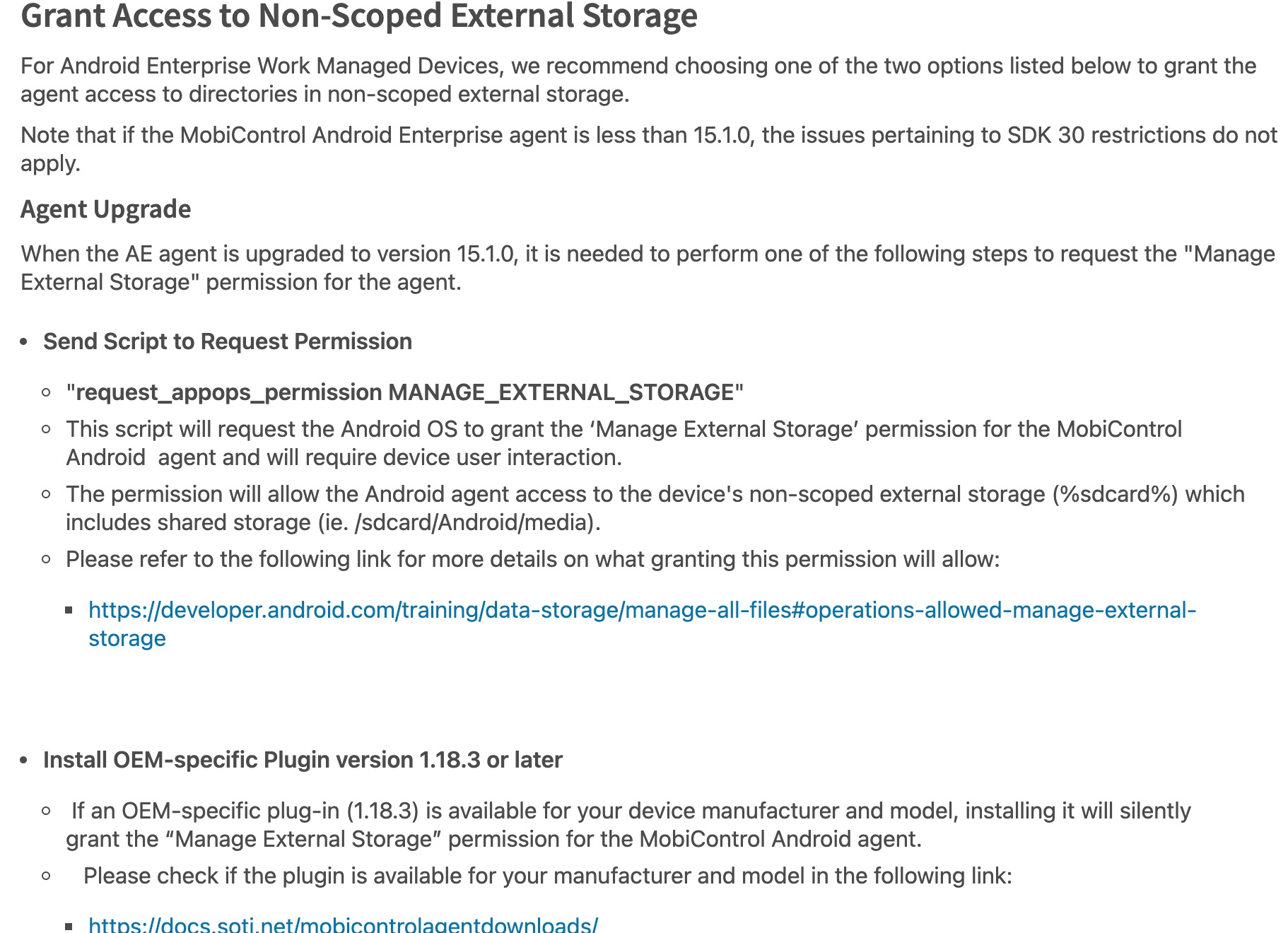
I am guessing your devices are running Android 11 or 12? Then you might want to read this article about Android 11+ and the impacts of restrictions to scoped storage:

https://discussions.soti.net/articles/impact-of-android-11-scoped-storage-restrictions-on-android-enterprise-work-managed-devices

Since the API target level of the Android Agent was moved up it no longer has external storage access permissions inherently granted on A11+ devices. You can however request this permission with a script if it is not automatically granted by agent or the manufacturer specific plugin. Unfortunately with the script there will be a manual permission grant that has to be performed at the device level.

TK
Todor Kostadinov
3 years ago

Hi Matt,

And Thank you for your answer.

So, I have 2 possible solutions:

Grant these permissions during the initial installation proccess.

Or to move files inside folder, for example the "Downloads".

Is this correct?

MK
Martin K. Bronze Contributor
3 years ago

Hi Todor,

yes, that is correct, either move the files to a shared folder like Downloads or grant the external storage rights. I think the later is most times the better way, just two steps more during enrollment but less problems afterwards.

Martin

MD
Matt Dermody Diamond Contributor
3 years ago

Yes exactly! And note that even with the MANAGE_EXTERNAL_STORAGE permission granted the agent will still be unable to read /write from an individual app's scoped storage directory (eg. /sdcard/android/data/<bundleid>/files). The scoped storage restriction is not something that can be worked around to my knowledge in A11+. If there are apps using scoped storage for configuration or log files today then the apps themselves would need to be rewritten in order to accommodate a different configuration folder path in a shared storage directory or a different configuration method, like Managed Configs.