Android Enterprise and Rule Permissions issue

L
Leigh
PHS GROUP

Hi all,

I'm currently using Android Enterprise - Work Managed devices, with Managed Google Play Account...

Mobicontrol version 15.3.2

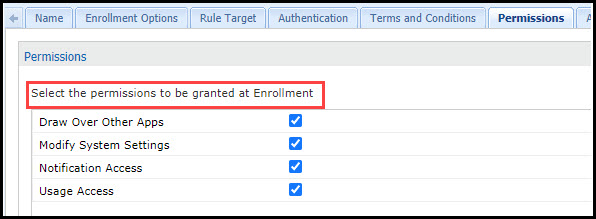
I have a selection of Add device rules set up and all have the Permissions set on the Rule like below:
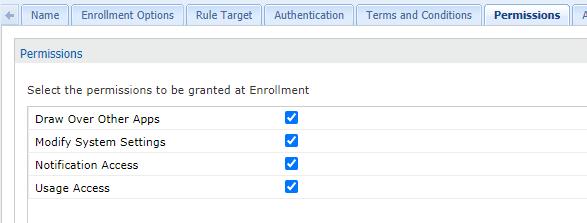
Permissions

However at enrolment of the device, I'm experiencing a mix of results and not sure why.

For example, once the device is staged as AFW - its on the enrolment screen waiting for a code.

We use Mobicontrol Stage and scan barcodes created from the Enrolment ID.

This then prompts for username and password (we use ldap authentication)

and then it prompts for the Password Policy we set and moves onto the kiosk/lockdown.

On some devices, this proceeds and there are no further pending actions. All policies, apps, etc download and the device is enrolled and compliant.

However on another device, same model, same staging but perhaps a different Rule - with the same Permissions set - we get prompted in Pending actions and have to manually accept each one and toggle Mobicontrol.
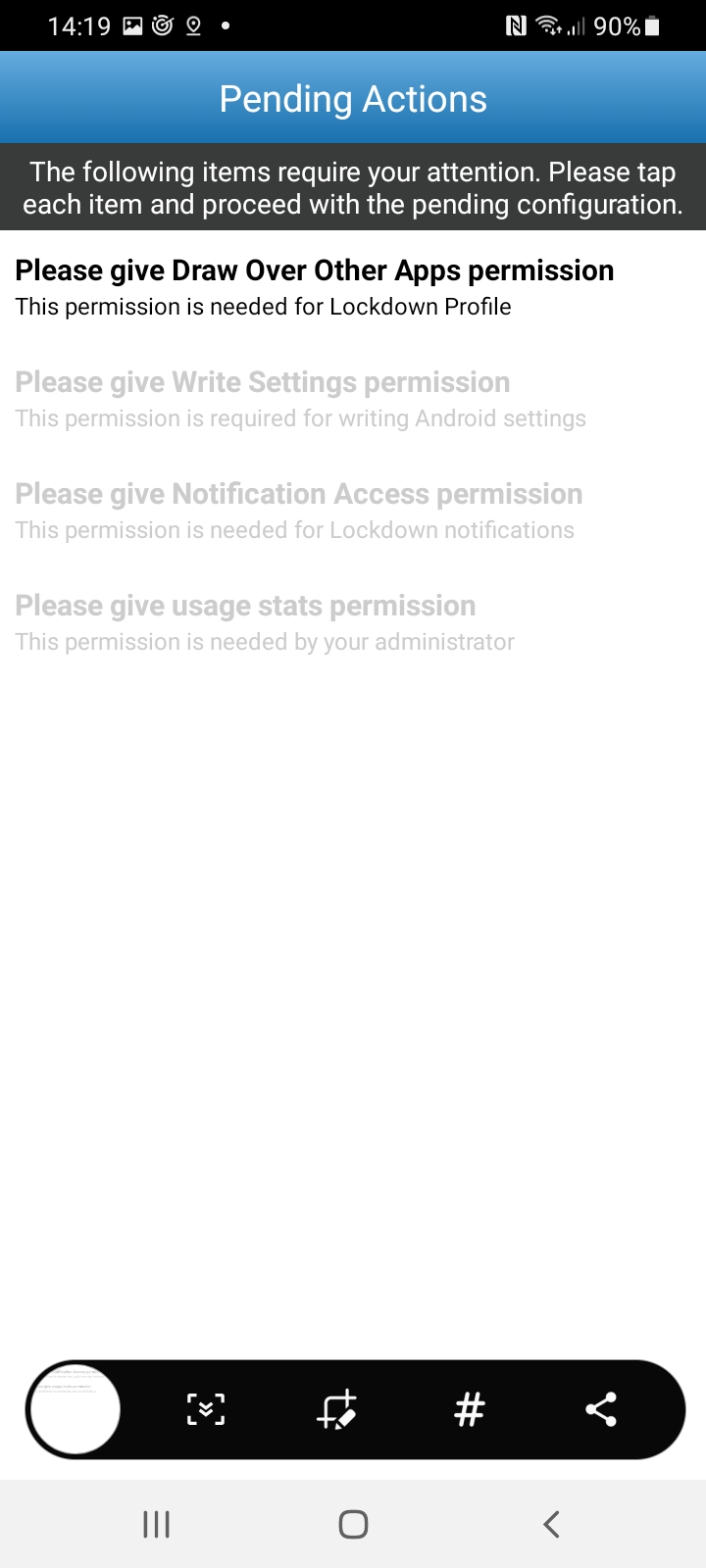
Device

I have gone over the Rules and aside from the target and ldap groups these are almost carbon copies.

All have the tickboxes set but I'm confused if they mean it should prompt, or should auto grant these?

Little baffled on why some do it but not all...

Is there something at the profile level that has an effect, or maybe something in feature control that conflicts with this that I'm potentially missing?

If anyone can help and offer the intended action it would be much appreciated as we may need to update documentation for user enrolment asap.

Many thanks

Leigh

5 years ago
Android
ANSWERS
A
ANKMOD@SOTI
5 years ago (edited 5 years ago)

Hello Leigh

Greetings

Thanks for requesting an answer from Soti!!

To check with this issue , Can you confirm the followiing

  • Mobicontrol version along with build no.
  • Can you confirm if you test one device with two different enrollment rules (where device Prompts with pending action and where it works fine ) then let us know if you are able to see different behaviour on a single device ?
  • Can you confirm , is there any recent upgrade or any change has been performed on Mobicontrol end before you noticed this issue ?

You can also try to test by updating enrollment profile of rule by doing right click on rule (with which we are getting prompts) and test it. Above mentioned answers , will help us to narrow-down this issue to assist you better.

Regards

L
Leigh
5 years ago

Thanks for the reply.

Build: Version: 15.3.2.1072

Devices are Panasonic FZN1 Android 9 but seems like we have 2 variations of build

A
ANKMOD@SOTI
5 years ago

Hello Leigh

Greetings

Thanks for testing and sharing your feedback on SOTI CENTRAL!!

After going through all your testing experience and observations  mentioned above,  the issue seems to be happening for all rules for your colleague test device  with  Build 16-04-001-017 . Kindly let me know if its possible for you to test by upgrading that device to firmware or Build 16-04-001-028.

Regards

B
Bhav
5 years ago

I had fun with this not long ago. Here's what I found out:

[Question] If unchecked, does this mean these permissions have been declined or that they have been accepted/granted silently?

[Answer]: The permissions will not be granted if not checked. All the permissions will be set to not allowed. 

[Q] Is it based on OS version, because we haven’t had to tap to complete google account setup until very recently? Previously, it would show and (most times) after <5 seconds the device WILL complete google account setup without any user interaction.

A: It is based on manufacturer, OS and agent as well. We have experienced different behavior depending on the device type. 

P.S: Please note, when you allow these permissions the first time after the device is factory reset, the permissions will stay as it is even if you re-enroll the device. These permissions can only be changed to default after you factory reset and re-enroll the device.  


I also requested for this line to be clarified with "Select the permissions to be granted *by the end user* at Enrollment.

L
Leigh
5 years ago

Thank you for your reply - 

We did upgrade one device however it did go to the newest patch 16-04-001-030 and we got the permissions prompt again.

I'm proceeding to document this step for enrolment, just in case for now.