How to disable Exit Single-APP-Mode / Lockdown in SOTI Snap App

Hi,

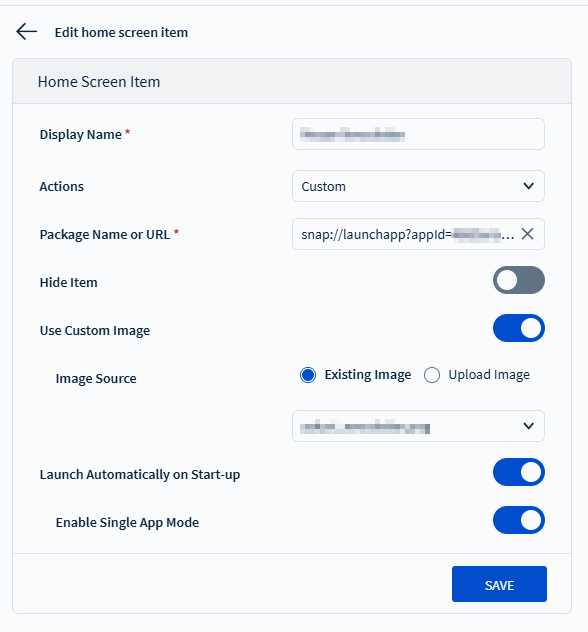
I have configured a tablet with lockdown so that a SOTI Snap app automatically starts in single app mode. This prevents unauthorized access to other functions.

Is it possible to exit this lockdown mode or deactivate single-app mode directly on the device, e.g., if no connection to Mobicontrol is possible (no internet connection)?

Or is there a Java code for SOTI Snap that can be used to exit the lockdown/single-app mode?

Best Regards

Steffen

a year ago
SOTI Snap
ANSWERS
N
NSMOD@soti.net
a year ago

Hi Steffen,

We can only exit the lockdown mode from the device manually as they are not connected to the internet.

Regarding the java code there is no such scripts as of now.

To make sure, I will discuss with Product team regarding the script.

Thank you for choosing SOTI.


Regards,

Technical Support | SOTI Inc. |1.905.624.9828 | support@soti.net | www.soti.net

SI
Steffen Imberge
8 months ago

Hi, 

how exactly can you manually deactivate the lockdown on the device?

As mentioned, the device runs a SOTI SNAP app directly at startup, which is active in the Mobicontrol lockdown configuration with the parameter “Enable Single APP Mode.”

Holding down the navigation button "back" therefore does not work.

Regards,

Steffen

Even without snap using, drawing the triangle on the screen to get admin prompt is not nice, so we designed a workaround, not sure if this would be good for you but to present here as you may be interested:

  1. Use normal (not single app) lockdown (no matter if snap or normally created)
  2. Add your single app AND the Mobicontrol app (the least could be "hidden" to a headline or so)
    1. Via the Mobicontrol app you can enter the admin mode if needed.
  3. Additionally to the lockdown profile provide a task profile containing JS which does:
    1. regular check which app is in foreground (needs to be long enough to be able to enter admin mode if needed)
    2. if the single app is not in foreground and the device is not in admin mode, bring our single app back in foreground.

It's not nice and you have delays between app closed and brought back in foreground but it helped us a lot trouble caused by triangle not detected (normal lockdown) maybe this could suit you as well. If not, i at least tried ;)