Where can i find the synced files from device to server in the SOTI cloud environment?
In the rule it says %ROOT%\ but where is the root located?
The other way around (server to device) you got a browse button witch opens a file manager.

Where can i find the synced files from device to server in the SOTI cloud environment?
In the rule it says %ROOT%\ but where is the root located?
The other way around (server to device) you got a browse button witch opens a file manager.

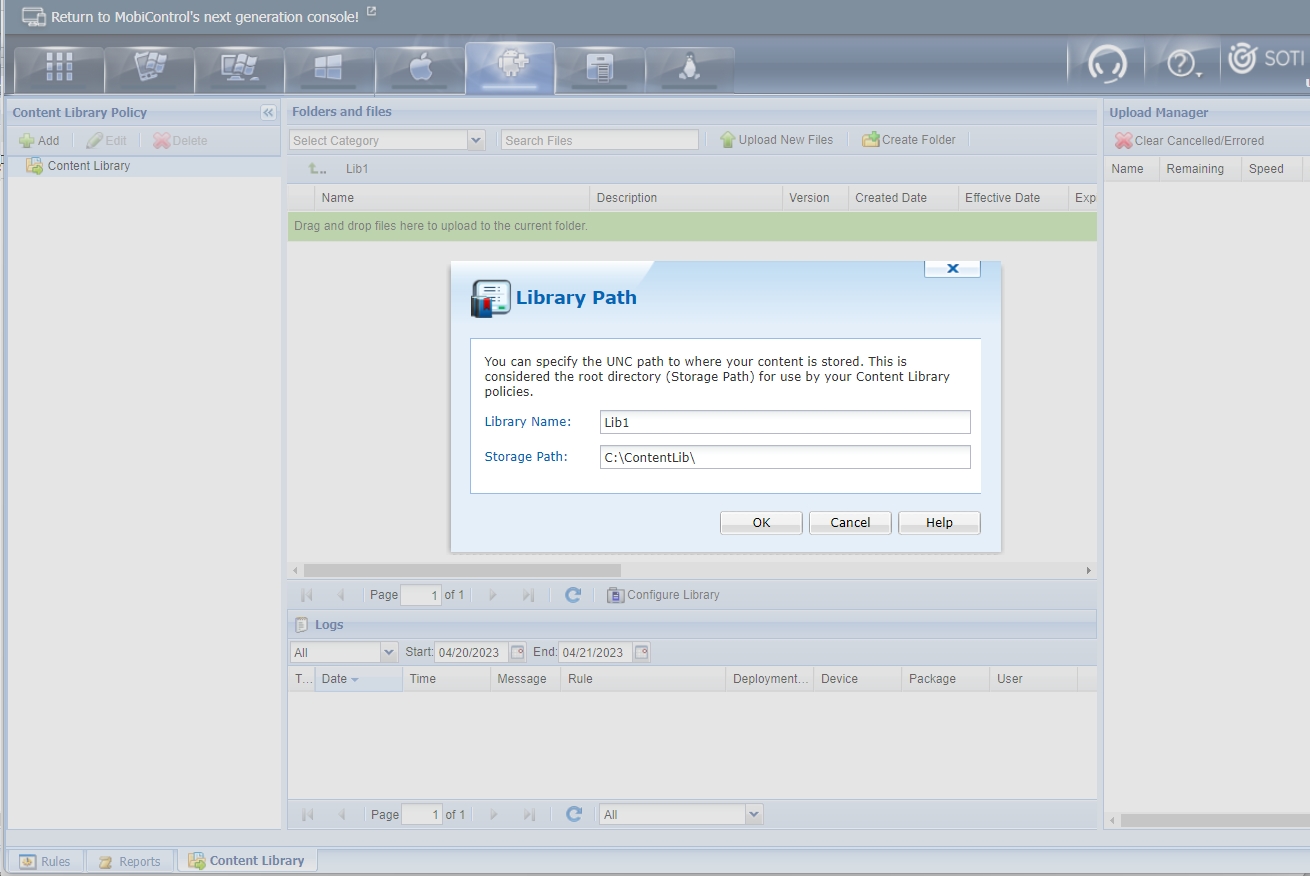
On a MobiControl cloud instance, you can specify/change the "root" directory for content library archive to be used in any content library policies in the "Content Library" tab of either the Android or Apple device platform.
The "File System Manager" in the Global-Settings tab can then be used to add sub-folders and files under this root-directory, and facilitate upload of download of files from this content archive of your cloud instance to your local machine running the web-console.
When you use the macro %ROOT% in defining server directory for file-sync rule, I think the %ROOT% macro also references the same root directory as the content library archive root directory. To avoid confusions between files used in file-sync rules and content library policies, simply use different sub-folders under this same root archive. As all MobiControl cloud instance should nearly always be installed on the C: drive of a hosting MS-Windows Server by default, a trivial choice of this "root" archive can be something like C:\ContentLibs, C:\FileSyncArchive, etc.

Hi KAS001,
Thank you for posting on SOTI Pulse!
Has Raymond's post helped you with your question?
Kind regards,
Technical Support Specialist | SOTI | +1 905.624.9828 | SOTI.net lDiscussion Forum | Log a Case Online l Facebook l LinkedIn l Twitter