Mobicontrol Cloud v. 14.3.2.1171
Samsung Galaxy Tab S4 Android 10 enrolled in Android Enterprise
Agent version 14.4.6.1001
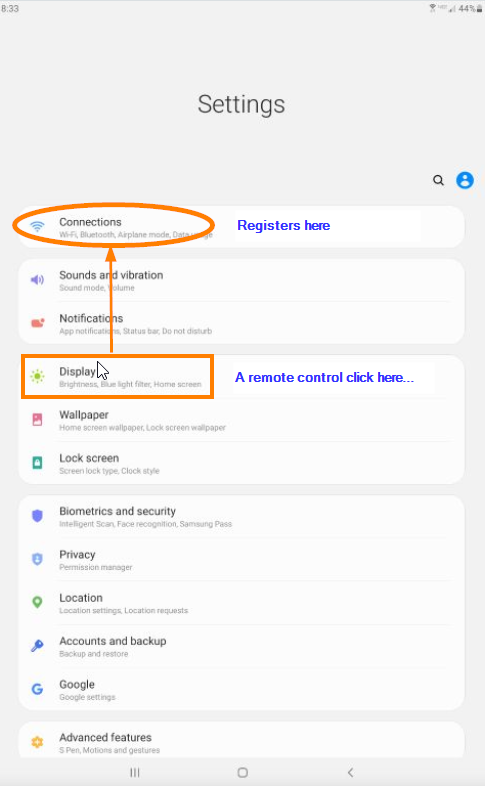
When I connect to a device remotely, via Web or Legacy remote control, mouse clicks register above the actual location where I am clicking. For example, in Settings if I click the topmost menu item, Connections, nothing happens but if I click the fourth one down, Display, the Connections menu will open. If I click the 6th item, Lock Screen, the second menu, Sounds and vibration will open.
Some time ago there was a remote control issue on Samsung devices where SOTI support had us manually change the x,y resolution due to weird stretching aspect ration stuff but now the image in remote is fine but the x,y placement of the cursor on-screen in the rmeote window is not matching the correct coordinates on the device.
Any ideas?