"You've navigated to an invalid URL"

Hi,

I'm running into a problem with a Soti MobiControl server I just installed at a client site. I.e. the server has been installed and registered, but when I want to open the web console I get the following message:

"You've navigated to an invalid URL. You can access MobiControl through the link below."

But if I click that link I get that same page again.

Any idea what could be the cause? I've already restarted the machine where the server is installed, and the error still appears.

I've looked at the Management Service logs through the MCAdmin console. The most prominent errors are as follows:

HttpListenerException: The I/O operation has been aborted because of either a thread exit or an application request

AuthorizationServerException: Redirect SingIn session is not found

I'm not sure if those errors are related, or if they are the reason why I cannot log in onto the web console.

Any ideas?

Regards,

Daníel

4 years ago
SOTI MobiControl
ANSWERS
MD
Matt Dermody Diamond Contributor
4 years ago

To confirm, the URL you're attempting to access has the following path appended?

/MobiControl/WebConsole/

DS

Correct.

RC
Raymond Chan Diamond Contributor
4 years ago

The problem can be related to the management-server settings in MCadmin, and also to how your client configure their firewall if you access the web-console from outside their corporate network.

DS

Yes, I imagine it has something to do with the settings in MCAdmin. Those are out of the box though, and I was requesting this from the server with the MobiControl instance installed.

I'll probably send a request to Soti Support to figure this out.

Daníel

RC
Raymond Chan Diamond Contributor
4 years ago

What MCadmin  self-/auto- configure upon running MobiControl installation binary for the first time will likely be wrong because the program most likely only get local parameters (machine name and private IP address) to fill in various parameter fields in the server tab. 

J
JCMOD@SOTI Platinum Contributor
4 years ago

Hi Daniel,

Did you manage to resolve this, what was the issue? 

Regards,

DS

The issue kind of resolved itself. I.e. the next time I tried, everything worked as expected.

Try localhost access from the server, you will got certificate error and accept it, use this default URL if you not change the default name in MCAdmin.exe

https://localhost/mobicontrol/

You can send your McAdmin.exe on private for futher help if you need!

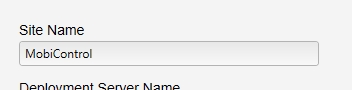
If you changed the name of the image configuration inside MCAdmin on deployment server tab, just use the same name instead of mobicontrol in the url path.

https://localhost/xpto/
https://fqdn_or_IP/xpto/
xpto = Site Name

Regards

It was cache from your browser, use some times CTRL + F5 to clean all caches most simple issue can be solved with that!

RC
Raymond Chan Diamond Contributor
4 years ago

Hi Daniel,

As you said the Soti MobiControl server you installed is located in your client site, I suspect you can have different behaviours  when opening MobiControl web-console, depending on where you start the web-console (inside or outside your client corporate firewall) and on how MCadmin and your client firewall are configured. 

To avoid embarrassment of no web-console access when supporting your client in the future, I suggest you to look carefully into the set-up again and make sure the same problem will not happen again, especially if you are allowed to remote access the web-console away from their site. 

J
JCMOD@SOTI Platinum Contributor
4 years ago

Hi Daniel,

Can you choose a post that assisted you with the resolution of this issue? You'll have an option to "Is Solution".

Regards,

DS

Not really, the issue seemed to disappear by itself.