I just started to work with a TC78, have it enrolled in SOTI, can see it; however, I am not able to remote into it.
I checked the SOTI permissions on the device and everything is set correctly.
Any Suggestions?

I just started to work with a TC78, have it enrolled in SOTI, can see it; however, I am not able to remote into it.
I checked the SOTI permissions on the device and everything is set correctly.
Any Suggestions?

If it is A13 and lower then install the Zebra specific plugin. If it is A14 and higher then uninstall the Zebra plugin.
Otherwise check network blockages for Remote Control ports and protocols.
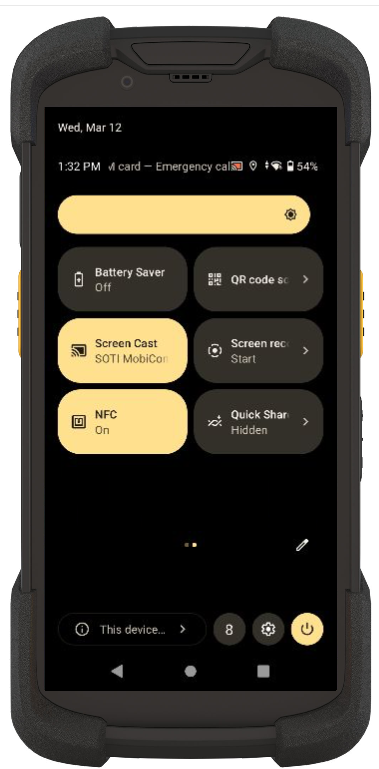
I was playing around with the device and had turned off Screen Cast. I reset the scanner to start from scratch and then was able to connect, then I noticed that the Screen cast was on and connecting to Soti Mobicontrol.
if I turn this off I lose connection, thought I would share but not sure if this is really the only fix?
TC78 on A13 I'd recommend no installation of the Zebra Plugin. The plugin will in fact break your ability to Remote Control on those devices. The toggling you did between the screen casting likely triggered something but that's not the actual resolution here. The resolution is uninstalling the plugin and rebooting the device, you should then be good from that point forward.
One unfortunate side of this is that the non-plugin screencasting based Remote Control that is on the modern Zebra Android devices is currently disruptive. That is to say it is non-silent and you will see the screen refresh and the lockdown force itself into the foreground while Remote Control is being activated. This is a known side effect that I've had multiple cases opened with both SOTI and Zebra on since last March. We're hopefully getting a fix through a new agent soon but as of now that is still currently a known issue.

.jpg)